 CloudConsole
aws ec2 create-snapshot
aws ec2 create-snapshot --volume-id vol-0123456789abcdef0 --description "pre-change" takes a point-in-time backup of one EBS volume. It returns at once with State pending; the volume stays usable while the snapshot completes, and only blocks changed since the last snapshot are stored.
What the command does
A snapshot captures the volume as it was at the moment of the call, then copies the data to S3-backed storage in the background. You can keep reading and writing the volume during that time. Snapshots are incremental: the first one of a volume stores all used blocks, later ones only the blocks that changed, yet each snapshot can be restored on its own.
A snapshot only contains what had reached the disk. Data still in the OS page cache or an application buffer is not included, so for a clean backup, flush or freeze first.
Syntax
aws ec2 create-snapshot \
  --volume-id vol-0123456789abcdef0 \
  [--description "text"] \
  [--tag-specifications 'ResourceType=snapshot,Tags=[{Key=Name,Value=...}]']
Response (trimmed):
{
  "SnapshotId": "snap-0123456789abcdef0",
  "VolumeId": "vol-0123456789abcdef0",
  "State": "pending",
  "Progress": "",
  "VolumeSize": 100,
  "Encrypted": true,
  "StartTime": "2026-11-16T10:02:11.000Z"
}
Worked examples
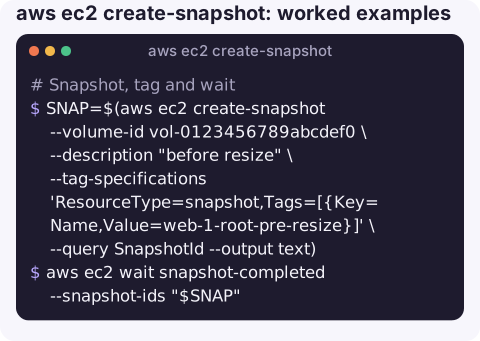
Snapshot, tag and wait:
SNAP=$(aws ec2 create-snapshot --volume-id vol-0123456789abcdef0 \
  --description "before resize" \
  --tag-specifications 'ResourceType=snapshot,Tags=[{Key=Name,Value=web-1-root-pre-resize}]' \
  --query SnapshotId --output text)
aws ec2 wait snapshot-completed --snapshot-ids "$SNAP"
Snapshot every volume of an instance at the same moment, which keeps multi-volume setups (RAID, separate data and log disks) consistent with each other:
aws ec2 create-snapshots \
  --instance-specification InstanceId=i-0123456789abcdef0 \
  --description "web-1 all volumes" --copy-tags-from-source volume
Watch progress:
aws ec2 describe-snapshots --snapshot-ids "$SNAP" \
--query "Snapshots[0].[State,Progress]" --output textRestore: create a volume from the snapshot in the AZ of the instance that needs it, then attach it:
aws ec2 create-volume --snapshot-id "$SNAP" --availability-zone eu-west-2a --volume-type gp3Consistency checklist
| Situation | What to do |
|---|---|
| Root volume of a running server | Acceptable for most cases; for certainty, stop the instance or use create-image, which reboots by default. |
| Database data volume | Flush and lock, or use the database's own backup tooling; a raw snapshot is crash-consistent at best. |
| Several volumes that belong together | Use create-snapshots with the instance ID rather than one call per volume. |
| Linux file system you can pause | fsfreeze -f before the call and fsfreeze -u once it returns; the snapshot point is set when the call is accepted. |
Gotchas
- Automate it properly. Hand-rolled cron snapshots tend to pile up forever. Amazon Data Lifecycle Manager or AWS Backup can create and expire snapshots on a schedule.
- Restored volumes start cold. Blocks are fetched lazily from storage on first read, so a volume restored from a snapshot can be slow until it has been read through, unless fast snapshot restore is enabled.
- Deleting the volume does not delete its snapshots, and snapshots of a deleted volume can still be restored.
- Encryption is inherited. Snapshots of encrypted volumes are encrypted with the same KMS key, and you need permission on that key to restore or copy them.
Questions
Can I use a volume while a snapshot is pending?
Yes. The snapshot reflects the moment you called create-snapshot; writes after that do not affect it, and the volume stays fully usable.
How do I snapshot all volumes of an EC2 instance?
Use aws ec2 create-snapshots --instance-specification InstanceId=i-... to get crash-consistent snapshots of every attached volume taken at the same moment.
How much does an EBS snapshot cost?
You pay for snapshot storage per GB-month. Because snapshots are incremental, the cost depends on how much data changes between them rather than on volume size.
A snapshot is cheap insurance before a risky change made under pressure. CloudConsole, a phone app for AWS, is built to show your resources and their recent changes on a phone, with guardrails for production.
About the app → · Download on the App Store