 CloudConsole
aws ec2 describe-images
aws ec2 describe-images lists Amazon Machine Images you can launch in the current region. Always pass --owners (self, amazon, or an account ID) because without it the command searches every public AMI, which is slow and noisy, and combine it with a name filter and sort_by(Images,&CreationDate)[-1] to get the newest image.
What the command does
An AMI is a regional object: the same Ubuntu release has a different AMI ID in every region, and your own AMIs only exist where you created or copied them. describe-images searches the images visible to you in one region and returns, for each, its ID, name, owner, creation date, architecture, state and the block device mappings (which hold the snapshot IDs that make up the image).
Syntax
aws ec2 describe-images \
  [--owners self|amazon|aws-marketplace|<account-id> ...] \
  [--image-ids ami-0123456789abcdef0 ...] \
  [--filters "Name=name,Values=..."] \
  [--executable-users self|all] \
  [--include-deprecated] [--include-disabled]
Worked examples
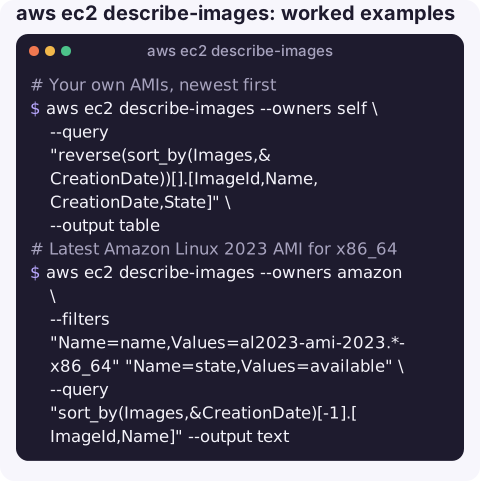
Your own AMIs, newest first:
aws ec2 describe-images --owners self \
  --query "reverse(sort_by(Images,&CreationDate))[].[ImageId,Name,CreationDate,State]" \
  --output table
Latest Amazon Linux 2023 AMI for x86_64:
aws ec2 describe-images --owners amazon \
  --filters "Name=name,Values=al2023-ami-2023.*-x86_64" "Name=state,Values=available" \
  --query "sort_by(Images,&CreationDate)[-1].[ImageId,Name]" --output text
For Amazon Linux the public SSM parameter is simpler and avoids matching a minimal or unexpected variant:
aws ssm get-parameter \
  --name /aws/service/ami-amazon-linux-latest/al2023-ami-kernel-default-x86_64 \
  --query "Parameter.Value" --output text
Latest Ubuntu 24.04 from Canonical (owner 099720109477):
aws ec2 describe-images --owners 099720109477 \
  --filters "Name=name,Values=ubuntu/images/hvm-ssd-gp3/ubuntu-noble-24.04-amd64-server-*" \
  --query "sort_by(Images,&CreationDate)[-1].ImageId" --output text
Old AMIs worth cleaning up, with the snapshots you must delete after deregistering:
aws ec2 describe-images --owners self \
  --query "Images[?CreationDate<'2025-01-01'].{ID:ImageId,Name:Name,Snapshots:join(' ',BlockDeviceMappings[].Ebs.SnapshotId)}" \
  --output table
Key options
| Option | Notes |
|---|---|
--owners | Who published the image. self for yours, amazon for AWS-provided, or a 12-digit account ID. |
--executable-users self | Images other accounts have shared with you. |
--filters | Useful names: name, state, architecture, root-device-type, platform (windows), tag:<key>. |
--include-deprecated | Includes AMIs past their deprecation date, which are otherwise left out of searches. |
--include-disabled | Includes AMIs that have been disabled. |
Gotchas
- An AMI ID from a blog post probably will not work. It belongs to one region and may since have been deprecated; look it up fresh, or you will see InvalidAMIID.NotFound.
- Name patterns are literal apart from wildcards. A trailing
*is usually needed because AWS and Canonical embed build dates in names. - Deregistering is not deleting.
deregister-imageremoves the AMI but leaves its snapshots, which keep costing money until you rundelete-snapshoton each. - Shared images can disappear. If you launch from another account's AMI and they deregister it, existing instances keep running but new launches fail. Copy critical AMIs into your own account.
Questions
How do I get the latest AMI ID with the AWS CLI?
Filter by --owners and an image name pattern, then use --query "sort_by(Images,&CreationDate)[-1].ImageId". For Amazon Linux, reading the public SSM parameter is the most reliable option.
Why does describe-images take so long?
Without --owners or --image-ids, the command searches every public AMI in the region. Always scope it to an owner.
How do I find the snapshots used by an AMI?
They are under BlockDeviceMappings[].Ebs.SnapshotId in the image description.
Image IDs are something you look up, not memorise. CloudConsole, a phone app for AWS, is built to show the resources in your account on a phone so details like these are a tap away.
About the app → · Download on the App Store