 CloudConsole
aws ec2 create-key-pair
aws ec2 create-key-pair --key-name my-key --query KeyMaterial --output text > my-key.pem creates a key pair and saves the private key, which AWS returns only this once. Run chmod 400 my-key.pem before using it with SSH, and remember key pairs exist in one region only.
What the command does
EC2 generates a key pair, stores the public half under the name you give, and returns the private half in the KeyMaterial field. AWS keeps no copy of the private key, so if you lose the output you cannot download it again; you create a new pair and get the public key onto the instance some other way.
The name is then passed to run-instances --key-name, and the public key is installed into the default user's authorized_keys on first boot (for Linux AMIs that use cloud-init).
Syntax
aws ec2 create-key-pair \
  --key-name my-key \
  [--key-type rsa|ed25519] \
  [--key-format pem|ppk] \
  [--tag-specifications 'ResourceType=key-pair,Tags=[{Key=Owner,Value=ops}]']
The default is an RSA key in PEM format. ppk is for PuTTY on Windows.
Worked examples
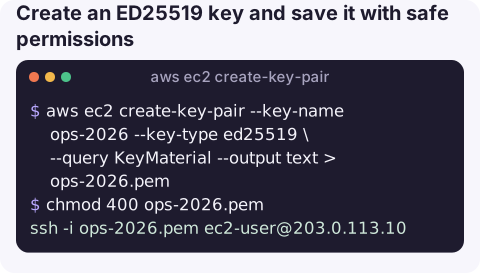
Create an ED25519 key and save it with safe permissions:
aws ec2 create-key-pair --key-name ops-2026 --key-type ed25519 \
  --query KeyMaterial --output text > ops-2026.pem
chmod 400 ops-2026.pem
Using --output text matters: the default JSON output wraps the key in quotes with escaped newlines, and SSH rejects that file as invalid.
Use it:
ssh -i ops-2026.pem [email protected]Import a key you already have instead, so the private key never passes through AWS:
aws ec2 import-key-pair --key-name laptop \
  --public-key-material fileb://~/.ssh/id_ed25519.pub
Make the same key available in several regions (key pairs are regional):
for r in eu-west-1 eu-west-2 us-east-1; do
  aws ec2 import-key-pair --region "$r" --key-name laptop \
    --public-key-material fileb://~/.ssh/id_ed25519.pub
done
List existing key pairs and their fingerprints:
aws ec2 describe-key-pairs --query "KeyPairs[].[KeyName,KeyType,KeyFingerprint]" --output tableChoosing options
| Option | Choose when |
|---|---|
--key-type ed25519 | Linux instances; shorter, modern keys. |
--key-type rsa | Windows instances: decrypting the Administrator password requires an RSA key. |
--key-format ppk | You connect with PuTTY and do not want to convert the file. |
Gotchas
UNPROTECTED PRIVATE KEY FILEfrom SSH means the file is readable by others; fix withchmod 400.InvalidKeyPair.Duplicate: a key with that name already exists in the region. Choose a new name; deleting the old one does not affect instances already using it.- Deleting a key pair with
delete-key-paironly removes the public key from EC2. Instances launched with it keep accepting it until you editauthorized_keys. - Lost the private key? Use EC2 Instance Connect or Session Manager to add a new public key to the instance, rather than rebuilding it.
- Do not commit the .pem or paste it into tickets; consider whether you need SSH keys at all if Session Manager is available.
Questions
Can I download an EC2 private key again?
No. The private key is returned once by create-key-pair. If it is lost, create or import a new key and add its public key to the instance.
How do I create a key pair in another region?
Pass --region to create-key-pair, or import the same public key into each region with aws ec2 import-key-pair.
How do I get an EC2 instance's private key?
You cannot retrieve it from AWS. Only whoever ran create-key-pair received it; otherwise use Session Manager or EC2 Instance Connect to get access.
SSH keys are rarely on hand when you are away from your laptop. CloudConsole, a phone app for AWS, is built to show instance health and logs on a phone, which often answers the question without needing a shell.
About the app → · Download on the App Store