 CloudConsole
How to connect to EC2 with Session Manager
Session Manager gives you a shell on an instance with no SSH keys and no inbound ports. The instance needs the SSM Agent (preinstalled on Amazon Linux and many other AWS-provided AMIs), an instance profile with the AmazonSSMManagedInstanceCore policy (or Default Host Management Configuration), and outbound access to Systems Manager. Then choose Connect in the EC2 console and use the Session Manager tab, or run aws ssm start-session --target i-0123456789abcdef0.
Set-up checklist
| Requirement | How to check or fix |
|---|---|
| SSM Agent running | Installed by default on Amazon Linux 2 and 2023 and on recent Ubuntu and Windows AWS AMIs; check with systemctl status amazon-ssm-agent (or the snap service on Ubuntu) |
| IAM permissions for the instance | Attach an instance profile whose role has AmazonSSMManagedInstanceCore, or enable Default Host Management Configuration in Systems Manager for the Region |
| Network path to Systems Manager | Outbound HTTPS via an internet gateway or NAT, or interface VPC endpoints for ssm, ssmmessages and ec2messages in private subnets |
| Your permissions | ssm:StartSession on the instance (and the session document) |
| CLI only | The Session Manager plugin installed alongside the AWS CLI |
After attaching a role, give the agent a few minutes to register, or restart it.
Connect from the console
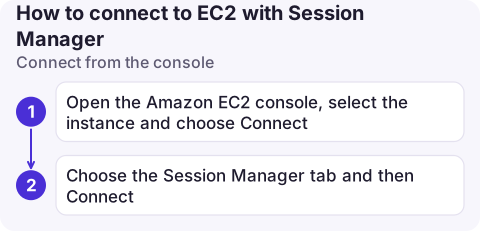
- Open the Amazon EC2 console, select the instance and choose Connect.
- Choose the Session Manager tab and then Connect. A browser terminal opens.
If the Connect button is greyed out on that tab, the instance isn't registered as a managed node yet; work through the checklist. You can also start sessions from the Session Manager page in the Systems Manager console.
Connect from the CLI
# Is the instance managed and online?
aws ssm describe-instance-information \
  --filters Key=InstanceIds,Values=i-0123456789abcdef0 \
  --query 'InstanceInformationList[].[InstanceId,PingStatus,AgentVersion,PlatformName]' --output table

# Shell
aws ssm start-session --target i-0123456789abcdef0

# Forward local port 13389 to RDP on the instance
aws ssm start-session --target i-0123456789abcdef0 \
  --document-name AWS-StartPortForwardingSession \
  --parameters '{"portNumber":["3389"],"localPortNumber":["13389"]}'

# Reach a private database through the instance
aws ssm start-session --target i-0123456789abcdef0 \
  --document-name AWS-StartPortForwardingSessionToRemoteHost \
  --parameters '{"host":["orders-db.abc123xyz.eu-west-2.rds.amazonaws.com"],"portNumber":["5432"],"localPortNumber":["15432"]}'
PingStatus should be Online. Sessions start as the ssm-user account on Linux by default; use sudo as needed, or configure Run As in Session Manager preferences.
When it won't connect
- Instance not listed as managed: almost always the role or the network path. A private subnet without NAT needs all three VPC endpoints, with a security group allowing HTTPS from the instance.
- TargetNotConnected: the agent was registered but isn't reachable now; check the agent is running and the instance can still reach the endpoints.
- "SessionManagerPlugin is not found": install the plugin on your computer.
- Old agent: very old agents miss features such as port forwarding to remote hosts; update the agent.
Why bother instead of SSH
- No inbound security group rules and no bastion host to patch.
- Access is controlled by IAM and can be limited by instance tag.
- Sessions are recorded in CloudTrail, and session output can be logged to CloudWatch Logs or S3.
- No long-lived SSH keys to rotate or leak; see Permission denied (publickey) for the problems this avoids.
Questions
How do I connect to EC2 with Session Manager from the AWS CLI?
Install the Session Manager plugin, then run aws ssm start-session --target with the instance ID. The instance must be online as a managed node.
Do I need a public IP for Session Manager?
No. The instance needs outbound access to Systems Manager, through a NAT gateway or through VPC endpoints. No public IP or inbound rule is required.
Can I use SSH or SCP over Session Manager?
Yes. With the AWS-StartSSHSession document configured as a ProxyCommand in your SSH config, ssh and scp tunnel through Session Manager, though you then need SSH keys again.

A shell on a phone is rarely pleasant, but knowing whether an instance is reachable is useful. CloudConsole, a phone app for AWS, is built to show instance health and managed-node status on your phone.
About the app → · Download on the App Store