 CloudConsole
aws ec2 describe-subnets
aws ec2 describe-subnets lists subnets with their VPC, CIDR, Availability Zone and count of free IP addresses. Filter with Name=vpc-id to see one VPC, and watch AvailableIpAddressCount: subnets running out of addresses cause launch, Lambda and EKS pod failures.
What the command does
Each subnet in Subnets[] has SubnetId, VpcId, CidrBlock, AvailabilityZone and AvailabilityZoneId, AvailableIpAddressCount, MapPublicIpOnLaunch, DefaultForAz, State and Tags.
What it does not tell you is whether a subnet is public. That depends on the route table associated with it, which you read with describe-route-tables.
Syntax
aws ec2 describe-subnets \
  [--subnet-ids subnet-0123456789abcdef0 ...] \
  [--filters "Name=vpc-id,Values=vpc-0123456789abcdef0" ...] \
  [--query ...]
Worked examples
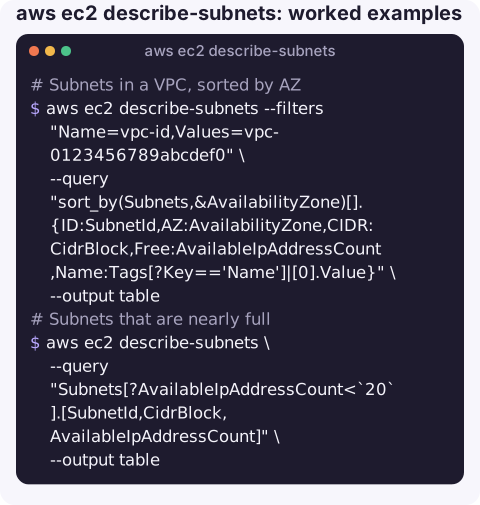
Subnets in a VPC, sorted by AZ:
aws ec2 describe-subnets --filters "Name=vpc-id,Values=vpc-0123456789abcdef0" \
  --query "sort_by(Subnets,&AvailabilityZone)[].{ID:SubnetId,AZ:AvailabilityZone,CIDR:CidrBlock,Free:AvailableIpAddressCount,Name:Tags[?Key=='Name']|[0].Value}" \
  --output table
Subnets that are nearly full (fewer than 20 free addresses):
aws ec2 describe-subnets \
  --query "Subnets[?AvailableIpAddressCount<`20`].[SubnetId,CidrBlock,AvailableIpAddressCount]" \
  --output table
Pick private subnets by tag for a launch or a Lambda VPC config:
aws ec2 describe-subnets \
  --filters "Name=vpc-id,Values=vpc-0123456789abcdef0" "Name=tag:Tier,Values=private" \
  --query "Subnets[].SubnetId" --output text
Is this subnet public? Look for a route to an internet gateway in its route table:
aws ec2 describe-route-tables \
  --filters "Name=association.subnet-id,Values=subnet-0123456789abcdef0" \
  --query "RouteTables[].Routes[?starts_with(GatewayId || '', 'igw-')].DestinationCidrBlock"
An empty result can also mean the subnet has no explicit association and uses the VPC's main route table; check that with the filter association.main=true and vpc-id.
Reading the numbers
| Field | What to know |
|---|---|
AvailableIpAddressCount | Free IPv4 addresses right now. AWS reserves five addresses in every subnet, so a /24 starts at 251. |
MapPublicIpOnLaunch | Whether new instances get a public IPv4 by default. Not the same as being reachable from the internet. |
AvailabilityZone vs AvailabilityZoneId | Zone names such as eu-west-2a map to physical zones differently per account; the ID (for example euw2-az1) is consistent across accounts. |
DefaultForAz | true for default-VPC subnets. |
Gotchas
- IP exhaustion is quiet. Lambda functions in a VPC, EKS pods with the VPC CNI and load balancers all consume subnet addresses. Failures show up as ENI creation errors elsewhere, not here, so alert on the free count.
- Cross-account AZ names differ. When matching subnets across accounts (for example for a shared endpoint service), compare
AvailabilityZoneId. - Subnet CIDRs cannot be resized. To get more room, add a secondary CIDR to the VPC and create new subnets in it.
- Deleting a subnet fails while any network interface remains in it; find them with
describe-network-interfacesfiltered onsubnet-id. - IPv6 is counted separately.
AvailableIpAddressCountcovers IPv4 only. Dual-stack subnets list their IPv6 range underIpv6CidrBlockAssociationSet, and IPv6-only subnets can show a low IPv4 count without being full. - Shared subnets from another account appear in your listing too, with the owner's ID in
OwnerId; you can launch into them but cannot change them.
Questions
How do I list subnets in a VPC?
aws ec2 describe-subnets --filters "Name=vpc-id,Values=vpc-0123456789abcdef0" --query "Subnets[].[SubnetId,AvailabilityZone,CidrBlock]" --output table.
How do I find how many IPs are left in a subnet?
Read AvailableIpAddressCount from describe-subnets. Remember five addresses per subnet are always reserved by AWS.
How do I tell if a subnet is public or private?
Check its route table with describe-route-tables. A route with a target starting igw- makes it public; the subnet itself has no public or private flag.
A subnet running out of addresses tends to surface as a confusing failure somewhere else. CloudConsole, a phone app for AWS, is built to bring alarms, resources and logs together on a phone so the link is easier to see.
About the app → · Download on the App Store