 CloudConsole
aws ec2 describe-vpcs
aws ec2 describe-vpcs lists the VPCs in one region with their IDs, CIDR blocks, default flag, state and tags. Use --filters Name=is-default,Values=true to find the default VPC, and --query to print VpcId, CidrBlock and the Name tag as a table.
What the command does
Each entry in Vpcs[] describes one VPC: VpcId, the primary CidrBlock, any extra ranges in CidrBlockAssociationSet and Ipv6CidrBlockAssociationSet, IsDefault, State, InstanceTenancy, DhcpOptionsId, OwnerId and Tags. VPCs shared with you through AWS RAM also appear, with someone else's OwnerId.
Like all EC2 describe calls it is regional. A VPC you created in eu-west-1 is invisible to a CLI profile set to eu-west-2.
Syntax
aws ec2 describe-vpcs \
  [--vpc-ids vpc-0123456789abcdef0 ...] \
  [--filters "Name=<filter>,Values=..."] \
  [--query ...] [--output table]
Worked examples
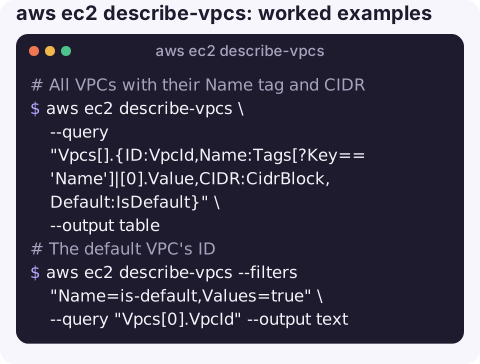
All VPCs with their Name tag and CIDR:
aws ec2 describe-vpcs \
  --query "Vpcs[].{ID:VpcId,Name:Tags[?Key=='Name']|[0].Value,CIDR:CidrBlock,Default:IsDefault}" \
  --output table
The default VPC's ID, handy in scripts that launch test resources:
aws ec2 describe-vpcs --filters "Name=is-default,Values=true" \
  --query "Vpcs[0].VpcId" --output text
If this prints None, the region has no default VPC (it was deleted, or the account is set up without one) and commands that rely on it need an explicit subnet.
Find a VPC by CIDR when planning peering or a Transit Gateway attachment and you need to avoid overlaps:
aws ec2 describe-vpcs \
  --filters "Name=cidr-block-association.cidr-block,Values=10.20.0.0/16" \
  --query "Vpcs[].VpcId" --output text
Every CIDR in use, including secondary ranges:
aws ec2 describe-vpcs \
  --query "Vpcs[].[VpcId,join(',',CidrBlockAssociationSet[].CidrBlock)]" --output text
Check DNS settings, a common reason private hosted zones and interface endpoints do not resolve:
aws ec2 describe-vpc-attribute --vpc-id vpc-0123456789abcdef0 --attribute enableDnsSupport
aws ec2 describe-vpc-attribute --vpc-id vpc-0123456789abcdef0 --attribute enableDnsHostnames
Useful filters
| Filter | Use |
|---|---|
is-default | true for the default VPC. |
cidr | Exact match on the primary IPv4 CIDR. |
cidr-block-association.cidr-block | Matches primary or secondary IPv4 CIDRs. |
owner-id | Separate your VPCs from ones shared with you. |
state | pending or available. |
tag:Name | Find a VPC by its name. |
Gotchas
- "Which VPC is this?" The console's VPC name is just the
Nametag; VPCs without one shownull, so key scripts onVpcId. - Deleting a VPC fails with
DependencyViolationwhile anything still uses it. List what is left withaws ec2 describe-network-interfaces --filters "Name=vpc-id,Values=vpc-0123456789abcdef0"; Lambda, load balancer and endpoint ENIs are the usual leftovers. - VPC quota. Accounts have a per-region VPC quota (five by default at the time of writing). Count with
--query "length(Vpcs)"before an automated deploy creates another. - Overlapping CIDRs cannot be peered or routed through a Transit Gateway cleanly. Check every region you might connect, not just the current one.
- Shared VPCs. VPCs shared with you through AWS RAM appear with the owner's
OwnerId. You can launch resources into the subnets shared with you, but you cannot modify or delete the VPC itself.
Questions
How do I find the default VPC ID with the CLI?
aws ec2 describe-vpcs --filters "Name=is-default,Values=true" --query "Vpcs[0].VpcId" --output text. None means there is no default VPC in that region.
How do I list VPCs in all regions?
Loop over aws ec2 describe-regions --query "Regions[].RegionName" --output text and run describe-vpcs with --region for each.
How do I describe flow logs for a VPC?
Use aws ec2 describe-flow-logs --filter "Name=resource-id,Values=vpc-0123456789abcdef0". Note that this command's option is --filter, singular.
Network questions come up mid-incident more often than you would like. CloudConsole, a phone app for AWS, is built to show resources, alarms and logs together on a phone.
About the app → · Download on the App Store