 CloudConsole
aws ec2 get-console-output
aws ec2 get-console-output --instance-id i-0123456789abcdef0 --output text prints the instance's serial console log: kernel boot messages, systemd and cloud-init output. It is the first thing to check when an instance fails its instance status check or you cannot SSH in, because it works without any access to the OS.
What the command does
EC2 captures what the operating system writes to its serial console and stores the most recent part of it. This command retrieves that buffer. For Linux that is typically the kernel log, systemd units starting, cloud-init stages and any emergency-mode prompt; for Windows it is the EC2Launch or EC2Config messages.
The API returns the text base64-encoded, and the CLI decodes it for you, so --output text gives readable lines.
Syntax
aws ec2 get-console-output --instance-id i-0123456789abcdef0 [--latest] [--output text]Without --latest, you get the output that was last captured, which is updated around instance state transitions such as start, reboot and stop. With --latest, supported on Nitro-based instances, you get the most recent output available.
Worked examples
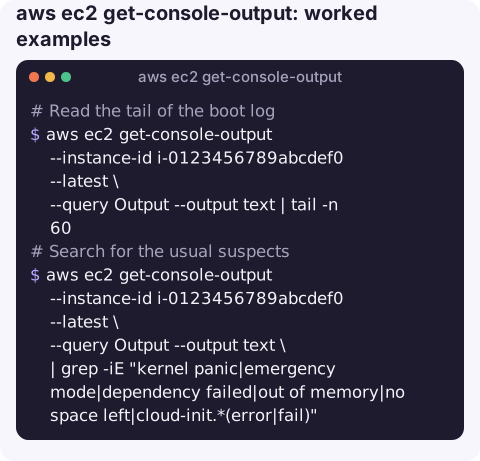
Read the tail of the boot log:
aws ec2 get-console-output --instance-id i-0123456789abcdef0 --latest \
  --query Output --output text | tail -n 60
Search for the usual suspects:
aws ec2 get-console-output --instance-id i-0123456789abcdef0 --latest \
  --query Output --output text \
  | grep -iE "kernel panic|emergency mode|dependency failed|out of memory|no space left|cloud-init.*(error|fail)"
Confirm your user data ran. Cloud-init prints a "finished" line with the boot time; if it is missing or there are tracebacks above it, the script failed:
aws ec2 get-console-output --instance-id i-0123456789abcdef0 --latest \
  --query Output --output text | grep -i "cloud-init" | tail
Grab a screenshot when the console is graphical or the log is empty (often useful for Windows):
aws ec2 get-console-screenshot --instance-id i-0123456789abcdef0 \
  --query ImageData --output text | base64 -d > screen.jpg
What the log tells you
| You see | Likely problem |
|---|---|
You are in emergency mode / Dependency failed for /data | A bad /etc/fstab entry, often a volume that is no longer attached. Add nofail to non-root mounts. |
Kernel panic - not syncing | Kernel or initramfs problem after an update; boot an older kernel or repair the root volume from a rescue instance. |
Out of memory: Killed process | Memory exhaustion; the instance may be up but unresponsive. |
| cloud-init tracebacks | User data script error, or no network route to download packages. |
| Empty output | Too soon after launch, or the OS does not write to the serial console. Try --latest or wait a few minutes. |
Gotchas
- It is a snapshot, not a stream. Re-run the command to see new lines. For an interactive console, enable the EC2 Serial Console (Nitro instances) instead.
- Only the most recent output is kept, so on a chatty system the start of the boot may have scrolled away.
- Permissions. The caller needs
ec2:GetConsoleOutput. The log can contain hostnames, IPs and anything your scripts echo, so treat it as sensitive. - Do not print secrets in user data. Anything a boot script writes to the console ends up here.
Questions
How do I see why my EC2 instance will not boot?
Run aws ec2 get-console-output --instance-id i-... --latest --output text and read the last lines. Emergency mode, kernel panics and cloud-init errors all show up there.
How do I get an EC2 instance ID from the CLI?
Use aws ec2 describe-instances with a filter, such as tag:Name, and --query "Reservations[].Instances[].InstanceId". From inside the instance, read it from the instance metadata service.
Why is get-console-output empty?
The buffer may not have been captured yet, or the OS is not writing to the serial console. On Nitro instances try --latest; otherwise wait a few minutes after a state change.
When an instance will not respond, the boot log is the quickest clue and needs no SSH. CloudConsole, a phone app for AWS, is built to show alarms, instance health and logs on a phone.
About the app → · Download on the App Store