 CloudConsole
aws ecr get-login-password
aws ecr get-login-password --region eu-west-2 | docker login --username AWS --password-stdin 123456789012.dkr.ecr.eu-west-2.amazonaws.com logs Docker in to a private ECR registry. The command prints a temporary password valid for 12 hours, derived from your current AWS credentials, so it fails with token errors when those credentials are invalid or expired.
What the command does
It calls ECR's GetAuthorizationToken and prints only the password part, which you pipe into docker login (or podman, helm registry login and similar). The username is always the literal string AWS. The resulting login lasts 12 hours and grants whatever ECR permissions your IAM identity has; it is not tied to one repository.
It replaces the old get-login subcommand from CLI version 1, which no longer exists in version 2.
Syntax
aws ecr get-login-password [--region <region>] [--profile <profile>] \
  | docker login --username AWS --password-stdin <account>.dkr.ecr.<region>.amazonaws.com
Worked examples
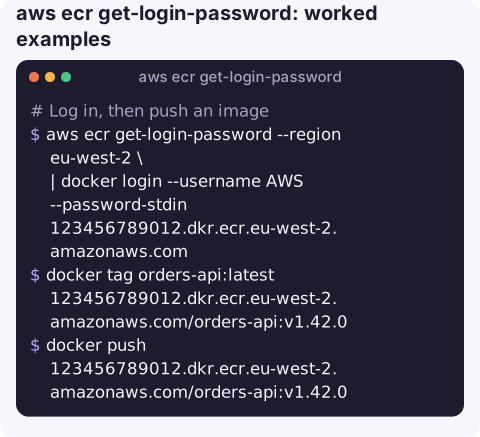
Log in, then push an image:
aws ecr get-login-password --region eu-west-2 \
  | docker login --username AWS --password-stdin 123456789012.dkr.ecr.eu-west-2.amazonaws.com
docker tag orders-api:latest 123456789012.dkr.ecr.eu-west-2.amazonaws.com/orders-api:v1.42.0
docker push 123456789012.dkr.ecr.eu-west-2.amazonaws.com/orders-api:v1.42.0
Use a named profile (for example an SSO profile):
aws sso login --profile prod
aws ecr get-login-password --region eu-west-2 --profile prod \
  | docker login --username AWS --password-stdin 123456789012.dkr.ecr.eu-west-2.amazonaws.com
Pull from another account's registry: the registry host carries that account's ID, and its repository policy must allow you:
aws ecr get-login-password --region eu-west-2 \
  | docker login --username AWS --password-stdin 210987654321.dkr.ecr.eu-west-2.amazonaws.com
Build the registry host from your identity in scripts:
acct=$(aws sts get-caller-identity --query Account --output text)
region=eu-west-2
aws ecr get-login-password --region "$region" \
  | docker login --username AWS --password-stdin "$acct.dkr.ecr.$region.amazonaws.com"
Errors and fixes
| Error | Cause and fix |
|---|---|
The security token included in the request is invalid | The AWS credentials themselves are bad: wrong or deleted key, or a session token missing. Check with sts get-caller-identity; see this error. |
ExpiredToken / SSO token expired | Refresh credentials: aws sso login or re-assume the role. |
Unable to locate credentials | No credentials in this shell; see unable to locate credentials. |
no basic auth credentials on push/pull | Docker is not logged in to that exact registry host or Region; see no basic auth credentials. |
denied: ... not authorized to perform: ecr:... | Logged in, but IAM or the repository policy does not allow the action. |
Gotchas
- Region must match the registry. A password from
us-east-1does not log you in to aneu-west-2registry. - Sudo changes everything.
sudo docker loginstores the login for root, andsudo awsuses root's credentials. Keep both sides under the same user. - CI must log in every run, or at least every 12 hours.
- Public ECR is different. Amazon ECR Public (
public.ecr.aws) uses the ecr-public variant of this command, authenticated inus-east-1, and anonymous pulls do not need a login at all. - Credential helpers avoid all this. The Amazon ECR Docker credential helper fetches tokens automatically from your AWS credentials.
Questions
Why does get-login-password say the security token included in the request is invalid?
Your AWS credentials are invalid, not the ECR token. A deleted or deactivated access key, a missing session token for temporary credentials, or the wrong profile are the usual causes. Run aws sts get-caller-identity to confirm.
How long does the ECR login last?
12 hours. After that, docker push and pull fail with authentication errors until you log in again.
What happened to aws ecr get-login?
It was removed in AWS CLI version 2. Use get-login-password piped to docker login --password-stdin instead.
Image pull failures tend to show up as tasks that will not start. CloudConsole, a phone app for AWS, is built to show those failing services and their logs on a phone.
About the app → · Download on the App Store