 CloudConsole
no basic auth credentials when pushing to Amazon ECR
Docker has no login stored for the registry host in your image tag. Run aws ecr get-login-password piped into docker login for exactly that registry (account ID and Region must match the tag), and run docker push as the same user that logged in. Logins expire after 12 hours.
What the error means
$ docker push 123456789012.dkr.ecr.eu-west-2.amazonaws.com/orders-api:1.4.2
The push refers to repository [123456789012.dkr.ecr.eu-west-2.amazonaws.com/orders-api]
no basic auth credentials
Docker looks up credentials by registry hostname. Each ECR registry is <account>.dkr.ecr.<region>.amazonaws.com, so a login to another account or Region does not count. The error is raised locally by Docker before any AWS permission check, which is why IAM changes do not fix it.
Log in correctly
aws ecr get-login-password --region eu-west-2 \
  | docker login --username AWS --password-stdin \
    123456789012.dkr.ecr.eu-west-2.amazonaws.com
Then push the same host:
docker push 123456789012.dkr.ecr.eu-west-2.amazonaws.com/orders-api:1.4.2The username is always AWS. The Region in --region must match the Region in the hostname, and the credentials you use must belong to (or have access to) that account. The older get-login subcommand was removed in AWS CLI v2, so old scripts that use it fail.
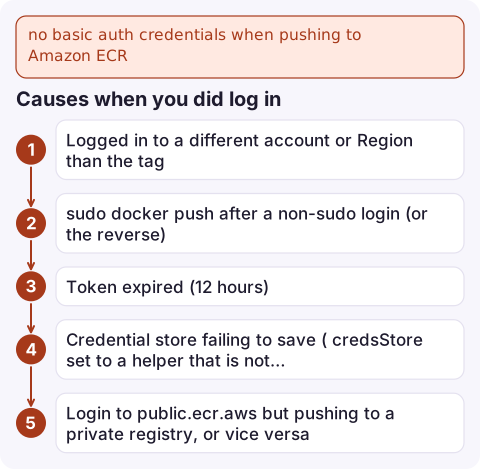
Causes when you did log in
| Cause | Fix |
|---|---|
| Logged in to a different account or Region than the tag | Compare the hostname in docker login with the image tag character by character |
sudo docker push after a non-sudo login (or the reverse) | Root and your user have separate Docker configs; use the same user for both, or add yourself to the docker group |
| Token expired (12 hours) | Log in again; in long CI jobs, log in just before pushing |
Credential store failing to save (credsStore set to a helper that is not installed, common on headless Linux) | Fix or remove credsStore in ~/.docker/config.json |
Login to public.ecr.aws but pushing to a private registry, or vice versa | Public ECR has its own get-login-password under aws ecr-public, called in us-east-1 |
| Different Docker context or builder (for example buildx with a remote builder) | Log in in the same context the push runs in |
Errors you may see next
denied: Your authorization token has expired. Reauthenticate and try again.Log in again.name unknown: The repository with name 'orders-api' does not exist in the registry: ECR does not create repositories on push by default. Create it first:aws ecr create-repository --repository-name orders-api --region eu-west-2 \ --image-scanning-configuration scanOnPush=truedenied: User: arn:aws:iam::123456789012:user/ci is not authorized to perform: ecr:InitiateLayerUpload: now it is IAM. Pushing needsecr:GetAuthorizationToken(on*) plusecr:BatchCheckLayerAvailability,ecr:InitiateLayerUpload,ecr:UploadLayerPart,ecr:CompleteLayerUploadandecr:PutImageon the repository.
Make it automatic
The Amazon ECR credential helper fetches tokens on demand, so you never log in by hand or hit expiry. After installing it, map your registry to it in ~/.docker/config.json:
{
  "credHelpers": {
    "123456789012.dkr.ecr.eu-west-2.amazonaws.com": "ecr-login"
  }
}
In CI, use your platform's ECR login step or run the login command in the same job as the push, with the job's role credentials.
Questions
How long does an ECR login last?
The authorisation token from get-login-password is valid for 12 hours. After that, docker push fails until you log in again.
Why does docker push to ECR work without sudo but not with sudo?
Docker stores credentials per user. Logging in as your user and pushing as root (or the reverse) means the pushing user has no saved login.
Do I need to create the ECR repository before pushing?
Yes, by default. Create it with aws ecr create-repository, or use repository creation templates if your account has them set up.

A push that fails in CI means the fix you are waiting for never reaches the service. CloudConsole, a phone app for AWS, is built to show service alarms and recent deployments on your phone so you can see whether the new image actually landed.
Did it start after a deploy? What changed? on the app’s alarm screen lists the deploys and configuration changes from the hour before the alarm fired.
About the app → · Download on the App Store