 CloudConsole
Unable to locate credentials
The AWS CLI or SDK searched every credential source (flags, environment variables, ~/.aws files, SSO cache, container and instance metadata) and found nothing. On a laptop it usually means you are running as a different user or forgot --profile for a non-default profile; on EC2 it means the instance has no role, or a container cannot reach the instance metadata service.
What the error means
This is not an access problem; no request has been signed yet. The client gave up before contacting AWS:
Unable to locate credentials. You can configure credentials by running "aws configure".
fatal error: Unable to locate credentials
botocore.exceptions.NoCredentialsError: Unable to locate credentials
The CLI checks, in order: command-line options, environment variables, the shared credentials and config files (including SSO and credential_process profiles), then container credentials (ECS, EKS Pod Identity) and finally the EC2 instance metadata service. The error means all of them came back empty.
Most common causes
| Where you ran it | Likely cause |
|---|---|
Laptop, with sudo | sudo switches to root, whose ~/.aws is empty |
| Laptop, SSO set up | Your SSO profile isn't called default, and you didn't pass --profile or set AWS_PROFILE |
| cron, systemd, CI runner | Different user or HOME, so the shared files aren't found |
| EC2 instance | No instance profile attached, or IMDS disabled |
| Docker container on EC2 | IMDSv2 is required and the hop limit is 1, so the token response never reaches the container |
| Docker container on a laptop | ~/.aws not mounted, or mounted to the wrong user's home |
Diagnose in one minute
aws configure list
aws configure list-profiles
aws sts get-caller-identity --debug 2>&1 | grep -i 'credential'
configure list shows <not set> for every value when nothing is found. list-profiles shows which profiles exist, and the debug output names each provider the CLI tried. If your profile is listed, the fix is simply to use it:
export AWS_PROFILE=dev-sso
aws sso login
aws s3 ls
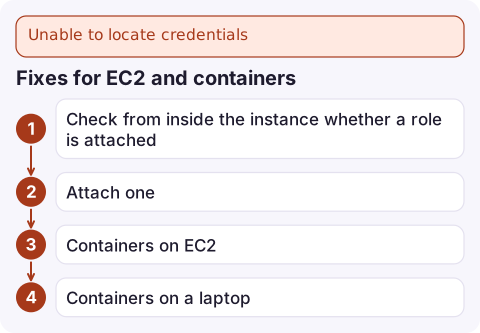
Fixes for EC2 and containers
- Check from inside the instance whether a role is attached. With IMDSv2:
An empty reply or 404 means no instance profile.TOKEN=$(curl -sX PUT http://169.254.169.254/latest/api/token \ -H 'X-aws-ec2-metadata-token-ttl-seconds: 300') curl -s -H "X-aws-ec2-metadata-token: $TOKEN" \ http://169.254.169.254/latest/meta-data/iam/security-credentials/ - Attach one (from a machine with credentials):
aws ec2 associate-iam-instance-profile \ --instance-id i-0123456789abcdef0 \ --iam-instance-profile Name=app-server - Containers on EC2: if the curl above works on the host but not inside the container, raise the hop limit to 2:
On ECS, prefer a task role instead; the SDK then uses the container credentials endpoint and IMDS isn't involved.aws ec2 modify-instance-metadata-options \ --instance-id i-0123456789abcdef0 \ --http-put-response-hop-limit 2 --http-tokens required - Containers on a laptop: mount your config read-only and pass the profile:
docker run --rm -v "$HOME/.aws:/root/.aws:ro" -e AWS_PROFILE=dev-sso amazon/aws-cli s3 ls
Mistakes to avoid
- Copying access keys onto an EC2 instance with
aws configureto "make it work". Attach a role; keys on disk outlive the instance and leak in AMIs and snapshots. - Running
sudo aws …to reach a root-owned file. Usesudo -Ecarefully, or fix file permissions instead. - Assuming
AWS_PROFILEis set in cron. Cron starts with a minimal environment; set it in the crontab line or the script.
Questions
Why does aws s3 say fatal error: Unable to locate credentials?
The high-level s3 commands use the same credential chain as everything else. Nothing was found, typically because you used a non-default profile without --profile, or ran under sudo.
How do I fix Unable to locate credentials with AWS SSO?
SSO profiles are only used when selected. Run aws sso login --profile <name> and then pass the same --profile, or export AWS_PROFILE so every command uses it.
Why does the AWS CLI on EC2 say Unable to locate credentials?
The instance has no IAM instance profile, its metadata service is disabled, or you are inside a container that cannot reach IMDSv2 because the hop limit is 1.

If a scheduled job on a server starts failing with this, you often learn about it from missing output hours later. CloudConsole, a phone app for AWS, is built to surface the relevant alarms and log lines on your phone so a silent credentials failure is noticed sooner.
Did it start after a deploy? What changed? on the app’s alarm screen lists the deploys and configuration changes from the hour before the alarm fired.
About the app → · Download on the App Store