 CloudConsole
aws sts get-caller-identity
aws sts get-caller-identity prints the account ID, the user or role ARN and the unique ID of whatever credentials the CLI is currently using. It needs no IAM permissions, so if it fails the problem is the credentials themselves: missing, expired or invalid.
What the command does
This is the "who am I?" of AWS. It makes a signed request to STS and returns three fields:
{
    "UserId": "AROA3XFRBF23EXAMPLE:[email protected]",
    "Account": "123456789012",
    "Arn": "arn:aws:sts::123456789012:assumed-role/AWSReservedSSO_Admin_0123456789abcdef/[email protected]"
}
Because no permission is needed to call it, even a locked-down role can run it. That makes it the first command to run when anything AWS behaves unexpectedly, and the standard guard at the top of deploy scripts.
Syntax
aws sts get-caller-identity [--profile name] [--query Account --output text]Worked examples
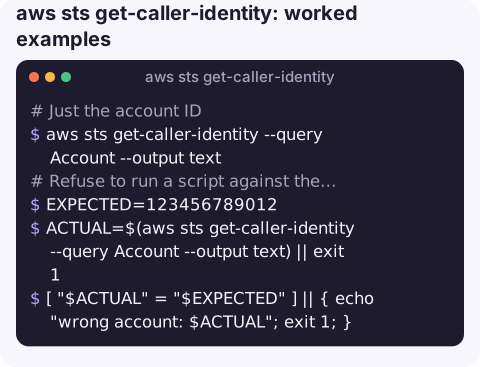
Just the account ID:
aws sts get-caller-identity --query Account --output textRefuse to run a script against the wrong account:
EXPECTED=123456789012
ACTUAL=$(aws sts get-caller-identity --query Account --output text) || exit 1
[ "$ACTUAL" = "$EXPECTED" ] || { echo "wrong account: $ACTUAL"; exit 1; }
Check a specific profile, for example after aws sso login:
aws sts get-caller-identity --profile prod-adminSee where the credentials came from when the identity is not what you expected:
aws configure listThe Type column shows whether each value came from environment variables, the shared credentials file, an SSO cache or instance metadata.
Reading the ARN
| ARN looks like | You are |
|---|---|
arn:aws:iam::123456789012:user/jane | An IAM user with long-term access keys. |
arn:aws:sts::123456789012:assumed-role/Deploy/ci-run-4821 | A session of the role Deploy; the last part is the session name. |
assumed-role/AWSReservedSSO_... | An IAM Identity Center (SSO) permission set. |
assumed-role/<role>/i-0123456789abcdef0 | An EC2 instance profile. |
arn:aws:iam::123456789012:root | The account root user. Stop and use an IAM role instead. |
When it fails
Unable to locate credentials: nothing configured for this profile; runaws configureoraws sso login. See Unable to locate credentials.InvalidClientTokenId/The security token included in the request is invalid: the access key is wrong or deleted, or a staleAWS_SESSION_TOKENis set. See security token invalid.ExpiredToken: temporary credentials ran out; refresh the SSO login or assume the role again.SignatureDoesNotMatch: wrong secret key, or a clock that is badly out of sync.- Use it inside AWS too. On EC2, ECS, Lambda or CodeBuild the answer is the attached role, which makes this a quick test of whether an instance profile or task role is actually being picked up by the SDK or CLI.
- Explicit denies do not block it. Even a policy that denies
sts:GetCallerIdentitycannot stop the call, because the same information appears in access-denied errors anyway.
To change who you are, remember the precedence: command-line options, then environment variables (AWS_ACCESS_KEY_ID and friends override any profile), then AWS_PROFILE, then the default profile. Unset stray environment variables if a profile switch "does nothing".
Questions
How do I change the identity aws sts get-caller-identity shows?
Use --profile or set AWS_PROFILE, and unset AWS_ACCESS_KEY_ID, AWS_SECRET_ACCESS_KEY and AWS_SESSION_TOKEN, which take precedence over profiles.
Why does get-caller-identity say the security token is invalid?
The access key ID does not exist or was deleted, or an old session token is still set in your environment. Check aws configure list and your environment variables.
Does get-caller-identity need IAM permissions?
No. Any valid credentials can call it, which is why a failure always points at the credentials rather than policies.
Being sure which account you are in matters even more when you are on a phone. CloudConsole, a phone app for AWS, is built to make the current account and environment obvious on every screen, with guardrails for production.
About the app → · Download on the App Store