 CloudConsole
aws ecs stop-task
aws ecs stop-task --cluster my-cluster --task <task-id> --reason "stuck worker" stops a running task. ECS sends SIGTERM, waits for the container's stop timeout (30 seconds by default), then sends SIGKILL. If the task belongs to a service, the service starts a replacement, so stop-task effectively restarts that one task.
What the command does
The call sets the task's desired status to STOPPED. ECS then signals each container: SIGTERM first, giving the process a chance to finish requests and close connections, and SIGKILL once the stop timeout expires. The task's stopCode becomes UserInitiated, and the text you pass in --reason shows up as stoppedReason, which helps the next person reading describe-tasks.
Syntax
aws ecs stop-task --cluster my-cluster --task <task-id-or-arn> [--reason "text"]Only one task per call. The response is the task description at the moment of the request, usually still showing lastStatus: RUNNING with desiredStatus: STOPPED.
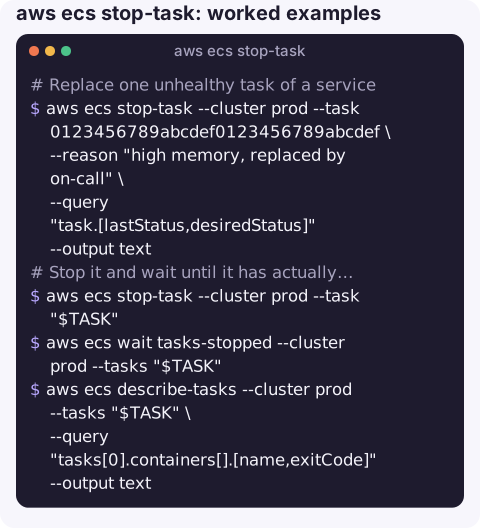
Worked examples
Replace one unhealthy task of a service with a recorded reason:
aws ecs stop-task --cluster prod --task 0123456789abcdef0123456789abcdef \
  --reason "high memory, replaced by on-call" \
  --query "task.[lastStatus,desiredStatus]" --output text
Stop it and wait until it has actually stopped, then read the exit code:
aws ecs stop-task --cluster prod --task "$TASK"
aws ecs wait tasks-stopped --cluster prod --tasks "$TASK"
aws ecs describe-tasks --cluster prod --tasks "$TASK" \
  --query "tasks[0].containers[].[name,exitCode]" --output text
Stop every task started by a runaway job:
for t in $(aws ecs list-tasks --cluster batch --started-by nightly-report \
    --query "taskArns[]" --output text); do
  aws ecs stop-task --cluster batch --task "$t" --reason "cancelled runaway job" >/dev/null
done
Stop all tasks of a service without them coming back: scale the service instead of stopping tasks:
aws ecs update-service --cluster prod --service orders-api --desired-count 0Exit codes after a stop
| Exit code | What happened |
|---|---|
| 0 | The process caught SIGTERM and exited cleanly. |
| 143 | The process was terminated by SIGTERM without handling it (128 + 15). Usually harmless. |
| 137 | The process ignored SIGTERM and was killed with SIGKILL after the stop timeout (128 + 9), or ran out of memory. |
Exit 137 on every stop usually means the application is PID 1 in the container and does not forward signals, often because a shell script wraps it. Use exec in the entrypoint script or enable an init process in the task definition.
Gotchas
- Services replace stopped tasks. That is fine for "restart this one task", but stopping tasks will not shrink or stop a service.
- The stop timeout is per container. Set
stopTimeoutin the container definition if your app needs longer to drain; Fargate caps it at 120 seconds. - Load balancer draining happens in parallel. If the deregistration delay is longer than the stop timeout, in-flight requests can still be cut off.
- Who stopped my task? CloudTrail records
StopTaskwith the caller; tasks stopped by the service scheduler itself showServiceSchedulerInitiatedinstead ofUserInitiated.
Questions
What does exit code 137 mean when stopping an ECS task?
The container did not exit after SIGTERM within the stop timeout and was killed with SIGKILL, or it was killed earlier for running out of memory.
Why did my ECS task come back after stop-task?
It belongs to a service, and the service keeps the desired number of tasks running. Change desired count with update-service to stop it for good.
How long does ECS wait before killing a task?
The container's stopTimeout, 30 seconds by default, after which SIGKILL is sent.
Stopping a misbehaving task is a quick fix that is easy to misjudge when the service will just start another. CloudConsole, a phone app for AWS, is built with guardrails and to show tasks, reasons and logs on a phone.
About the app → · Download on the App Store