 CloudConsole
ECS container exited with exit code 143 (SIGTERM)
Exit code 143 (128 + 15) means the container's process ended because it received SIGTERM, which is how ECS asks a container to stop. On its own it's usually a normal shutdown, not a crash. The question is why ECS stopped the task: check stoppedReason and stopCode with describe-tasks for a deployment, scale-in, failed health check or Spot interruption.
Is 143 a problem?
When ECS stops a task, it sends SIGTERM, waits for the stop timeout, then sends SIGKILL. A process that exits on SIGTERM without handling it reports 143; one that catches it and exits cleanly reports 0; one that ignores it until the kill reports 137. So 143 means the stop signal worked. Whether that's a problem depends entirely on who stopped the task and why:
aws ecs describe-tasks --cluster prod --tasks <task-arn> \
  --query 'tasks[0].[stopCode,stoppedReason,stoppingAt,containers[0].exitCode]'
Reasons ECS sends SIGTERM
| stopCode / stoppedReason | What happened | Action |
|---|---|---|
ServiceSchedulerInitiated, "Scaling activity initiated by (deployment …)" | A deployment replaced the task | Normal |
ServiceSchedulerInitiated, scaling activity from Service Auto Scaling | Scale-in removed the task | Normal; check it isn't flapping |
| "Task failed ELB health checks in …" | The load balancer marked it unhealthy | Investigate; see ELB health check failures |
| "Task failed container health checks" | The container's own healthCheck command failed | Investigate the health command and app |
SpotInterruption | Fargate Spot or EC2 Spot capacity reclaimed | Expected with Spot; keep some on-demand capacity |
UserInitiated | Someone or something called StopTask | Check CloudTrail for the caller |
Make shutdowns clean
Even when the stop is expected, 143 shows the app didn't handle the signal, which can mean dropped requests or half-finished jobs. Handle SIGTERM explicitly: stop accepting new work, finish in-flight requests, close connections, then exit 0.
import signal, sys

def on_sigterm(signum, frame):
    server.shutdown()   # stop accepting, drain in-flight work
    sys.exit(0)

signal.signal(signal.SIGTERM, on_sigterm)
Make sure the signal actually reaches your process: use exec-form CMD/ENTRYPOINT, end wrapper scripts with exec, or enable initProcessEnabled in the container's linuxParameters. Behind a load balancer, also keep the target group's deregistration delay long enough for requests to drain before ECS sends the signal.
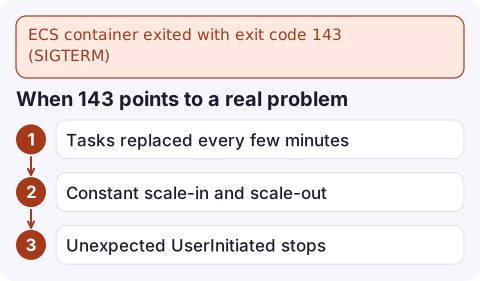
When 143 points to a real problem
- Tasks replaced every few minutes with health check reasons: the service is stuck in a loop of failing checks. Look at service events and target health.
- Constant scale-in and scale-out: target tracking thresholds too close together or a noisy metric.
- Unexpected
UserInitiatedstops: a script or person is stopping tasks. Find them in CloudTrail byStopTask:aws cloudtrail lookup-events \ --lookup-attributes AttributeKey=EventName,AttributeValue=StopTask \ --query 'Events[].[EventTime,Username]' --output table
To see the pattern over time rather than one task at a time, count stopped tasks per reason. Recent service events show the scheduler's view; for longer history, send ECS task state change events from EventBridge to a log group and query them there. A sudden rise in health-check stops right after a deploy usually means the new revision is the problem, so rolling back is the fastest way to stop the cycling while you investigate.
Questions
What does exit code 143 mean in ECS?
The container's main process was terminated by SIGTERM, signal 15. ECS sends SIGTERM whenever it stops a task, so it is usually part of a normal stop.
What is the difference between exit code 137 and 143?
143 means the process ended on SIGTERM. 137 means it was killed with SIGKILL, either because it ignored SIGTERM past the stop timeout or because it ran out of memory.
How do I make my container exit with 0 instead of 143?
Catch SIGTERM in your application, shut down gracefully and exit with status 0, and make sure the signal reaches your process by using exec-form commands or an init process.

A stream of 143s during a quiet period is a hint that something is cycling tasks. CloudConsole, a phone app for AWS, is built to show ECS service events and alarms on your phone so you can tell routine deployments from a health-check loop.
Did it start after a deploy? What changed? on the app’s alarm screen lists the deploys and configuration changes from the hour before the alarm fired.
About the app → · Download on the App Store