 CloudConsole
aws iam list-attached-role-policies
aws iam list-attached-role-policies --role-name my-role lists the managed policies (AWS managed and customer managed) attached to an IAM role, by name and ARN. It does not show inline policies, the trust policy or the permissions boundary; those need list-role-policies and get-role.
What the command does
A role's effective permissions come from several places, and this command covers only one of them: the managed policies attached to it. The output is short:
{
  "AttachedPolicies": [
    {"PolicyName": "AmazonS3ReadOnlyAccess", "PolicyArn": "arn:aws:iam::aws:policy/AmazonS3ReadOnlyAccess"},
    {"PolicyName": "orders-api-dynamodb", "PolicyArn": "arn:aws:iam::123456789012:policy/orders-api-dynamodb"}
  ]
}
ARNs with iam::aws:policy are AWS managed; ARNs with your account ID are customer managed.
Syntax
aws iam list-attached-role-policies --role-name <role-name> [--path-prefix /path/]Worked examples
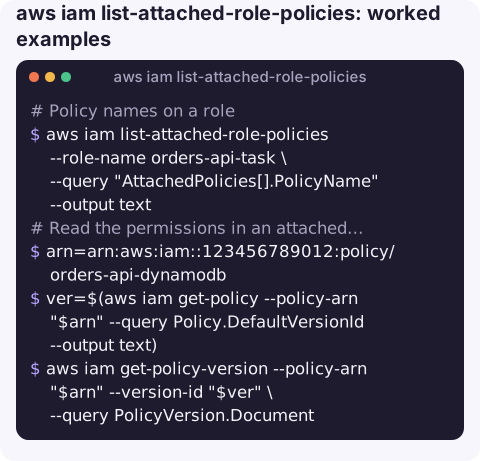
Policy names on a role:
aws iam list-attached-role-policies --role-name orders-api-task \
  --query "AttachedPolicies[].PolicyName" --output text
Read the permissions in an attached policy: get its default version, then that version's document:
arn=arn:aws:iam::123456789012:policy/orders-api-dynamodb
ver=$(aws iam get-policy --policy-arn "$arn" --query Policy.DefaultVersionId --output text)
aws iam get-policy-version --policy-arn "$arn" --version-id "$ver" \
  --query PolicyVersion.Document
Inline policies, which this command skips:
aws iam list-role-policies --role-name orders-api-task
aws iam get-role-policy --role-name orders-api-task --policy-name inline-sqs
Trust policy and permissions boundary (who can assume the role, and the ceiling on what it can do):
aws iam get-role --role-name orders-api-task \
  --query "Role.[AssumeRolePolicyDocument,PermissionsBoundary]"
Which roles have AdministratorAccess? Ask the policy instead of every role:
aws iam list-entities-for-policy \
  --policy-arn arn:aws:iam::aws:policy/AdministratorAccess \
  --query "PolicyRoles[].RoleName" --output text
Auditing roles in bulk
To review an account, loop over roles and print their attached policies. Filter out service-linked roles under /aws-service-role/, which you cannot change anyway:
for r in $(aws iam list-roles \
    --query "Roles[?!starts_with(Path, '/aws-service-role/')].RoleName" --output text); do
  printf '%s: ' "$r"
  aws iam list-attached-role-policies --role-name "$r" \
    --query "AttachedPolicies[].PolicyName" --output text
done
Look for broad AWS managed policies such as AdministratorAccess or PowerUserAccess on roles that only need a narrow job, and for customer managed policies that nobody can explain.
Everything that shapes a role's permissions
| Source | Command |
|---|---|
| Attached managed policies | aws iam list-attached-role-policies |
| Inline policies | aws iam list-role-policies, aws iam get-role-policy |
| Permissions boundary | aws iam get-role (PermissionsBoundary) |
| Trust policy (who can assume) | aws iam get-role (AssumeRolePolicyDocument) |
| Organization SCPs and RCPs | AWS Organizations, from the management account |
| Resource policies (bucket, key, queue) | The resource itself |
| Session policies | Passed at assume-role time; not stored on the role |
To see how all of these combine for a specific action, use simulate-principal-policy.
Gotchas
- Role name, not ARN.
--role-nametakes the bare name. For a role with a path such as/service-role/, still pass just the name. - SSO roles have generated names. Identity Center creates roles named like
AWSReservedSSO_PermissionSetName_abc123under/aws-reserved/sso.amazonaws.com/. Change them through the permission set, not directly. - Ten policies by default. A role can have a limited number of attached managed policies (10 by default, raisable through Service Quotas); hitting it gives
LimitExceededon attach. - Service-linked roles show their AWS-managed policy here, but you cannot change their attachments.
Questions
How do I list inline policies on an IAM role?
Run aws iam list-role-policies --role-name <role> for the names, then aws iam get-role-policy --role-name <role> --policy-name <name> to see each document.
How do I see the JSON of an attached managed policy?
Get the default version with aws iam get-policy --policy-arn <arn>, then run aws iam get-policy-version with that version ID and read PolicyVersion.Document.
How do I find which role my current CLI session is using?
Run aws sts get-caller-identity. For an assumed role, the Arn shows assumed-role/<role-name>/<session-name>; pass that role name to this command.
Access-denied incidents usually come down to which policies a role really has. CloudConsole, a phone app for AWS, is built to show resources and alarms on a phone with production guardrails.
About the app → · Download on the App Store