 CloudConsole
aws lambda list-versions-by-function
aws lambda list-versions-by-function --function-name my-function lists $LATEST and every published version with its description, code hash, size and date. Combine it with list-aliases to find versions nothing points to, which you can delete to free code storage.
What the command does
The response's Versions[] holds one full configuration object per version, starting with $LATEST and then published versions in ascending order. Each entry carries Version, Description, CodeSha256, CodeSize, LastModified, Runtime and the rest of the frozen settings. The CLI follows pagination automatically (the API returns at most 50 per page).
Syntax
aws lambda list-versions-by-function --function-name my-function [--max-items 50] [--query ...]A trimmed entry for one published version looks like this:
{
  "FunctionName": "my-function",
  "FunctionArn": "arn:aws:lambda:eu-west-2:123456789012:function:my-function:14",
  "Version": "14",
  "Description": "release 9f3c2ab",
  "Runtime": "python3.13",
  "CodeSize": 2483021,
  "CodeSha256": "kq0Yx3b1vQh5J1m0dQ0b6r8l2Gf9yQb8m0W2n3r4s5Q=",
  "LastModified": "2026-11-12T16:41:09.112+0000"
}
The $LATEST entry has an unqualified ARN, and its LastModified moves with every deploy, while published versions keep the timestamp from when they were created. That difference is a quick way to tell whether $LATEST has drifted from the newest published version: if its CodeSha256 matches the highest version's, nothing has been deployed since the last publish.
Worked examples
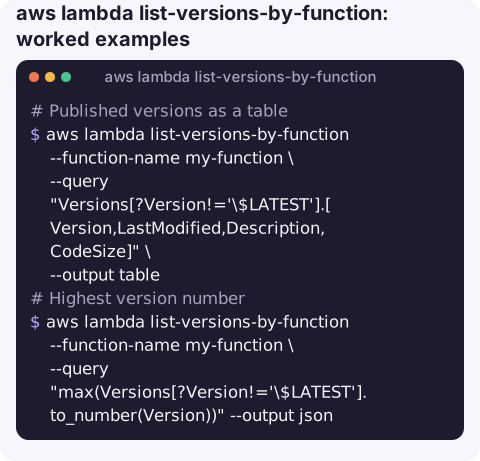
Published versions as a table (the backslash stops the shell expanding $LATEST):
aws lambda list-versions-by-function --function-name my-function \
  --query "Versions[?Version!='\$LATEST'].[Version,LastModified,Description,CodeSize]" \
  --output table
Highest version number. Versions are strings, so convert before taking the maximum:
aws lambda list-versions-by-function --function-name my-function \
  --query "max(Versions[?Version!='\$LATEST'].to_number(Version))" --output json
Versions referenced by aliases (including canary weights):
aws lambda list-aliases --function-name my-function \
  --query "Aliases[].[Name,FunctionVersion,join(',',keys(RoutingConfig.AdditionalVersionWeights || \`{}\`))]" \
  --output text
Delete old versions nobody uses, keeping the newest five and anything an alias points to. Review the list before uncommenting the delete:
FN=my-function
KEEP=$(aws lambda list-aliases --function-name $FN \
  --query "Aliases[].FunctionVersion" --output text)
for v in $(aws lambda list-versions-by-function --function-name $FN \
    --query "Versions[?Version!='\$LATEST'].Version" --output json \
    | jq -r '.[]' | sort -n | head -n -5); do
  case " $KEEP " in *" $v "*) continue;; esac
  echo "would delete $FN:$v"
  # aws lambda delete-function --function-name $FN --qualifier $v
done
head -n -5 is GNU syntax; on macOS use ghead or sed '$d' repeatedly.
Fields worth checking
| Field | Why |
|---|---|
CodeSha256 | Identical hashes across versions mean only configuration changed. |
CodeSize | Each version counts towards the regional code storage quota. |
Runtime | Old versions can sit on deprecated runtimes long after $LATEST was upgraded. |
Description | Put a build ID or Git SHA here when publishing so this listing is meaningful. |
Gotchas
- Deleting a version an alias uses fails, which is a safety net, but deleting one that an event source mapping or API integration references by version ARN breaks that caller.
- Version numbers are never reused. After deleting version 12, the next publish is still 13 or higher.
- Text output applies queries per page, so
max()needs JSON output on functions with more than 50 versions. - Not a list of triggers. To see what invokes a version, check event source mappings and the resource policy for that qualifier.
Questions
How do I get the latest Lambda version number?
Query max(Versions[?Version!='$LATEST'].to_number(Version)) with JSON output, escaping the $ in your shell.
How do I delete old Lambda versions?
Use aws lambda delete-function --function-name my-function --qualifier N for each unused version. Aliased versions cannot be deleted until the alias moves.
How do I list all Lambda functions rather than versions?
Use aws lambda list-functions --query "Functions[].FunctionName" --output text.
When you need to roll back, the first question is which version was good. CloudConsole, a phone app for AWS, is built to show functions, versions and their error rates on a phone.
About the app → · Download on the App Store