 CloudConsole
CodeStorageExceededException: Code storage limit exceeded
Your account has used up its regional Lambda code storage, a quota (75 GB by default) shared by every function version and layer version in the region. It almost always fills up with old published versions that deploy tooling creates on every release. Delete versions that no alias points to, delete unused layer versions, and set up automatic pruning, or request a quota increase.
What counts toward the limit
An error occurred (CodeStorageExceededException) when calling the UpdateFunctionCode operation:
Code storage limit exceeded.
Every published function version keeps its own copy of the deployment package, as does every layer version. $LATEST counts as well. Container-image functions are stored in ECR, so they don't contribute in the same way. A team publishing a 40 MB function ten times a day reaches tens of gigabytes within months without noticing.
See how much you're using:
aws lambda get-account-settings \
  --query '{used: AccountUsage.TotalCodeSize, limit: AccountLimit.TotalCodeSize, functions: AccountUsage.FunctionCount}'
Both sizes are in bytes.
Find the biggest consumers
List functions with how many versions they hold and their size:
for f in $(aws lambda list-functions --query 'Functions[].FunctionName' --output text); do
  aws lambda list-versions-by-function --function-name "$f" \
    --query "[length(Versions), sum(Versions[].CodeSize)]" --output text \
    | awk -v f="$f" '{printf "%-50s versions=%s bytes=%s\n", f, $1, $2}'
done | sort -t= -k3 -n -r | head -20
Functions deployed by the Serverless Framework, SAM with AutoPublishAlias, or any pipeline that runs publish-version on every release usually top the list.
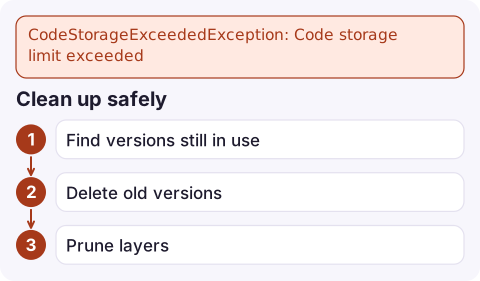
Clean up safely
- Find versions still in use. Never delete a version an alias points to, or one referenced by event source mappings, provisioned concurrency or a Lambda@Edge association:
aws lambda list-aliases --function-name my-function \ --query 'Aliases[].[Name,FunctionVersion]' --output text - Delete old versions, keeping the most recent few for rollback. This is irreversible; double-check the version number:
Withoutaws lambda delete-function --function-name my-function --qualifier 17--qualifierthis command deletes the entire function, every version included. - Prune layers that nothing uses any more:
Functions that already use a deleted layer version keep working, but new deployments can't reference it.aws lambda list-layer-versions --layer-name shared-deps \ --query 'LayerVersions[].[Version,CreatedDate]' --output text aws lambda delete-layer-version --layer-name shared-deps --version-number 3
Prevent it
- Keep a fixed number of versions per function (for example the last 10) with a scheduled clean-up job or your framework's pruning plugin.
- Only publish versions where you actually use aliases, weighted routing or provisioned concurrency; otherwise deploy
$LATEST. - Shrink packages: bundle and minify Node.js, exclude tests and docs, and don't ship SDKs the runtime already includes.
- Request a higher code storage quota in Service Quotas if your legitimate footprint is large.
Check usage occasionally rather than waiting for the error. The get-account-settings call above is cheap; a weekly job that reports usage as a percentage of the limit gives you months of warning, because code storage grows steadily with each release rather than in sudden jumps.
Questions
What is the Lambda code storage limit?
75 GB per region by default, covering all function versions and layer versions in the account. It's an adjustable quota.
Does deleting a Lambda version break anything?
It can, if an alias, event source mapping or provisioned concurrency configuration points to it. Check aliases first and keep recent versions for rollback.
Do Lambda container images count toward code storage?
Container images are stored in Amazon ECR rather than in Lambda's code storage, so they're managed by ECR's own storage and lifecycle policies.

Hitting the code storage limit blocks every deploy in the region, including an urgent fix. CloudConsole, a phone app for AWS, is built to show alarms and function state on your phone while someone clears space from a laptop.
Did it start after a deploy? What changed? on the app’s alarm screen lists the deploys and configuration changes from the hour before the alarm fired.
About the app → · Download on the App Store