 CloudConsole
aws lambda publish-layer-version
aws lambda publish-layer-version --layer-name deps --content S3Bucket=my-artifacts,S3Key=layers/deps.zip --compatible-runtimes python3.13 creates a new, immutable version of a Lambda layer. Functions do not pick it up automatically: update each function's --layers to the new version ARN.
What the command does
A layer is a zip of libraries, runtimes or data that Lambda extracts into /opt in the execution environment. Every publish creates a new version number with its own ARN (...:layer:deps:8); existing versions never change. The response returns LayerVersionArn, which is what you attach to functions.
Syntax
aws lambda publish-layer-version --layer-name deps \
  --content S3Bucket=my-artifacts,S3Key=layers/deps.zip \
  [--compatible-runtimes python3.12 python3.13] \
  [--compatible-architectures x86_64 arm64] \
  [--description "requests 2.32, pydantic 2.9"] \
  [--license-info MIT]
For small zips the CLI also accepts a local file with --zip-file fileb://deps.zip in place of --content.
Worked examples
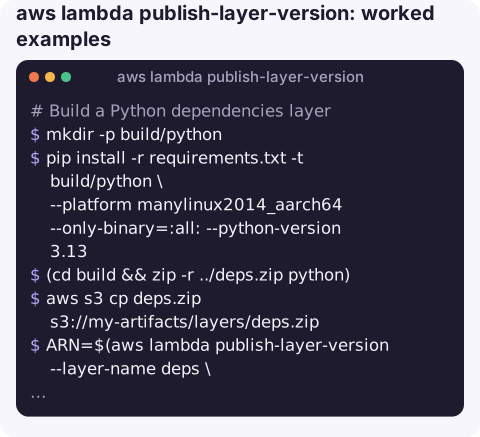
Build a Python dependencies layer. The zip must contain a python/ folder at its root:
mkdir -p build/python
pip install -r requirements.txt -t build/python \
  --platform manylinux2014_aarch64 --only-binary=:all: --python-version 3.13
(cd build && zip -r ../deps.zip python)
aws s3 cp deps.zip s3://my-artifacts/layers/deps.zip
ARN=$(aws lambda publish-layer-version --layer-name deps \
  --content S3Bucket=my-artifacts,S3Key=layers/deps.zip \
  --compatible-runtimes python3.13 --compatible-architectures arm64 \
  --query LayerVersionArn --output text)
Attach it to a function. --layers replaces the whole list, so include any other layers the function uses:
aws lambda update-function-configuration --function-name my-function --layers "$ARN"List versions of a layer:
aws lambda list-layer-versions --layer-name deps \
  --query "LayerVersions[].[Version,CreatedDate,Description]" --output table
Share a layer version with another account:
aws lambda add-layer-version-permission --layer-name deps --version-number 8 \
  --statement-id share-210987654321 --action lambda:GetLayerVersion \
  --principal 210987654321
Folder layout by runtime
| Runtime | Path inside the zip |
|---|---|
| Python | python/ (or python/lib/python3.x/site-packages/) |
| Node.js | nodejs/node_modules/ |
| Java | java/lib/ |
| Binaries and shared libraries | bin/ and lib/ |
A wrong top-level folder is the most common reason a function cannot import a package that is "in the layer".
Gotchas
- Size limits are shared. The function's code plus all its layers must fit within the unzipped deployment package limit (250 MB at the time of writing), and a function can use at most five layers.
- Native wheels must match. Packages with compiled code need to be built for Amazon Linux and the function's architecture; building on a Mac usually produces the wrong binaries.
--compatible-runtimesis metadata. It filters layer choices in the console but does not stop you attaching an incompatible layer.- Old versions stay until deleted and count towards code storage. Remove unused ones with
delete-layer-version; functions already using a deleted version keep working. - Layer references always include a version. When attaching a layer you must give the full version ARN; there is no "latest" alias for layers, so pipelines need to pass the new ARN to every function that should use it.
Questions
How do I publish a Lambda layer from the CLI?
Zip your files in the runtime's expected folder, upload to S3 (or use --zip-file fileb:// for small zips) and run publish-layer-version with --layer-name and --content.
Do functions update automatically when I publish a new layer version?
No. Each function references a specific layer version ARN; update its --layers to use the new one.
How do I publish a new function version rather than a layer?
Use aws lambda publish-version --function-name my-function.
Dependency problems from a new layer usually show up as import errors right after a deploy. CloudConsole, a phone app for AWS, is built to show function errors and the log lines behind them on a phone.
About the app → · Download on the App Store