 CloudConsole
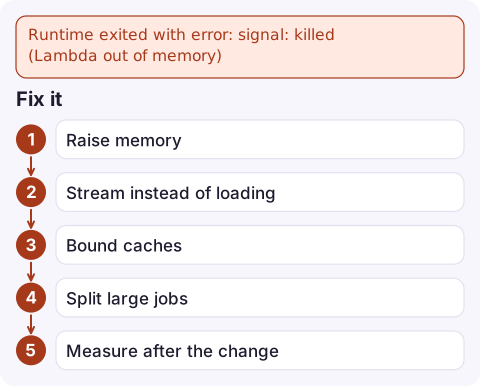
Runtime exited with error: signal: killed (Lambda out of memory)
The function used all of its configured memory and Lambda killed the process. Confirm it in the REPORT line, where Max Memory Used equals Memory Size, then either raise the memory setting (128 MB to 10,240 MB) or stop loading whole files, result sets or images into memory. Also check for caches or globals that grow across warm invocations.
How to confirm it's memory
RequestId: 4c1d… Error: Runtime exited with error: signal: killed
Runtime.OutOfMemory
REPORT RequestId: 4c1d… Duration: 8123.44 ms Billed Duration: 8124 ms
Memory Size: 512 MB Max Memory Used: 512 MB
The REPORT line is decisive: Max Memory Used at or next to Memory Size. The error type may be Runtime.OutOfMemory or a generic exit error. Language runtimes sometimes report it themselves first, such as Python's MemoryError, Java's java.lang.OutOfMemoryError, or Node.js's "JavaScript heap out of memory".
Find how often it happens and how close other invocations get:
filter @type = "REPORT"
| stats max(@maxMemoryUsed / 1000 / 1000) as maxMB,
        pct(@maxMemoryUsed / 1000 / 1000, 95) as p95MB,
        max(@memorySize / 1000 / 1000) as configuredMB by bin(1h)
Common causes
| Pattern | Example |
|---|---|
| Reading a whole object into memory | s3.get_object()['Body'].read() on a 1 GB CSV |
| Unbounded result sets | A Scan or SQL query that loads every row into a list |
| Image, PDF or video processing | Decoded images use far more memory than the file size |
| State growing across warm invocations | A module-level cache or list appended to on every call; memory climbs until the environment dies |
| Memory left at a low setting | Function created with 128 MB and the workload grew |
A useful distinction: if memory is high on the first invocation of an environment, the work itself needs more. If it climbs over successive invocations in the same environment (same log stream), you have a leak.
Fix it
- Raise memory as an immediate fix. CPU scales with memory too, so it often shortens duration:
aws lambda update-function-configuration --function-name my-function --memory-size 1536 - Stream instead of loading. Process S3 objects line by line or in ranges; paginate database reads; write intermediate results to
/tmp(ephemeral storage, configurable up to 10 GB) rather than holding them in memory. - Bound caches with a size limit, and clear per-request data at the end of each invocation.
- Split large jobs: fan out chunks with Step Functions or SQS so each invocation handles a bounded piece.
- Measure after the change with the query above, and size memory with headroom over your p99 rather than the average.
Mistakes to avoid
- Setting memory to the maximum and moving on. You pay for memory per millisecond, so a leak just becomes more expensive and still fails eventually.
- Confusing memory with
/tmp. Ephemeral storage is separate; a full/tmpcauses "No space left on device", not an out-of-memory kill. - Ignoring timeouts that follow. A function near its memory limit often slows down from garbage collection before it's killed, which looks like Task timed out.
Questions
What is the maximum memory for a Lambda function?
10,240 MB, configurable in 1 MB steps from 128 MB. CPU is allocated in proportion to the memory setting.
How do I know if my Lambda ran out of memory?
The REPORT line for the failed invocation shows Max Memory Used equal to Memory Size, usually with Runtime exited with error: signal: killed or Runtime.OutOfMemory.
Does increasing Lambda memory cost more?
Per millisecond, yes, but more memory also gives more CPU, so many functions finish faster and the total cost changes less than you might expect. Measure before and after.

Memory failures often begin when a customer uploads an unusually large file, at any hour. CloudConsole, a phone app for AWS, is built to show the function's error alarm and the REPORT lines on your phone so you can see at a glance that memory is the cause.
Did it start after a deploy? What changed? on the app’s alarm screen lists the deploys and configuration changes from the hour before the alarm fired.
About the app → · Download on the App Store