 CloudConsole
How to increase Lambda timeout
Open the function in the Lambda console, go to Configuration, General configuration, choose Edit and set Timeout (up to 15 minutes), or run aws lambda update-function-configuration --function-name my-function --timeout 60. Before raising it, check what calls the function: API Gateway, SQS and Kafka triggers each have their own timeouts that must agree with the function's, or the longer timeout won't help.
Change it
Console: select the function, choose the Configuration tab, then General configuration > Edit, enter minutes and seconds under Timeout, and save.
CLI:
# Current value (seconds)
aws lambda get-function-configuration --function-name report-builder \
  --query '{timeout:Timeout,memory:MemorySize}'

# Set to 2 minutes
aws lambda update-function-configuration --function-name report-builder --timeout 120
aws lambda wait function-updated --function-name report-builder
The value is in seconds, from 1 to 900. In SAM and CloudFormation it's the Timeout property; in Terraform, timeout on aws_lambda_function. Change it there if the function is managed as code, or the next deploy puts it back. If traffic goes through an alias, publish a new version so the alias picks up the new setting.
Line it up with the trigger
| Caller | Its own limit | What to do |
|---|---|---|
| API Gateway REST API | Integration timeout, 29 seconds by default | Keep the function below it, or request a higher integration timeout for Regional and private APIs; otherwise clients get 504 Endpoint request timed out while Lambda keeps running |
| API Gateway HTTP API | Up to 30 seconds | Move long work to an asynchronous pattern |
| SQS event source | Queue visibility timeout | Must be at least the function timeout (AWS suggests several times it), or messages reappear and are processed twice; Lambda won't create the mapping if it's shorter |
| MSK / self-managed Kafka | Batch is retried on failure | A batch that times out is retried and holds up its partition; size batches so they finish well inside the timeout |
| Step Functions, SDK callers | The caller's own task or client timeout | Make the caller wait slightly longer than the function |
Update the visibility timeout with aws sqs set-queue-attributes --queue-url https://sqs.eu-west-2.amazonaws.com/123456789012/jobs --attributes VisibilityTimeout=720.
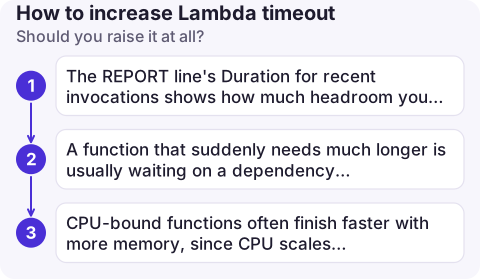
Should you raise it at all?
A timeout error tells you the function was still running when time ran out. Find out what it was waiting for before buying more time:
- The REPORT line's
Durationfor recent invocations shows how much headroom you really need; this Logs Insights query lists timed-out requests. - A function that suddenly needs much longer is usually waiting on a dependency or blocked by VPC networking; Task timed out covers the causes.
- CPU-bound functions often finish faster with more memory, since CPU scales with it.
Watch it afterwards
- Alarm on maximum
Durationapproaching the new timeout, so you hear about creep before it fails; see Lambda Duration alarm. - Keep an eye on
Errorsas well: a timeout is counted as an error. - Longer timeouts cost more when things go wrong, because every hung invocation is billed until it times out.
Common mistakes
- Raising the function timeout to 15 minutes behind API Gateway, where the client gives up at 29 seconds anyway.
- Forgetting the SQS visibility timeout, so long-running messages are delivered again mid-processing.
- Treating 900 seconds as a target. Work that needs longer belongs in Step Functions, ECS or AWS Batch.
Questions
What is the maximum Lambda timeout?
900 seconds (15 minutes). The default for a new function is 3 seconds.
How do I set a Lambda timeout from the AWS CLI?
aws lambda update-function-configuration --function-name my-function --timeout followed by the number of seconds.
How do I get alerted when a Lambda function times out?
Alarm on the Errors metric and on maximum Duration close to the configured timeout, or use a metric filter on "Task timed out" in the function's log group.

Timeouts often appear under load, away from your desk. CloudConsole, a phone app for AWS, is built to show Lambda duration and error alarms with the log lines behind them on your phone.
About the app → · Download on the App Store