 CloudConsole
aws logs delete-log-group
aws logs delete-log-group --log-group-name /aws/lambda/old-function permanently deletes the log group with all its streams and events, and the metric filters and subscription filters attached to it. There is no undo; if a service is still writing to it, the group is often recreated straight away with no retention set.
What the command does
The call removes the group and everything inside it. Any alarms built on its metric filters stop receiving data (and go to INSUFFICIENT_DATA or treat it as missing data), and any streaming to Lambda, Kinesis or Firehose through subscription filters stops. The command prints nothing on success.
Typical reasons to run it: removing groups left behind by deleted Lambda functions or stacks, cleaning up test environments, or deleting data you are not allowed to keep.
Syntax
aws logs delete-log-group --log-group-name /aws/lambda/old-functionOnly one group per call, and only by exact name; there is no wildcard or prefix delete.
Worked examples
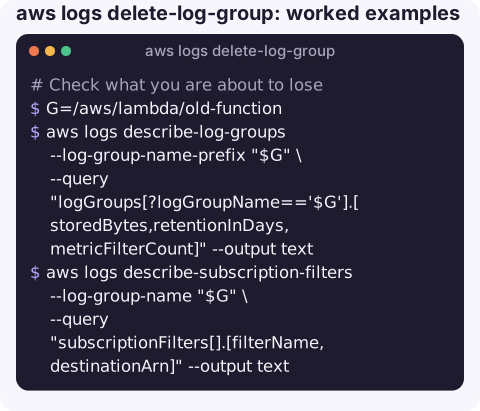
Check what you are about to lose:
G=/aws/lambda/old-function
aws logs describe-log-groups --log-group-name-prefix "$G" \
  --query "logGroups[?logGroupName=='$G'].[storedBytes,retentionInDays,metricFilterCount]" --output text
aws logs describe-subscription-filters --log-group-name "$G" \
  --query "subscriptionFilters[].[filterName,destinationArn]" --output text
Export first if you might need the data (the bucket must allow CloudWatch Logs to write to it; times are milliseconds):
aws logs create-export-task --log-group-name "$G" \
  --from 0 --to $(date +%s)000 \
  --destination my-log-archive --destination-prefix old-function
Delete it:
aws logs delete-log-group --log-group-name "$G"Delete log groups of Lambda functions that no longer exist (review the printed list before removing the echo):
FUNCS=$(aws lambda list-functions --query "Functions[].FunctionName" --output text)
for g in $(aws logs describe-log-groups --log-group-name-prefix /aws/lambda/ \
    --query "logGroups[].logGroupName" --output text); do
  f=${g#/aws/lambda/}
  case " $FUNCS " in *" $f "*) ;; *) echo aws logs delete-log-group --log-group-name "$g";; esac
done
Delete empty groups:
for g in $(aws logs describe-log-groups \
    --query "logGroups[?storedBytes==\`0\`].logGroupName" --output text); do
  echo aws logs delete-log-group --log-group-name "$g"
done
storedBytes is updated with a delay, so a brand-new group may report zero while it already holds events.
What goes with the group
| Item | Deleted? |
|---|---|
| Log streams and events | Yes, permanently |
| Metric filters | Yes; the custom metrics stop updating |
| Subscription filters | Yes; streaming stops |
| CloudWatch alarms on those metrics | No; they remain and stop getting data |
| Data already exported to S3 | No |
Gotchas
- It comes back. If the function, task or agent still runs and its role can create log groups, the next write recreates the group, with no retention and no metric filters.
- Wrong region looks like success elsewhere. A
ResourceNotFoundExceptionusually means the group lives in another region. - Infrastructure as code. Deleting a group a CloudFormation stack manages causes drift; a later stack update may fail or recreate it.
- Restrict who can do this. Grant
logs:DeleteLogGroupnarrowly; audit and security groups deserve an explicit deny.
Questions
Can I recover a deleted CloudWatch log group?
No. The data is gone unless you exported it to S3 or streamed it elsewhere beforehand.
Why does a deleted Lambda log group reappear?
Lambda recreates it on the next invocation when the execution role has logs:CreateLogGroup. Delete or disable the function first, or set the group up in infrastructure code with a retention.
How do I delete VPC flow logs?
Delete the flow log configuration with aws ec2 delete-flow-logs --flow-log-ids, then delete its log group with delete-log-group if you no longer need the data.
Clean-up jobs like this are best done at a desk, but spotting the need often happens elsewhere. CloudConsole, a phone app for AWS, is built to surface costs, logs and alarms on a phone, with guardrails around destructive actions.
About the app → · Download on the App Store