 CloudConsole
aws logs put-retention-policy
aws logs put-retention-policy --log-group-name /aws/lambda/my-function --retention-in-days 30 makes CloudWatch Logs delete events older than 30 days from that group. New log groups keep data forever by default, so setting retention is one of the simplest ways to cut CloudWatch storage costs.
What the command does
Every log group has a retention setting. Without one, events are kept indefinitely and you pay to store them indefinitely. This command sets the number of days to keep; CloudWatch then removes older events in the background. Run it again with a different number to change the period, or use delete-retention-policy to go back to "never expire".
Syntax
aws logs put-retention-policy --log-group-name <name> --retention-in-days <days>Only specific values are accepted:
1, 3, 5, 7, 14, 30, 60, 90, 120, 150, 180, 365, 400, 545, 731,
1096, 1827, 2192, 2557, 2922, 3288, 3653
Anything else, such as 45 or 100, fails with InvalidParameterException. The command prints nothing on success.
Worked examples
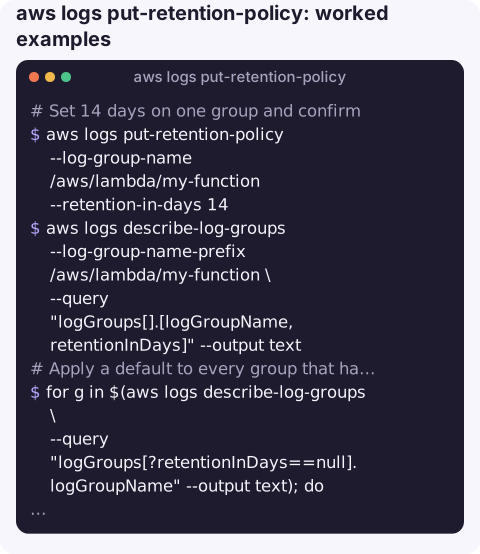
Set 14 days on one group and confirm:
aws logs put-retention-policy --log-group-name /aws/lambda/my-function --retention-in-days 14
aws logs describe-log-groups --log-group-name-prefix /aws/lambda/my-function \
  --query "logGroups[].[logGroupName,retentionInDays]" --output text
Apply a default to every group that has none in the current region:
for g in $(aws logs describe-log-groups \
    --query "logGroups[?retentionInDays==null].logGroupName" --output text); do
  echo "setting 30 days on $g"
  aws logs put-retention-policy --log-group-name "$g" --retention-in-days 30
done
Different retention per prefix, for example short for Lambda, long for audit logs:
for g in $(aws logs describe-log-groups --log-group-name-prefix /aws/lambda/ \
    --query "logGroups[].logGroupName" --output text); do
  aws logs put-retention-policy --log-group-name "$g" --retention-in-days 14
done
aws logs put-retention-policy --log-group-name /org/cloudtrail --retention-in-days 400
Go back to keeping everything:
aws logs delete-retention-policy --log-group-name /org/cloudtrailChoosing a period
| Log type | Common choice | Why |
|---|---|---|
| Lambda and container application logs | 7 to 30 days | Mostly used for recent debugging |
| Access and load balancer logs in CloudWatch | 30 to 90 days | Security investigations look back weeks |
| Audit trails (CloudTrail, VPC flow logs) | 365 days or more | Compliance requirements; consider archiving to S3 instead |
| Debug or test environments | 1 to 7 days | Little value after the session ends |
Gotchas
- Deletion is permanent and not instant. Lowering retention eventually removes everything older than the new period, with no undo. The removal runs in the background, so storage figures can take a few days to drop.
- Groups are created without retention. Lambda, ECS and many services create their log groups automatically with no retention. Create groups yourself in infrastructure code with retention set, or re-run the loop above on a schedule.
- Account-level policies win. If an account-level retention policy applies to a group, the call succeeds but the account policy's period is what takes effect.
- Retention does not reduce ingestion cost, which is usually the larger part of the bill. To cut that, log less or use the Infrequent Access class.
Questions
What retention values does CloudWatch Logs accept?
1, 3, 5, 7, 14, 30, 60, 90, 120, 150, 180, 365, 400, 545, 731, 1096, 1827, 2192, 2557, 2922, 3288 and 3653 days.
What is the default CloudWatch log retention?
Never expire. A new log group keeps events forever until you set a retention policy.
How do I set retention on all log groups?
Loop over describe-log-groups output and call put-retention-policy for each group, filtering on retentionInDays==null to only touch groups without one.
Log storage creeping up is easier to catch when costs are visible somewhere you look every day. CloudConsole, a phone app for AWS, is built to show costs alongside logs and alarms on a phone.
About the app → · Download on the App Store