 CloudConsole
aws logs describe-log-streams
aws logs describe-log-streams --log-group-name /aws/lambda/my-function --order-by LastEventTime --descending --max-items 1 returns the most recently active stream in a log group. Use --log-stream-name-prefix to find streams for a date or task instead, but note you cannot combine a prefix with ordering by event time.
What the command does
A log group is made of streams, one per source: a Lambda execution environment, an ECS task container, an EC2 instance's log file. This command lists them with logStreamName, creationTime, firstEventTimestamp, lastEventTimestamp, lastIngestionTime and arn. It does not return log events.
Syntax
aws logs describe-log-streams --log-group-name /aws/lambda/my-function \
  [--order-by LogStreamName|LastEventTime] [--descending] \
  [--log-stream-name-prefix 2026/11/16] \
  [--max-items 10]
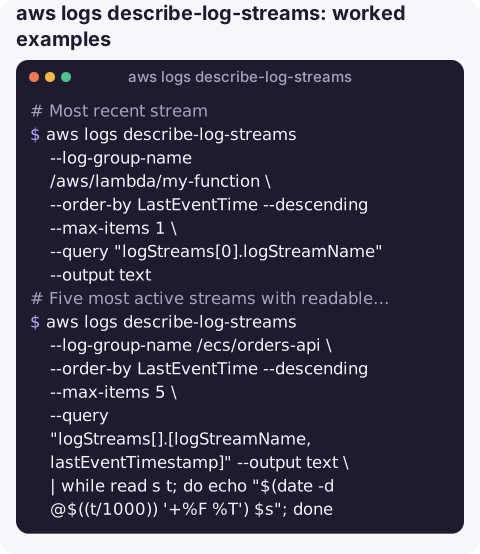
Worked examples
Most recent stream:
aws logs describe-log-streams --log-group-name /aws/lambda/my-function \
  --order-by LastEventTime --descending --max-items 1 \
  --query "logStreams[0].logStreamName" --output text
Five most active streams with readable times (timestamps are epoch milliseconds):
aws logs describe-log-streams --log-group-name /ecs/orders-api \
  --order-by LastEventTime --descending --max-items 5 \
  --query "logStreams[].[logStreamName,lastEventTimestamp]" --output text \
  | while read s t; do echo "$(date -d @$((t/1000)) '+%F %T')  $s"; done
Lambda streams for one day, using the date prefix Lambda puts on stream names:
aws logs describe-log-streams --log-group-name /aws/lambda/my-function \
  --log-stream-name-prefix 2026/11/16 \
  --query "logStreams[].logStreamName" --output text
Streams for one ECS task (the task ID is the last part of the stream name):
aws logs describe-log-streams --log-group-name /ecs/orders-api \
  --log-stream-name-prefix ecs/web/0123456789abcdef0123456789abcdef
How many streams a group has, useful before a bulk export:
aws logs describe-log-streams --log-group-name /aws/lambda/my-function \
  --query "length(logStreams)" --output json
Output shape
One stream entry, trimmed:
{
  "logStreamName": "ecs/web/0123456789abcdef0123456789abcdef",
  "creationTime": 1763283600123,
  "firstEventTimestamp": 1763283601456,
  "lastEventTimestamp": 1763290211789,
  "lastIngestionTime": 1763290212002,
  "arn": "arn:aws:logs:eu-west-2:123456789012:log-group:/ecs/orders-api:log-stream:ecs/web/0123456789abcdef0123456789abcdef"
}
All times are milliseconds since the epoch. lastIngestionTime tells you when CloudWatch last received data for the stream, which is often a better sign of a live source than lastEventTimestamp, because applications sometimes write events with old timestamps. A stream with no events yet has no first or last event fields at all, so queries that sort on them should allow for missing values.
Stream naming by source
| Source | Typical stream name |
|---|---|
| Lambda | 2026/11/16/[$LATEST]0123456789abcdef..., or the version number in brackets |
| ECS with awslogs | <prefix>/<container-name>/<task-id> |
| CloudWatch agent on EC2 | Whatever you configured, often the instance ID |
| API Gateway execution logs | Random IDs; search the group instead |
Gotchas
lastEventTimestamplags. It is updated eventually, sometimes well after the events arrive. A stream that is active right now may not sort first; for live debugging, preferaws logs tail.- No prefix with
LastEventTime. Combining--log-stream-name-prefixand--order-by LastEventTimeis rejected withInvalidParameterException. - Throttling. The API allows only a modest request rate (25 per second at the time of writing). Loops over many groups should back off.
storedByteson streams is deprecated and reports zero; use the group-level value instead.
Questions
How do I find the latest log stream with the CLI?
aws logs describe-log-streams --log-group-name <group> --order-by LastEventTime --descending --max-items 1 --query "logStreams[0].logStreamName".
Why is the newest log stream not first?
lastEventTimestamp is updated eventually rather than immediately, so very recent activity may not be reflected in the ordering yet.
How do I list log streams by prefix and time together?
You cannot in one call. List by prefix, then sort the results by lastEventTimestamp in --query, for example sort_by(logStreams,&lastEventTimestamp).
Finding the right stream is a fiddly step that gets in the way during an incident. CloudConsole, a phone app for AWS, is built to take you from an alarm to the relevant logs on a phone.
About the app → · Download on the App Store