 CloudConsole
aws logs describe-log-groups
aws logs describe-log-groups lists CloudWatch log groups with their retention, stored bytes, class and KMS key. Use --log-group-name-prefix /aws/lambda/ to narrow it, and --query "logGroups[?retentionInDays==null].logGroupName" to find groups set to keep logs forever, a common source of storage cost.
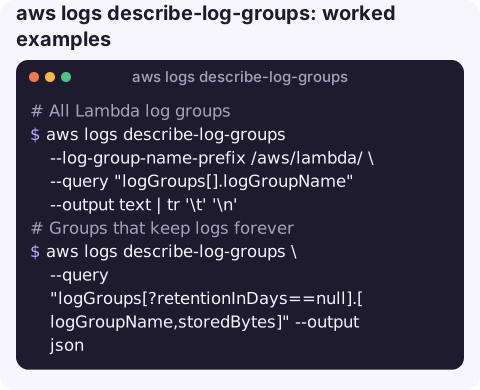
What the command does
Each entry in logGroups[] has logGroupName, arn, creationTime, retentionInDays (absent when logs never expire), storedBytes, metricFilterCount, logGroupClass (such as STANDARD or INFREQUENT_ACCESS) and kmsKeyId if encrypted with a customer key. The CLI pages through all groups for you.
Syntax
aws logs describe-log-groups \
  [--log-group-name-prefix /aws/lambda/ | --log-group-name-pattern orders] \
  [--log-group-class STANDARD] \
  [--query ...]
--log-group-name-prefix matches the start of the name; --log-group-name-pattern matches anywhere in the name. You cannot use both in one call.
Worked examples
All Lambda log groups:
aws logs describe-log-groups --log-group-name-prefix /aws/lambda/ \
  --query "logGroups[].logGroupName" --output text | tr '\t' '\n'
Groups that keep logs forever:
aws logs describe-log-groups \
  --query "logGroups[?retentionInDays==null].[logGroupName,storedBytes]" --output json
The ten largest groups (JSON output so sorting covers every page):
aws logs describe-log-groups \
  --query "reverse(sort_by(logGroups,&storedBytes))[:10].[logGroupName,storedBytes,retentionInDays]" \
  --output json
Total stored bytes in GiB, a rough guide to storage cost:
aws logs describe-log-groups --query "sum(logGroups[].storedBytes)" --output json \
  | awk '{printf "%.1f GiB\n", $1/1073741824}'
Find a group when you only know part of the name, such as VPC flow logs:
aws logs describe-log-groups --log-group-name-pattern flow \
  --query "logGroups[].logGroupName" --output text
Set a retention on every group that has none:
for g in $(aws logs describe-log-groups \
    --query "logGroups[?retentionInDays==null].logGroupName" --output text); do
  aws logs put-retention-policy --log-group-name "$g" --retention-in-days 30
done
Turning the list into a clean-up plan
A log group inventory is most useful when you sort it into three piles. First, groups belonging to resources that no longer exist: Lambda functions, ECS services and CodeBuild projects all leave their groups behind when deleted, and these can usually be exported or simply removed. Second, groups with no retention, which should get one; 30 days is a sensible default for application logs, longer for anything with an audit purpose. Third, the handful of very large groups, where the real saving comes from logging less, sampling debug output or switching to the Infrequent Access class rather than from retention.
Record the owner of each group with tags so the next review is quicker:
aws logs tag-resource \
  --resource-arn arn:aws:logs:eu-west-2:123456789012:log-group:/ecs/orders-api \
  --tags Team=payments,Retention=30d
Fields
| Field | Notes |
|---|---|
retentionInDays | Missing means never expire. An account-level retention policy can override it. |
storedBytes | Archived storage size; it is not updated in real time. |
metricFilterCount | Non-zero means alarms may depend on this group; be careful deleting it. |
logGroupClass | Infrequent Access groups cost less to ingest but support fewer features. |
Gotchas
- Prefixes are case-sensitive and include the leading slash:
/aws/lambda/, notaws/lambda. - Ingestion usually costs more than storage. A small
storedBytesdoes not mean a cheap group; checkIncomingBytesin CloudWatch metrics for the real driver. - Regional. Like everything in CloudWatch Logs, run it per region.
- Flow logs appear here only if they were configured to publish to CloudWatch Logs; flow logs sent to S3 are listed by
aws ec2 describe-flow-logs.
Questions
How do I list CloudWatch log groups with the CLI?
aws logs describe-log-groups --query "logGroups[].logGroupName" --output text, optionally with --log-group-name-prefix.
How do I find log groups with no retention?
Query logGroups[?retentionInDays==null]. Those groups keep data forever until you set a retention policy.
How do I describe VPC flow logs?
Use aws ec2 describe-flow-logs to see flow log configurations. If they deliver to CloudWatch Logs, find the group with describe-log-groups.
Log storage is a cost that grows quietly until it shows up on the bill. CloudConsole, a phone app for AWS, is built to show costs and logs on a phone so trends like this are easy to notice.
About the app → · Download on the App Store