 CloudConsole
aws rds modify-db-instance
aws rds modify-db-instance changes the settings of an existing RDS instance: instance class, storage, backup retention, parameter group, Multi-AZ, engine version, master password and more. By default many changes wait for the next maintenance window; add --apply-immediately to start them now, accepting any downtime they cause.
What the command does
It is the single API behind almost every edit you can make to an RDS instance in the console. You pass only the settings you want to change. RDS then either applies them straight away, queues them in PendingModifiedValues for the maintenance window, or marks them as needing a reboot, depending on the setting and on --apply-immediately.
The instance status moves to modifying while work is in progress. Some changes are online (backup retention, most storage increases); others restart the engine (instance class, some engine upgrades), with a short outage that Multi-AZ reduces but does not remove.
Syntax
aws rds modify-db-instance \
  --db-instance-identifier <name> \
  [--db-instance-class <class>] [--allocated-storage <GiB>] \
  [--backup-retention-period <days>] [--multi-az] \
  [--engine-version <version>] [--allow-major-version-upgrade] \
  [--apply-immediately]
Worked examples
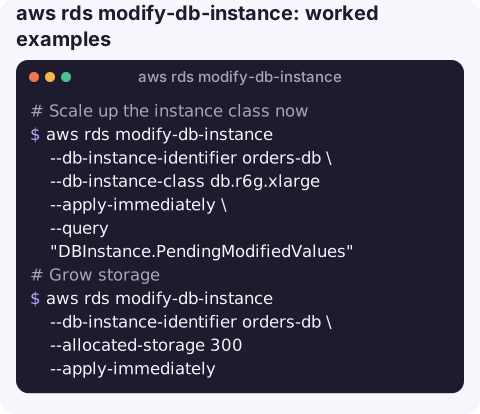
Scale up the instance class now (expect a brief outage):
aws rds modify-db-instance --db-instance-identifier orders-db \
  --db-instance-class db.r6g.xlarge --apply-immediately \
  --query "DBInstance.PendingModifiedValues"
Grow storage when FreeStorageSpace is running low. The new value must be at least 10% above the current one:
aws rds modify-db-instance --db-instance-identifier orders-db \
  --allocated-storage 300 --apply-immediately
Reset a lost master password:
aws rds modify-db-instance --db-instance-identifier orders-db \
  --master-user-password 'N3w-l0ng-Passw0rd' --apply-immediately
The command line ends up in your shell history; clear it, or reset the password through Secrets Manager integration instead.
Keep backups for longer so point-in-time restore reaches further back:
aws rds modify-db-instance --db-instance-identifier orders-db \
  --backup-retention-period 14 --apply-immediately
Turn on deletion protection and Multi-AZ for a database that has quietly become production:
aws rds modify-db-instance --db-instance-identifier orders-db \
  --deletion-protection --multi-az --apply-immediately
Check before and after
Before you run a modify with --apply-immediately on production, look at what is already queued and when the maintenance window is:
aws rds describe-db-instances --db-instance-identifier orders-db \
  --query "DBInstances[0].[PreferredMaintenanceWindow,PendingModifiedValues]"
Afterwards, aws rds wait db-instance-available blocks until the status returns to available. For class changes, confirm DBInstanceClass shows the new value; for storage, watch the FreeStorageSpace metric recover.
When changes take effect
| Change | Typical behaviour |
|---|---|
| Instance class | Restart; window unless --apply-immediately |
| Storage size or type | Usually online, but the instance enters a storage-optimisation phase |
| Backup retention | Online. Setting it to 0 disables automated backups and deletes the existing ones |
| DB parameter group | Group is attached immediately; static parameters wait for a reboot (pending-reboot) |
| Engine version | Restart; a major version also needs --allow-major-version-upgrade |
| Master password | Applied asynchronously as soon as possible |
Gotchas
--apply-immediatelyalso applies everything already pending. If someone queued a class change for Sunday, your harmless retention tweak today will trigger it. CheckPendingModifiedValuesfirst.- Storage only goes up. You cannot shrink allocated storage, and after a storage change you have to wait (at least six hours) before the next one.
- Provisioned IOPS volumes need
--iopsalongside a storage increase, even if you keep the current value. - Renames change the endpoint.
--new-db-instance-identifierchanges the DNS name clients connect to. - Watch for
incompatible-parameters. A new parameter group with values the instance class cannot support leaves the instance in that state; see incompatible-parameters.
Questions
How do I modify an RDS cluster instead of an instance?
Cluster-level settings for Aurora and Multi-AZ DB clusters (backup retention, engine version, master password) are changed with aws rds modify-db-cluster. The instance class of each Aurora member is still changed per instance with modify-db-instance.
How do I see what modify-db-instance will do before the maintenance window?
Run describe-db-instances and read PendingModifiedValues. Anything listed there will be applied in the next window, or immediately the next time someone calls modify with --apply-immediately.
Does changing the RDS instance class cause downtime?
Yes, the engine restarts on the new hardware. On a Multi-AZ instance the standby is modified first and then failed over to, which shortens the interruption to roughly a failover.
A storage alarm at 3am usually ends with a modify call. CloudConsole is built to show the RDS alarm and the instance it belongs to on your phone, with guardrails before any production change.
About the app → · Download on the App Store