 CloudConsole
aws rds describe-db-instances
aws rds describe-db-instances returns the configuration and current status of your RDS DB instances in one Region: identifier, engine and version, instance class, endpoint, storage, Multi-AZ setting and any pending changes. Pass --db-instance-identifier for a single instance, or --filters and --query to cut the list down to what you need.
What the command does
It calls the DescribeDBInstances API, which reports every DB instance in the Region you are pointing at. That includes instances that belong to Aurora clusters, and Neptune and DocumentDB instances too, because they share the same control plane. Each record sits under the top-level DBInstances array.
The output is large: a single instance can run to a couple of hundred lines of JSON. In practice you almost always pair it with --query to pull out the few fields you care about, and with --output table or text for reading on screen.
Syntax
aws rds describe-db-instances \
  [--db-instance-identifier <name-or-arn>] \
  [--filters Name=<filter>,Values=<v1>,<v2>] \
  [--max-records <20-100>] [--marker <token>]
Worked examples
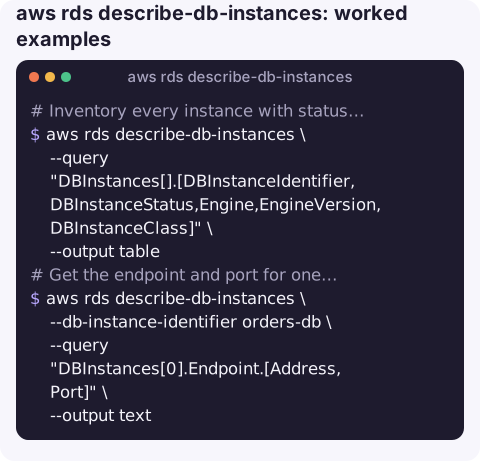
Inventory every instance with status, engine and class:
aws rds describe-db-instances \
  --query "DBInstances[].[DBInstanceIdentifier,DBInstanceStatus,Engine,EngineVersion,DBInstanceClass]" \
  --output table
Get the endpoint and port for one database (useful in scripts that build a connection string):
aws rds describe-db-instances \
  --db-instance-identifier orders-db \
  --query "DBInstances[0].Endpoint.[Address,Port]" \
  --output text
List only the members of an Aurora cluster with the db-cluster-id filter:
aws rds describe-db-instances \
  --filters Name=db-cluster-id,Values=orders-aurora \
  --query "DBInstances[].{id:DBInstanceIdentifier,az:AvailabilityZone,class:DBInstanceClass}"
Find instances that are not available (stopped, rebooting, modifying, storage-full):
aws rds describe-db-instances \
  --query "DBInstances[?DBInstanceStatus!='available'].[DBInstanceIdentifier,DBInstanceStatus]" \
  --output text
Check for changes waiting on a maintenance window. A non-empty PendingModifiedValues object means something will apply later:
aws rds describe-db-instances \
  --db-instance-identifier orders-db \
  --query "DBInstances[0].PendingModifiedValues"
What the output looks like
Trimmed to the fields people usually read, one record looks like this:
{
  "DBInstances": [
    {
      "DBInstanceIdentifier": "orders-db",
      "DBInstanceClass": "db.r6g.large",
      "Engine": "postgres",
      "EngineVersion": "16.4",
      "DBInstanceStatus": "available",
      "Endpoint": { "Address": "orders-db.abc123xyz.eu-west-2.rds.amazonaws.com", "Port": 5432 },
      "MultiAZ": true,
      "AllocatedStorage": 200,
      "PendingModifiedValues": {},
      "DBParameterGroups": [ { "DBParameterGroupName": "orders-pg16", "ParameterApplyStatus": "in-sync" } ]
    }
  ]
}
DBInstanceStatus is the field to watch in scripts. Besides available you will see values such as backing-up, modifying, rebooting, stopped, storage-full and maintenance.
Key options
| Option | What it does |
|---|---|
--db-instance-identifier | Return one instance. Accepts the name or the ARN and is not case-sensitive. Fails with DBInstanceNotFound if it does not exist in this Region. |
--filters | Server-side filters. Supported names include db-cluster-id, db-instance-id, dbi-resource-id, domain and engine. |
--max-records / --marker | Manual paging with the API. The CLI already follows markers for you, so you rarely need these. |
--query | Client-side JMESPath filter on the JSON. Use it for anything the server filters do not cover, such as status or instance class. |
Gotchas
- It is regional. An empty
DBInstanceslist usually means the wrong--regionor profile, not that the database is gone. - Server filters are limited. You cannot filter on status or tags with
--filters; do that with--queryinstead. Tags are listed underTagListon each record. - Aurora endpoints live on the cluster. The instance endpoint points at that one node. Applications should normally use the cluster writer or reader endpoint from
aws rds describe-db-clusters. - Status lags slightly. Right after a reboot or modify call you may still see
availablefor a few seconds before the new state shows up. - Engine version answers live elsewhere. To see which versions you could upgrade to, use
aws rds describe-db-engine-versions; this command only reports what each instance runs now.
Questions
How do I describe an RDS cluster instead of an instance?
Use aws rds describe-db-clusters. It returns the cluster endpoints, members and the writer flag for each member, which describe-db-instances does not show.
How do I list available RDS engine versions from the CLI?
Run aws rds describe-db-engine-versions --engine postgres (or mysql, aurora-postgresql and so on). Add --query "DBEngineVersions[].EngineVersion" to print just the version numbers.
How do I see which parameter group an instance uses?
Query DBInstances[0].DBParameterGroups on the instance. Each entry shows the group name and its ParameterApplyStatus, which reads pending-reboot when a change has not taken effect yet.
When a database goes unhealthy at night, the first question is which instance and what state it is in. CloudConsole, a phone app for AWS, is built to show RDS resources and their alarms on your phone.
About the app → · Download on the App Store