 CloudConsole
aws rds reboot-db-instance
aws rds reboot-db-instance --db-instance-identifier my-db restarts the database engine on an RDS instance, which causes a short outage while the status reads rebooting. On a Multi-AZ instance deployment, adding --force-failover makes the standby take over instead of restarting in place.
What the command does
A reboot restarts the database engine process on the instance. Connections are dropped, in-flight transactions are rolled back, and the instance goes from available to rebooting and back. The endpoint name stays the same.
The most common reason to run it is to apply parameter group changes. Static parameters (for example shared_buffers on PostgreSQL) only take effect after a restart; until then the instance reports the group as pending-reboot. The second most common reason is clearing a stuck engine, such as a runaway connection count, when you cannot get a session in to fix it.
Syntax
aws rds reboot-db-instance \
  --db-instance-identifier <name> \
  [--force-failover]
Worked examples
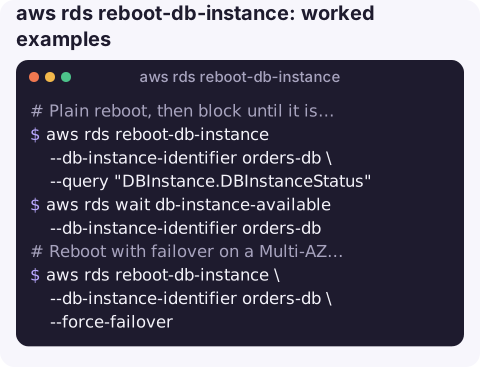
Plain reboot, then block until it is usable again:
aws rds reboot-db-instance --db-instance-identifier orders-db \
  --query "DBInstance.DBInstanceStatus"
aws rds wait db-instance-available --db-instance-identifier orders-db
The waiter polls every 30 seconds and gives up after about 30 minutes, so a script will not hang for ever.
Reboot with failover on a Multi-AZ instance, typically to test that your application reconnects correctly:
aws rds reboot-db-instance \
  --db-instance-identifier orders-db \
  --force-failover
Check whether a reboot is actually needed before you take the outage:
aws rds describe-db-instances --db-instance-identifier orders-db \
  --query "DBInstances[0].DBParameterGroups[].[DBParameterGroupName,ParameterApplyStatus]" \
  --output text
If the status is in-sync, rebooting will not change any parameters.
Reboot or something else?
| Situation | Better tool |
|---|---|
Parameter group shows pending-reboot | This command, in a quiet period |
| Need to move the writer role on Aurora | failover-db-cluster |
| Database is overloaded by connections | Find and end the offending sessions first; a reboot only buys time if the clients reconnect the same way |
| Storage is full | Increase storage with modify-db-instance; rebooting a full instance does not free space |
| Saving money overnight | stop-db-instance |
Key options
| Option | Meaning |
|---|---|
--db-instance-identifier | The instance to reboot. Required. |
--force-failover | Reboot by failing over to the standby in another Availability Zone. Only valid for Multi-AZ instance deployments; RDS rejects it on Single-AZ instances. |
--no-force-failover | Explicitly reboot in place (the default). |
Gotchas
- It must be available. RDS refuses the call if the instance is already rebooting, modifying, stopped or in backup state, and returns
InvalidDBInstanceState. - Failover changes the IP, not the name. The endpoint DNS record moves to the new primary. Clients that cache DNS for a long time (the JVM is a classic case) keep hitting the old address; keep the DNS TTL in your client low.
- Multi-AZ DB clusters are different. For the newer cluster deployment with two readable standbys, use
aws rds reboot-db-clusteror failover-db-cluster. The same applies to Aurora writer failover. - Duration varies. A clean reboot usually takes a few minutes; crash recovery after heavy write activity can take much longer. Watch the instance events rather than guessing.
- It is downtime you chose. Do it in a quiet period and tell whoever owns the application.
Questions
How long does it take to reboot an RDS instance?
Usually a few minutes. Instances with a lot of unflushed writes take longer because the engine runs crash recovery on start-up. Run aws rds describe-events --source-identifier my-db --source-type db-instance to see when it finished.
How do I reboot an Aurora cluster?
Reboot each instance with this command, writer last if you want to minimise write downtime. To move the writer role to another instance, use aws rds failover-db-cluster instead.
Does rebooting RDS lose data?
Committed transactions are durable and survive the restart. Uncommitted work in open sessions is rolled back, so applications must reconnect and retry.
Deciding whether to reboot a production database is easier when you can see its metrics first. CloudConsole is built to put RDS status and alarms on a phone, with guardrails around production changes.
About the app → · Download on the App Store