 CloudConsole
RDS instance in incompatible-parameters state
RDS puts an instance in incompatible-parameters when a value in its DB parameter group stops the engine from starting, most often a memory setting (innodb_buffer_pool_size, shared_buffers) fixed too high for the instance class after a downsize, or a parameter that is invalid for a new engine version. Fix or reset the offending parameter in the group, then reboot the instance.
What it means
aws rds describe-db-instances --db-instance-identifier orders-db \
  --query 'DBInstances[].{status:DBInstanceStatus,class:DBInstanceClass,engine:EngineVersion,params:DBParameterGroups}'
A status of incompatible-parameters means the database engine could not start with the current parameter group. The instance is unavailable to clients. Most actions are blocked until it starts again, so the path out is to correct the parameters and reboot.
Common triggers
| Trigger | Example |
|---|---|
| Instance class reduced while memory parameters are hard-coded | innodb_buffer_pool_size set to 24 GB, instance moved to one with 16 GB |
| Parameter values that add up to more than available memory | Large shared_buffers plus high max_connections with generous per-connection memory |
| Engine upgrade with a parameter group carrying old or removed settings | Custom group copied from a previous major version |
| Typos or out-of-range values that only take effect at the next restart | A static parameter edited weeks ago, applied by today's maintenance reboot |
That last row explains many "nothing changed" incidents: static parameter edits wait for a reboot, so the failure appears at the next maintenance window or failover, long after the change.
Find the offending parameter
Look at the recent events for the instance; they often name the problem:
aws rds describe-events --source-type db-instance \
  --source-identifier orders-db --duration 1440 \
  --query 'Events[].[Date,Message]' --output table
List only the parameters someone set explicitly in the group:
aws rds describe-db-parameters --db-parameter-group-name orders-mysql8 \
  --source user \
  --query 'Parameters[].[ParameterName,ParameterValue,ApplyType]' --output table
Compare memory-related values with the memory of the current instance class. Values written as formulas such as {DBInstanceClassMemory*3/4} scale with the class; fixed byte values do not.
Fix it
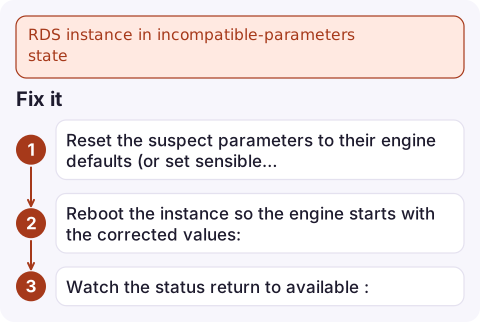
- Reset the suspect parameters to their engine defaults (or set sensible values):
aws rds reset-db-parameter-group --db-parameter-group-name orders-mysql8 \ --parameters ParameterName=innodb_buffer_pool_size,ApplyMethod=pending-reboot - Reboot the instance so the engine starts with the corrected values:
aws rds reboot-db-instance --db-instance-identifier orders-db - Watch the status return to
available:aws rds wait db-instance-available --db-instance-identifier orders-db
If the group is shared by other instances, remember the change applies to all of them at their next reboot. If you cannot identify the parameter quickly and need the service back, restoring to a point in time onto a new instance with a default parameter group is a slower but reliable fallback.
Avoid it next time
- Express memory settings as formulas based on
DBInstanceClassMemory, not fixed numbers. - Give each environment its own parameter group so a test change cannot affect production at the next reboot.
- After editing static parameters, reboot deliberately at a time you choose, rather than leaving the change to fire during maintenance.
- Before a major version upgrade, create a fresh parameter group for the new family and port only the settings you need.
Questions
How do I fix an RDS instance stuck in incompatible-parameters?
Correct or reset the bad values in its DB parameter group, then reboot the instance. Check recent RDS events and the user-set parameters to find the culprit.
Why did my RDS instance go into incompatible-parameters after resizing?
A memory parameter was set to a fixed value that is too large for the smaller instance class. Use DBInstanceClassMemory-based formulas instead.
Can I change the parameter group of an instance in incompatible-parameters?
Correcting the existing group and rebooting is the most reliable route. If that is not possible, restore a new instance from a snapshot or point in time with a different parameter group.

This state usually appears after a maintenance reboot you were not watching. CloudConsole, a phone app for AWS, is built to surface RDS events and instance status on your phone so an unexpected restart failure does not go unnoticed.
Did it start after a deploy? What changed? on the app’s alarm screen lists the deploys and configuration changes from the hour before the alarm fired.
About the app → · Download on the App Store