 CloudConsole
aws route53 change-resource-record-sets
aws route53 change-resource-record-sets --hosted-zone-id Z... --change-batch file://change.json applies a batch of DNS record changes, each with an Action of CREATE, UPSERT or DELETE. The batch is atomic: either every change succeeds or none does. The response is a change ID in PENDING state; wait for INSYNC before testing.
What the command does
Route 53 has no separate "create record" or "update record" call; every edit goes through a change batch. CREATE fails if the record exists, DELETE fails unless it matches the existing record exactly, and UPSERT creates or replaces. For day-to-day changes, UPSERT is the safe default.
Syntax
aws route53 change-resource-record-sets \
  --hosted-zone-id <zone-id> \
  --change-batch file://change.json
Worked examples
Point api.example.com at a new IP. change.json:
{
  "Comment": "Move api to new load balancer IP",
  "Changes": [{
    "Action": "UPSERT",
    "ResourceRecordSet": {
      "Name": "api.example.com",
      "Type": "A",
      "TTL": 60,
      "ResourceRecords": [{"Value": "203.0.113.10"}]
    }
  }]
}
change_id=$(aws route53 change-resource-record-sets --hosted-zone-id Z0123456789ABCDEFGHIJ \
--change-batch file://change.json --query ChangeInfo.Id --output text)
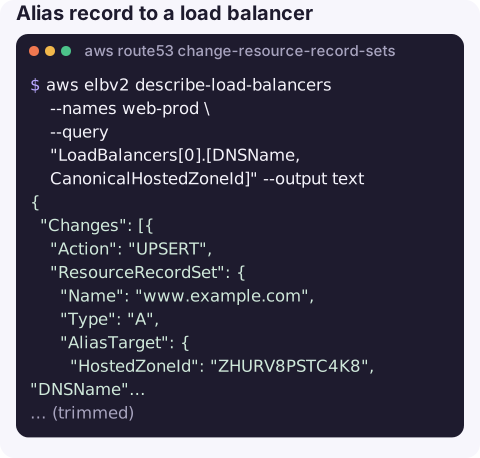
aws route53 wait resource-record-sets-changed --id "$change_id"Alias record to a load balancer. The alias target's HostedZoneId is the load balancer's canonical zone ID, not yours:
aws elbv2 describe-load-balancers --names web-prod \
  --query "LoadBalancers[0].[DNSName,CanonicalHostedZoneId]" --output text
{
"Changes": [{
"Action": "UPSERT",
"ResourceRecordSet": {
"Name": "www.example.com",
"Type": "A",
"AliasTarget": {
"HostedZoneId": "ZHURV8PSTC4K8",
"DNSName": "web-prod-1234567890.eu-west-2.elb.amazonaws.com",
"EvaluateTargetHealth": true
}
}
}]
}Delete a record. Copy it exactly (TTL and every value) from list-resource-record-sets:
{
  "Changes": [{
    "Action": "DELETE",
    "ResourceRecordSet": {
      "Name": "old.example.com.", "Type": "CNAME", "TTL": 300,
      "ResourceRecords": [{"Value": "legacy.example.net"}]
    }
  }]
}
Inline for a quick TXT record (domain verification):
aws route53 change-resource-record-sets --hosted-zone-id Z0123456789ABCDEFGHIJ --change-batch \
  '{"Changes":[{"Action":"UPSERT","ResourceRecordSet":{"Name":"_verify.example.com","Type":"TXT","TTL":300,"ResourceRecords":[{"Value":"\"token-abc123\""}]}}]}'
TXT values must include their own double quotes inside the JSON string.
Before changing production DNS
Save the current record with list-resource-record-sets so you can put it back with a single UPSERT, and check its TTL: if it is an hour, a mistake will also last up to an hour for some users. Keep the rollback change batch file next to the forward one.
Actions compared
| Action | If record exists | If it does not |
|---|---|---|
CREATE | Fails (InvalidChangeBatch … already exists) | Creates |
UPSERT | Replaces it | Creates |
DELETE | Deletes if it matches exactly | Fails |
Gotchas
- UPSERT replaces the whole record set. Upserting an A record with one IP removes the other IPs that were in it. Include every value you want to keep.
- CNAME at the apex is not allowed. Use an alias A/AAAA record for
example.comitself. - Old answers linger for the old TTL. INSYNC means Route 53's servers have the change; resolvers that cached the old record keep it until its TTL expires. Lower the TTL a day ahead of planned moves.
- Wrong zone. With split-horizon DNS there is a public and a private zone of the same name. Check the zone ID with list-hosted-zones.
- Routing policies need a
SetIdentifier(weighted, latency, failover, geolocation), and DELETE must include it too.
Questions
How do I update a DNS record with the AWS CLI?
Use an UPSERT change with the full new record set (name, type, TTL and all values) and run change-resource-record-sets with that batch. Wait with aws route53 wait resource-record-sets-changed --id <change-id>.
How long does a Route 53 change take?
Usually well under a minute to reach INSYNC on Route 53's name servers. Clients may see the old value until the previous TTL expires.
Can I change several records at once?
Yes. Put multiple entries in the Changes array. The batch is applied atomically, which is useful for swapping records without a gap.
A DNS change is quick to make and slow to undo because of caching. CloudConsole is built with production guardrails and to show health checks and alarms on a phone.
About the app → · Download on the App Store