 CloudConsole
aws route53 list-hosted-zones
aws route53 list-hosted-zones lists every public and private hosted zone in the account with its ID, domain name, record count and whether it is private. You usually run it to find the zone ID (the Z… value) that change-resource-record-sets and list-resource-record-sets need.
What the command does
Route 53 is a global service, so the Region does not matter. Each zone in HostedZones looks like this:
{
  "Id": "/hostedzone/Z0123456789ABCDEFGHIJ",
  "Name": "example.com.",
  "CallerReference": "2024-03-01-01",
  "Config": {"Comment": "Public zone", "PrivateZone": false},
  "ResourceRecordSetCount": 42
}
Note the /hostedzone/ prefix on the ID and the trailing dot on the name; both trip up scripts.
Syntax
aws route53 list-hosted-zones \
  [--hosted-zone-type PrivateHostedZone] [--max-items <n>]
Worked examples
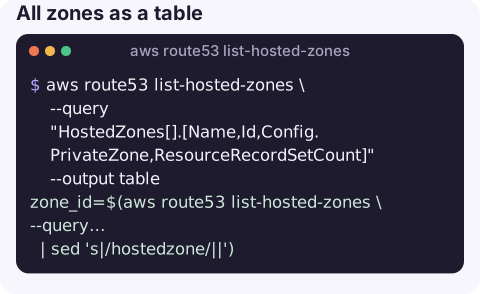
All zones as a table:
aws route53 list-hosted-zones \
  --query "HostedZones[].[Name,Id,Config.PrivateZone,ResourceRecordSetCount]" --output table
Zone ID for one domain, without the prefix, ready to use:
zone_id=$(aws route53 list-hosted-zones \
  --query "HostedZones[?Name=='example.com.' && !Config.PrivateZone].Id" --output text \
  | sed 's|/hostedzone/||')
The same with the lookup-by-name API, which starts listing at that domain:
aws route53 list-hosted-zones-by-name --dns-name example.com --max-items 1 \
  --query "HostedZones[0].[Name,Id]" --output text
Check the returned name: if example.com. does not exist, it returns the next zone alphabetically.
Private zones only, and the VPCs one is attached to:
aws route53 list-hosted-zones --hosted-zone-type PrivateHostedZone \
  --query "HostedZones[].[Name,Id]" --output text
aws route53 get-hosted-zone --id Z0123456789ABCDEFGHIJ --query VPCs
Using the ID with other commands
Almost every other Route 53 call takes the zone ID. The CLI accepts it with or without the /hostedzone/ prefix, but other tools and IAM policy ARNs (arn:aws:route53:::hostedzone/Z0123456789ABCDEFGHIJ) do not, so strip it once and reuse the bare ID:
aws route53 list-resource-record-sets --hosted-zone-id "$zone_id" \
  --query "ResourceRecordSets[?Type=='NS'].ResourceRecords[].Value" --output text
Those NS values are what the domain's registrar must point to. If they differ from what dig NS example.com returns, the zone you are editing is not the one serving the domain, which explains changes that "do nothing".
Accounts with many zones are paged automatically; use --max-items while exploring so the output stays readable.
Key options
| Option | Notes |
|---|---|
--hosted-zone-type | PrivateHostedZone to list only private zones. |
--delegation-set-id | Only zones that use a given reusable delegation set. |
--max-items | Stop after N zones. Without it the CLI pages through every zone. |
Gotchas
- Two zones, same name. A split-horizon setup has a public and a private zone called
example.com.. Filter onConfig.PrivateZone, or you will edit the wrong one. - Duplicate public zones. You can accidentally create two public zones for one domain. Only the one whose name servers match the registrar's NS records actually answers queries; check with
aws route53 get-hosted-zone --idand compareDelegationSet.NameServers. - Trailing dots. JMESPath comparisons must include the final dot:
example.com.. - Domains are not zones. Registered domains are managed with
aws route53domains, inus-east-1, separately from hosted zones.
Questions
How do I get a Route 53 hosted zone ID from the CLI?
Run list-hosted-zones with --query "HostedZones[?Name=='example.com.'].Id" --output text, and strip the /hostedzone/ prefix if your tool does not accept it.
Why do I see two hosted zones for the same domain?
Either a public and a private zone (split-horizon DNS, which is intentional) or a duplicate public zone created by mistake. Compare Config.PrivateZone and the name servers.
How do I list the records in a zone?
Use aws route53 list-resource-record-sets --hosted-zone-id <id>, with --query to filter by name or type.
DNS problems tend to surface as everything failing at once. CloudConsole is built to put health checks, alarms and resources on a phone so you can see where to start.
About the app → · Download on the App Store