 CloudConsole
aws route53 list-resource-record-sets
aws route53 list-resource-record-sets --hosted-zone-id Z... returns every record in a hosted zone, including the NS and SOA records. Filter with --query, for example "ResourceRecordSets[?Name=='api.example.com.']", remembering that names end with a dot.
What the command does
Records come back sorted by name (with labels compared in reverse, so subdomains group together) and then type. Each entry has Name, Type, and either TTL with ResourceRecords, or an AliasTarget. Records with routing policies also have SetIdentifier and a policy field such as Weight or Failover. The CLI pages through large zones for you.
Syntax
aws route53 list-resource-record-sets --hosted-zone-id <zone-id> \
  [--start-record-name <name>] [--start-record-type <type>] \
  [--max-items <n>]
Worked examples
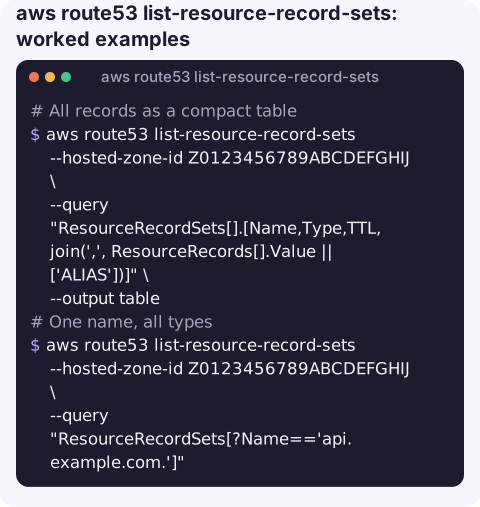
All records as a compact table:
aws route53 list-resource-record-sets --hosted-zone-id Z0123456789ABCDEFGHIJ \
  --query "ResourceRecordSets[].[Name,Type,TTL,join(',', ResourceRecords[].Value || ['ALIAS'])]" \
  --output table
One name, all types:
aws route53 list-resource-record-sets --hosted-zone-id Z0123456789ABCDEFGHIJ \
  --query "ResourceRecordSets[?Name=='api.example.com.']"
Only CNAMEs, for example to look for dangling ones that point at deleted resources:
aws route53 list-resource-record-sets --hosted-zone-id Z0123456789ABCDEFGHIJ \
  --query "ResourceRecordSets[?Type=='CNAME'].[Name,ResourceRecords[0].Value]" --output text
Alias records and their targets:
aws route53 list-resource-record-sets --hosted-zone-id Z0123456789ABCDEFGHIJ \
  --query "ResourceRecordSets[?AliasTarget].[Name,Type,AliasTarget.DNSName]" --output text
Jump to a name in a big zone instead of listing from the start:
aws route53 list-resource-record-sets --hosted-zone-id Z0123456789ABCDEFGHIJ \
  --start-record-name api.example.com --start-record-type A --max-items 1
This returns the first record at or after that position, so check it is the one you asked for.
Export the zone as JSON for a backup before a big change:
aws route53 list-resource-record-sets --hosted-zone-id Z0123456789ABCDEFGHIJ \
  > example.com-records-$(date +%F).json
Auditing a zone
Periodically review each zone for records that point at things which no longer exist: CNAMEs to deleted CloudFront distributions or S3 website endpoints, A records for released Elastic IPs. Such dangling records can let someone else claim the target and serve content on your domain. Export the CNAME and A values with the queries above and check each target still belongs to you.
Reading the output
| You see | It means |
|---|---|
api.example.com. | Fully qualified names always end with a dot |
\052.example.com. | A wildcard record (*.example.com); Route 53 returns the asterisk as an octal escape |
AliasTarget and no TTL | An alias; the TTL comes from the target |
SetIdentifier | One member of a weighted, latency, failover or geolocation group |
| NS and SOA at the apex | Created with the zone; do not delete them |
Gotchas
- Forget the trailing dot and your filter matches nothing. Compare against
api.example.com.. - This is what Route 53 stores, not what resolvers see. To check live answers, query the zone's own name servers with
dig @ns-123.awsdns-45.com api.example.com, or useaws route53 test-dns-answer. - Large zones take many requests, each returning a limited number of records. Use
--start-record-namefor targeted lookups. - Case. Names are stored in lower case; filter with lower-case values.
Questions
How do I find a specific record in Route 53 from the CLI?
Filter with --query "ResourceRecordSets[?Name=='host.example.com.' && Type=='A']", including the trailing dot, or use --start-record-name with --max-items 1 for large zones.
Why does my wildcard record show as \052?
Route 53 returns special characters as octal escapes; \052 is the asterisk. It is the same record as *.example.com.
How do I back up a Route 53 hosted zone?
Save the output of list-resource-record-sets to a file. To restore, convert the records (except the apex NS and SOA) into an UPSERT change batch.
When a site goes dark, the first question is often whether DNS changed. CloudConsole is built to show health checks, alarms and resources on a phone.
About the app → · Download on the App Store