 CloudConsole
aws s3api put-public-access-block
aws s3api put-public-access-block --bucket my-bucket --public-access-block-configuration BlockPublicAcls=true,IgnorePublicAcls=true,BlockPublicPolicy=true,RestrictPublicBuckets=true turns on all four Block Public Access settings for a bucket. Always set all four: any setting you leave out is stored as false.
What the command does
Block Public Access (BPA) is a set of four switches that override ACLs and bucket policies to stop data being exposed publicly. They exist at the bucket level (this command) and at the account level (aws s3control put-public-access-block). S3 applies the most restrictive combination of the two.
New buckets have all four settings turned on by default, so you most often run this command to restore protection after someone turned it off, or to enforce it across older buckets.
Syntax
aws s3api put-public-access-block --bucket my-bucket \
  --public-access-block-configuration \
  BlockPublicAcls=true,IgnorePublicAcls=true,BlockPublicPolicy=true,RestrictPublicBuckets=true
The command prints nothing on success. Read the result back with aws s3api get-public-access-block --bucket my-bucket.
What each setting does
| Setting | Effect |
|---|---|
BlockPublicAcls | Rejects new requests that would add a public ACL to the bucket or an object. |
IgnorePublicAcls | Ignores any public ACLs that already exist, so they grant nothing. |
BlockPublicPolicy | Rejects a bucket policy that would grant public access. |
RestrictPublicBuckets | If the existing policy is public, only AWS service principals and principals in the bucket owner's account can use it. |
Worked examples
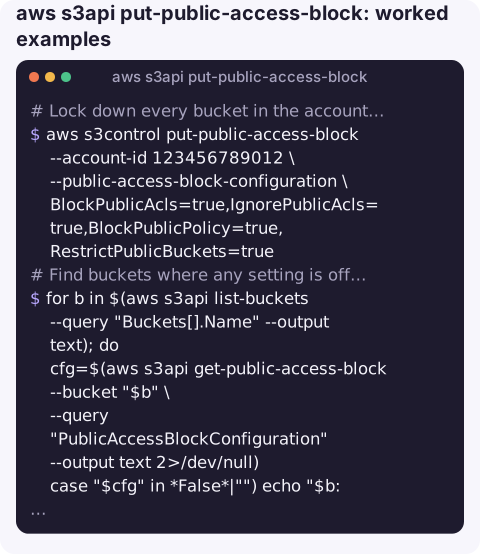
Lock down every bucket in the account at once (the account-level setting):
aws s3control put-public-access-block --account-id 123456789012 \
  --public-access-block-configuration \
  BlockPublicAcls=true,IgnorePublicAcls=true,BlockPublicPolicy=true,RestrictPublicBuckets=true
Find buckets where any setting is off or missing:
for b in $(aws s3api list-buckets --query "Buckets[].Name" --output text); do
  cfg=$(aws s3api get-public-access-block --bucket "$b" \
    --query "PublicAccessBlockConfiguration" --output text 2>/dev/null)
  case "$cfg" in *False*|"") echo "$b: $cfg";; esac
done
A bucket with no configuration at all returns NoSuchPublicAccessBlockConfiguration, which the loop reports as an empty value.
Allow a public website bucket to use a public-read policy while still ignoring ACLs. This is a deliberate exception; prefer serving through CloudFront with Origin Access Control and keeping BPA on:
aws s3api put-public-access-block --bucket my-site-bucket \
  --public-access-block-configuration \
  BlockPublicAcls=true,IgnorePublicAcls=true,BlockPublicPolicy=false,RestrictPublicBuckets=false
If the account-level block is on, this bucket-level change has no effect until the account setting is relaxed too.
Gotchas
- Omitted means false. Passing only
BlockPublicPolicy=trueturns the other three off. Always pass all four. - It can break things on purpose. Turning on
RestrictPublicBucketsorIgnorePublicAclsimmediately stops anonymous access that a website or partner may have depended on. Checkget-bucket-policy-statusand access logs first. - Organisation-wide control. In AWS Organizations, an SCP that denies
s3:PutBucketPublicAccessBlockands3:PutAccountPublicAccessBlockstops people turning BPA off. - Not the same as Object Ownership. Disabling ACLs with the
BucketOwnerEnforcedsetting is a separate control and is worth turning on as well. - Access points have their own settings. Each S3 access point carries a separate Block Public Access configuration chosen when it is created, so a bucket can be locked down while an access point in front of it is not, and the reverse.
Questions
Do I need to set all four Block Public Access settings?
Yes. Any setting missing from the configuration is stored as false, so a partial command weakens the bucket.
How do I block public access for the whole account?
Use aws s3control put-public-access-block --account-id with the same four settings. It overrides bucket-level settings that are less strict.
Why can I still not make my bucket public after turning BPA off?
The account-level Block Public Access setting is probably still on, or an SCP prevents the change.
A bucket made public by mistake is one of the incidents you most want to hear about quickly. CloudConsole, a phone app for AWS, is built to surface alarms and resource details on a phone, with guardrails around production changes.
About the app → · Download on the App Store