 CloudConsole
How to find public S3 buckets
The S3 console's bucket list shows an Access column (Public, Objects can be public, or not public), and IAM Access Analyzer for S3 lists every bucket that is shared publicly or with other accounts. On the CLI, aws s3api get-bucket-policy-status reports whether a bucket policy makes it public. The quickest protection is account-level Block Public Access, which overrides public policies and ACLs.
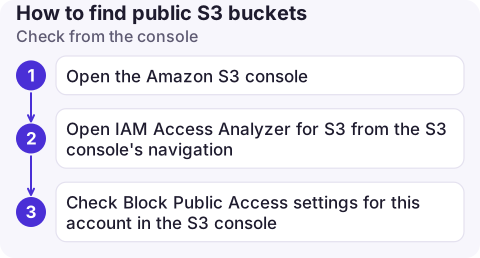
Check from the console
- Open the Amazon S3 console. In the bucket list, look at the Access column. "Public" means a policy or ACL grants public access right now; "Objects can be public" means nothing blocks it.
- Open IAM Access Analyzer for S3 from the S3 console's navigation. With an account analyzer enabled in the Region, it lists buckets with public access or access from other accounts, and the policy statement or ACL responsible.
- Check Block Public Access settings for this account in the S3 console. All four settings on is the safe default for most accounts.
Check from the CLI
# Account-level Block Public Access (the strongest switch)
aws s3control get-public-access-block --account-id 123456789012

# Per bucket: does the policy make it public? (error NoSuchBucketPolicy = no policy)
aws s3api get-bucket-policy-status --bucket my-bucket --query PolicyStatus.IsPublic

# Per bucket: bucket-level Block Public Access
aws s3api get-public-access-block --bucket my-bucket

# Per bucket: ACL grants to everyone or to any AWS user
aws s3api get-bucket-acl --bucket my-bucket \
  --query "Grants[?Grantee.URI=='http://acs.amazonaws.com/groups/global/AllUsers' || Grantee.URI=='http://acs.amazonaws.com/groups/global/AuthenticatedUsers']"
Loop over aws s3api list-buckets --query 'Buckets[].Name' --output text to check them all; buckets in other Regions may need --region set to the bucket's Region.
What makes a bucket public
| Source | Example | Blocked by |
|---|---|---|
| Bucket policy | "Principal": "*" with s3:GetObject and no restricting condition | BlockPublicPolicy / RestrictPublicBuckets |
| Bucket ACL | Grant to AllUsers or AuthenticatedUsers | BlockPublicAcls / IgnorePublicAcls, or ACLs disabled |
| Object ACLs | Individual objects uploaded with public-read | IgnorePublicAcls, or ACLs disabled (Object Ownership = bucket owner enforced) |
| Access points | An access point policy granting public access | Block Public Access on the access point or account |
New buckets have Block Public Access on and ACLs disabled by default, so public buckets today are usually older ones or ones someone deliberately opened.
Fixing it without breaking a website
- Find out why it is public first. A static website or downloads bucket may be public on purpose. Prefer serving it through CloudFront with origin access control, then turn public access off.
- Turn on account-level Block Public Access once every intentional public bucket has moved behind CloudFront.
- Check CloudTrail for
PutBucketPolicyandPutBucketAclto see who opened it and when; if sensitive data was exposed, treat it as an incident.
"Access denied" on a bucket that should be public
The reverse problem: a bucket you meant to make public returns 403. Usual causes are Block Public Access (account or bucket) overriding your policy, objects encrypted with a KMS key anonymous users can't use, or ACL-based grants ignored because ACLs are disabled. See S3 Access Denied and, for CloudFront, CloudFront S3 Access Denied.
Questions
How do I list all public S3 buckets?
Use IAM Access Analyzer for S3 in each Region, or loop over your buckets with aws s3api get-bucket-policy-status and get-bucket-acl.
Does Block Public Access affect existing buckets?
Yes. Account-level Block Public Access applies to all buckets and overrides any public policy or ACL, so test intentional public sites before turning it on.
Is a bucket public if it says "Objects can be public"?
Not necessarily right now. It means nothing is blocking public access, so a policy or ACL could make objects public.

A public bucket is the kind of finding you want to hear about immediately. CloudConsole, a phone app for AWS, is built to surface account security signals on your phone alongside alarms and costs.
About the app → · Download on the App Store