 CloudConsole
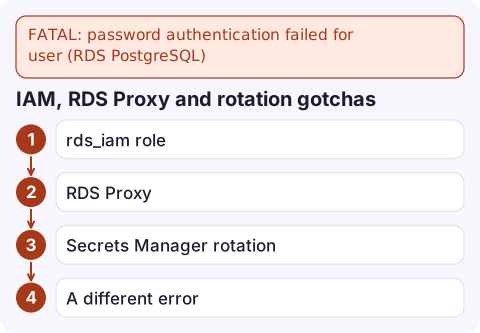
FATAL: password authentication failed for user (RDS PostgreSQL)
PostgreSQL rejected the login. The client message is deliberately vague, but the database log says exactly why: the role does not exist, the password does not match, the password has expired, or the role is set up for IAM authentication. Download the PostgreSQL log for the time of the failure, then fix the password, role or IAM setup it points to.
What the client sees
psql: error: connection to server at "orders-db.abcdefghijkl.eu-west-2.rds.amazonaws.com"
(10.0.2.15), port 5432 failed: FATAL:  password authentication failed for user "app"
PostgreSQL returns the same message whether the password is wrong or the user does not exist, so attackers cannot probe for valid usernames. That makes the client error almost useless for diagnosis. The server log, though, records a DETAIL line with the real reason.
Read the real reason in the log
Find the log file for the hour of the failure and download it:
aws rds describe-db-log-files --db-instance-identifier orders-db \
  --filename-contains postgresql.log --query 'DescribeDBLogFiles[-3:].LogFileName'

aws rds download-db-log-file-portion --db-instance-identifier orders-db \
  --log-file-name error/postgresql.log.2026-11-16-09 \
--starting-token 0 --output text | grep -A2 'authentication failed'| DETAIL line | Fix |
|---|---|
Role "app" does not exist. | Create the role, or fix the username (check case: roles created with quotes are case-sensitive) |
Password does not match for user "app". | Wrong password: check the secret, environment variable and quoting |
User "app" has an expired password. | The role has VALID UNTIL in the past; extend or remove it |
User "app" has no password assigned. | Set a password, or use IAM authentication |
If PostgreSQL logs to CloudWatch Logs for this instance, search the /aws/rds/instance/orders-db/postgresql log group instead.
Fix it
As the master user:
-- does the role exist, can it log in, does the password expire?
SELECT rolname, rolcanlogin, rolvaliduntil FROM pg_roles WHERE rolname = 'app';

-- set a new password
ALTER ROLE app WITH LOGIN PASSWORD 'a-new-strong-password';

-- remove an expiry
ALTER ROLE app VALID UNTIL 'infinity';
Locked out of the master user? Reset it with aws rds modify-db-instance --master-user-password ... --apply-immediately, or rotate the RDS-managed secret if you use one.
IAM, RDS Proxy and rotation gotchas
- rds_iam role: a user granted
rds_iammust authenticate with IAM tokens; password logins for that user then fail. Revoke it (REVOKE rds_iam FROM app;) if the user should use a password. - RDS Proxy authenticates to the database with credentials from Secrets Manager. If the secret and the database password drift apart, every client connection through the proxy fails, even with correct client credentials.
- Secrets Manager rotation: applications that cache the password at start-up keep using the old one after rotation. Re-read the secret on authentication failure, or use a client library that does.
- A different error such as
no pg_hba.conf entry for host ... no encryptionmeans the instance requires SSL (rds.force_ssl), not that the password is wrong; connect withsslmode=requireor stricter.
Questions
Why does PostgreSQL say password authentication failed when the user does not exist?
By design: PostgreSQL returns the same client message for a wrong password and a missing role. The server log's DETAIL line distinguishes them.
How do I see why RDS PostgreSQL rejected a login?
Download the postgresql.log for that hour with download-db-log-file-portion, or search the exported CloudWatch log group, and read the DETAIL line under the failure.
Can I use both IAM and password authentication for the same PostgreSQL user?
No. Once a user has the rds_iam role, it must log in with an IAM token. Use separate users if you need both.

Login failures from every application instance at once usually mean a rotated or changed secret. CloudConsole, a phone app for AWS, is built to show those errors and the related alarms on your phone so you can spot the pattern without opening a laptop.
Did it start after a deploy? What changed? on the app’s alarm screen lists the deploys and configuration changes from the hour before the alarm fired.
About the app → · Download on the App Store