 CloudConsole
aws sqs set-queue-attributes
aws sqs set-queue-attributes --queue-url <url> --attributes VisibilityTimeout=120 changes settings on an existing SQS queue. Simple values work in shorthand; JSON-valued attributes such as RedrivePolicy and Policy are easiest to pass from a file. Most changes take up to 60 seconds to apply everywhere.
What the command does
It updates one or more attributes on a queue in place. The queue URL, its messages and any attributes you do not mention stay as they are. All values are strings, even numeric ones, and attributes that hold JSON (the redrive policy, the access policy) must be passed as an escaped JSON string inside the map.
Propagation is not instant. SQS documents up to 60 seconds for most attributes and up to 15 minutes for MessageRetentionPeriod.
Syntax
aws sqs set-queue-attributes --queue-url <queue-url> \
  --attributes Name1=value1,Name2=value2
# or
aws sqs set-queue-attributes --queue-url <queue-url> \
  --attributes file://attributes.json
Worked examples
Raise the visibility timeout when consumers take longer than the default 30 seconds. For a Lambda consumer, AWS recommends at least six times the function timeout:
aws sqs set-queue-attributes --queue-url https://sqs.eu-west-2.amazonaws.com/123456789012/orders \
  --attributes VisibilityTimeout=180
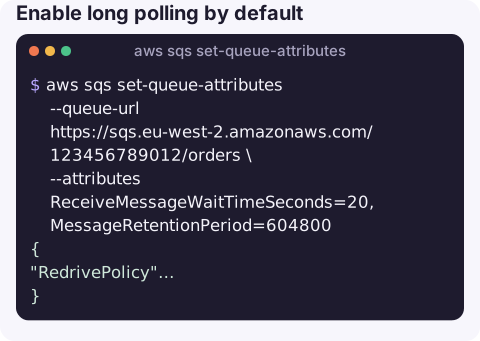
Enable long polling by default and keep messages for seven days:
aws sqs set-queue-attributes --queue-url https://sqs.eu-west-2.amazonaws.com/123456789012/orders \
  --attributes ReceiveMessageWaitTimeSeconds=20,MessageRetentionPeriod=604800
Attach a dead-letter queue. Put the attributes in a file, because the policy is JSON inside JSON:
{
  "RedrivePolicy": "{\"deadLetterTargetArn\":\"arn:aws:sqs:eu-west-2:123456789012:orders-dlq\",\"maxReceiveCount\":\"5\"}"
}
aws sqs set-queue-attributes --queue-url https://sqs.eu-west-2.amazonaws.com/123456789012/orders \
--attributes file://redrive.jsonDetach the dead-letter queue by setting the policy to an empty string:
aws sqs set-queue-attributes --queue-url https://sqs.eu-west-2.amazonaws.com/123456789012/orders \
  --attributes RedrivePolicy=""
Confirm the result after a minute:
aws sqs get-queue-attributes --queue-url https://sqs.eu-west-2.amazonaws.com/123456789012/orders \
  --attribute-names VisibilityTimeout RedrivePolicy MessageRetentionPeriod --query Attributes
Common attributes
| Attribute | Range / default |
|---|---|
VisibilityTimeout | 0–43,200 seconds (12 hours); default 30 |
MessageRetentionPeriod | 60–1,209,600 seconds (14 days); default 345,600 (4 days) |
DelaySeconds | 0–900; default 0 |
ReceiveMessageWaitTimeSeconds | 0–20; default 0 (short polling) |
MaximumMessageSize | 1,024 bytes up to 1 MiB at the time of writing |
RedrivePolicy | JSON: deadLetterTargetArn and maxReceiveCount |
Policy | Full resource policy JSON. Replaces the existing policy entirely |
KmsMasterKeyId / SqsManagedSseEnabled | Server-side encryption settings |
Gotchas
- Shortening retention deletes messages. Lowering
MessageRetentionPeriodbelow the age of messages already in the queue causes those messages to expire. Policyoverwrites. Setting the policy replaces every existing statement, including ones that let SNS or EventBridge deliver to the queue. Fetch the current policy first and edit it.- The DLQ must match the type. A FIFO queue needs a FIFO dead-letter queue, a standard queue a standard one, in the same account and Region.
- Some attributes are fixed.
FifoQueuecannot be changed after creation; you need a new queue. - Shorthand and commas. Values containing commas or quotes break the shorthand syntax; use a JSON file.
Questions
How do I change the visibility timeout of an SQS queue?
aws sqs set-queue-attributes --queue-url <url> --attributes VisibilityTimeout=180. To change it for a single in-flight message instead, use aws sqs change-message-visibility with the receipt handle.
How do I add a dead-letter queue to an existing SQS queue?
Set the RedrivePolicy attribute to a JSON string containing deadLetterTargetArn and maxReceiveCount, ideally from a file with --attributes file://redrive.json.
How long do SQS attribute changes take?
Up to 60 seconds for most attributes, and up to 15 minutes for MessageRetentionPeriod.
Visibility timeouts that are too short show up as duplicate processing and a growing DLQ. CloudConsole is built to put SQS alarms and queue settings in front of you on a phone.
About the app → · Download on the App Store