 CloudConsole
aws ssm start-session
aws ssm start-session --target i-0123456789abcdef0 opens an interactive shell on an EC2 instance or other managed node through Systems Manager Session Manager, with no inbound ports, SSH keys or bastion host. It needs the Session Manager plugin installed locally and an SSM Agent on the target that is registered and online.
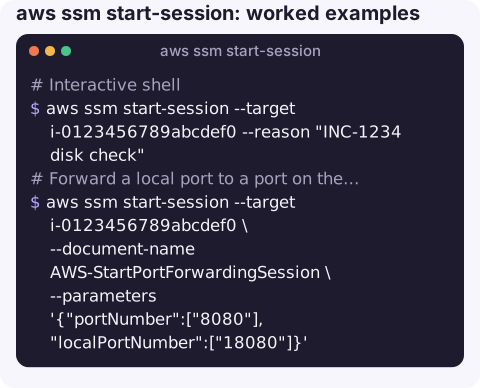
What the command does
The CLI asks Systems Manager to start a session, then hands the connection to the session-manager-plugin binary, which carries your terminal over a WebSocket to the agent on the instance. The instance only needs outbound HTTPS to the Systems Manager endpoints. Access is controlled by IAM, and sessions can be logged to CloudWatch Logs or S3.
With a different session document, the same command forwards a local port to the instance, or through the instance to another host such as an RDS endpoint.
Syntax
aws ssm start-session --target <instance-or-managed-node-id> \
  [--document-name <SSM document>] \
  [--parameters '{"key":["value"]}'] \
  [--reason "ticket INC-1234"]
Worked examples
Interactive shell:
aws ssm start-session --target i-0123456789abcdef0 --reason "INC-1234 disk check"You arrive as ssm-user by default (on Linux), with sudo rights unless an administrator has removed them. Type exit to end the session.
Forward a local port to a port on the instance, for example a web admin UI on 8080:
aws ssm start-session --target i-0123456789abcdef0 \
  --document-name AWS-StartPortForwardingSession \
  --parameters '{"portNumber":["8080"],"localPortNumber":["18080"]}'
Reach a private RDS database through an instance in the same VPC:
aws ssm start-session --target i-0123456789abcdef0 \
  --document-name AWS-StartPortForwardingSessionToRemoteHost \
  --parameters '{"host":["orders-db.abc123xyz.eu-west-2.rds.amazonaws.com"],"portNumber":["5432"],"localPortNumber":["15432"]}'
# in another terminal
psql -h localhost -p 15432 -U app orders
Check the instance is reachable first:
aws ssm describe-instance-information \
  --filters Key=InstanceIds,Values=i-0123456789abcdef0 \
  --query "InstanceInformationList[].[InstanceId,PingStatus,AgentVersion,PlatformName]" --output text
Online means the agent is connected. No result means the node is not registered with Systems Manager at all.
Prerequisites checklist
| Requirement | How to check / fix |
|---|---|
| Session Manager plugin on your machine | Run session-manager-plugin; the error "SessionManagerPlugin is not found" means it is missing |
| SSM Agent installed and running on the target | Preinstalled on Amazon Linux and many AWS-provided AMIs |
| Instance role with Systems Manager permissions | Attach AmazonSSMManagedInstanceCore to the instance profile (or use default host management configuration) |
| Outbound HTTPS to Systems Manager | Via NAT, or VPC endpoints for ssm, ssmmessages and ec2messages |
| Your IAM permission | ssm:StartSession on the instance and document, plus ssm:TerminateSession for your own sessions |
Restarting the SSM Agent
If the node shows ConnectionLost, restarting the agent often brings it back. You need another way in (EC2 Instance Connect, serial console, or a Run Command if that still works):
# Amazon Linux 2 / 2023, RHEL
sudo systemctl restart amazon-ssm-agent
# Ubuntu (snap install)
sudo snap restart amazon-ssm-agent
# Windows (PowerShell)
Restart-Service AmazonSSMAgent
Gotchas
- TargetNotConnected is the classic failure: the agent is not running, has no instance role, or cannot reach the endpoints. See TargetNotConnected.
- Role changes take a while. After attaching the instance role, the agent may take several minutes to register; restarting it speeds that up.
- Idle timeout. Sessions end after a period of inactivity (20 minutes by default, configurable in Session Manager preferences).
- ECS containers use a different command. For a shell in a running task, use aws ecs execute-command, which uses the same plugin.
Questions
How do I restart the AWS SSM Agent?
On Amazon Linux and RHEL run sudo systemctl restart amazon-ssm-agent; on Ubuntu installed via snap, sudo snap restart amazon-ssm-agent; on Windows, Restart-Service AmazonSSMAgent.
Can I use scp or ssh over Session Manager?
Yes, by configuring SSH to use a ProxyCommand that calls aws ssm start-session with the AWS-StartSSHSession document. You still need an SSH key on the instance in that case.
How do I end a stuck session?
Type exit in the shell, or run aws ssm terminate-session --session-id <id>. List your active sessions with aws ssm describe-sessions --state Active.
Getting a shell on a production box from a phone is rarely the right move. CloudConsole is built to show instance health, alarms and logs on a phone, with guardrails, so you can decide whether a shell is needed at all.
About the app → · Download on the App Store