 CloudConsole
aws ecs execute-command
aws ecs execute-command --cluster my-cluster --task <task-id> --container web --interactive --command "/bin/sh" opens a shell inside a running container using ECS Exec. It only works if the task was started with execute-command enabled, the task role allows the SSM messages actions, and the Session Manager plugin is installed on your machine.
What the command does
ECS Exec uses Systems Manager Session Manager under the hood. The ECS agent injects an SSM agent into the task when it starts, and execute-command opens an encrypted session to it, with no SSH, open ports or bastion host involved. It works for Fargate and EC2 launch types.
Syntax
aws ecs execute-command --cluster my-cluster \
  --task <task-id-or-arn> \
  [--container <name>] \
  --interactive \
  --command "/bin/sh"
--container is required when the task has more than one container. Interactive mode is the only mode supported, so always pass --interactive.
Prerequisites checklist
| Requirement | How to check or fix |
|---|---|
| Session Manager plugin installed locally | session-manager-plugin --version; install it from the AWS docs if missing. |
| Exec enabled on the task | enableExecuteCommand is true in describe-tasks. Enable on the service with update-service --enable-execute-command --force-new-deployment; existing tasks are not changed. |
| Task role permissions | The task role (not the execution role) needs ssmmessages:CreateControlChannel, CreateDataChannel, OpenControlChannel and OpenDataChannel. |
| Network path to SSM | Tasks in private subnets need a NAT gateway or an ssmmessages VPC interface endpoint. |
| Your permissions | ecs:ExecuteCommand on the task or cluster. |
| A shell in the image | Distroless and scratch images have no /bin/sh; run a specific binary instead. |
Worked examples
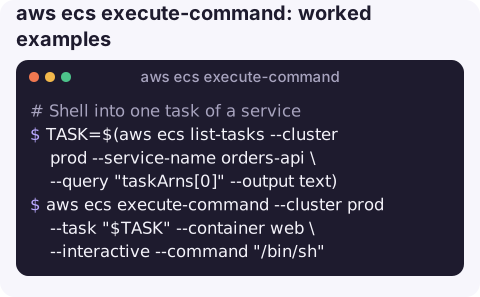
Shell into one task of a service:
TASK=$(aws ecs list-tasks --cluster prod --service-name orders-api \
  --query "taskArns[0]" --output text)
aws ecs execute-command --cluster prod --task "$TASK" --container web \
  --interactive --command "/bin/sh"
Run a single command and return:
aws ecs execute-command --cluster prod --task "$TASK" --container web \
  --interactive --command "env"
Check the agent is running before trying:
aws ecs describe-tasks --cluster prod --tasks "$TASK" \
  --query "tasks[0].containers[].[name,managedAgents[?name=='ExecuteCommandAgent'].lastStatus | [0]]" \
  --output text
RUNNING is what you want. STOPPED or missing usually points at task role permissions or networking.
Gotchas
TargetNotConnectedExceptionis the classic failure: almost always task role permissions, missing network route to SSM, or a task started before exec was enabled. See TargetNotConnectedException.- Do not fix production by hand. Changes made inside a container are lost when the task is replaced; use exec for diagnosis.
- Auditing. Configure the cluster's execute command logging to send session output to CloudWatch Logs or S3, and restrict
ecs:ExecuteCommandwith conditions on cluster or container name. - Quoting.
--commandtakes a single string; for pipes or redirects wrap it, for example--command "sh -c 'ps aux | head'". - One session per call. Each
execute-commandopens a fresh session, so scripts that need many commands are better served by one interactive shell, or by a one-off task withrun-taskthat runs the whole script.
Questions
How do I exec into a Fargate container?
Enable execute command on the service or task, give the task role the ssmmessages permissions, install the Session Manager plugin, then run aws ecs execute-command with --interactive.
Why does ECS execute-command say the execute command failed because execute command was not enabled?
The task was started without enableExecuteCommand. Turn it on for the service and force a new deployment so new tasks have it.
Do I need SSH keys for ECS Exec?
No. It uses Session Manager over an encrypted channel and IAM for access control.
Shelling into a container from a phone is possible but rarely pleasant. CloudConsole, a phone app for AWS, is built to show task status, stop reasons and logs on a phone, which often answers the question without a shell.
About the app → · Download on the App Store