 CloudConsole
How to switch between AWS profiles
Pass --profile name on a single command, or export AWS_PROFILE=name to switch the whole shell. aws configure list-profiles shows every profile you have, and aws configure list shows which one is active and where its credentials come from. For IAM Identity Center profiles, one aws sso login per sso-session signs in every profile that shares it.
Switching
# See what you have
aws configure list-profiles

# One command
aws s3 ls --profile staging

# Whole shell (bash/zsh)
export AWS_PROFILE=staging
# PowerShell
$Env:AWS_PROFILE = "staging"

# Confirm
aws configure list
aws sts get-caller-identity
unset AWS_PROFILE returns you to the default profile.
What wins when several are set
| Priority | Source |
|---|---|
| 1 (highest) | --profile on the command line |
| 2 | AWS_ACCESS_KEY_ID / AWS_SECRET_ACCESS_KEY / AWS_SESSION_TOKEN environment variables |
| 3 | AWS_PROFILE |
| 4 | The [default] profile |
The trap is row 2: leftover key variables from an earlier assume-role silently override AWS_PROFILE. If aws configure list shows env as the credential type, unset them.
SSO profiles: list them and log in once
Modern IAM Identity Center configuration splits the login (an sso-session) from the profiles that use it:
# ~/.aws/config
[sso-session acme]
sso_start_url = https://acme.awsapps.com/start
sso_region = eu-west-2
sso_registration_scopes = sso:account:access

[profile acme-dev]
sso_session = acme
sso_account_id = 111122223333
sso_role_name = Developer
region = eu-west-2

[profile acme-prod-ro]
sso_session = acme
sso_account_id = 123456789012
sso_role_name = ReadOnly
region = eu-west-2
# One login covers both profiles
aws sso login --sso-session acme
# Check each profile works with the shared token
aws sts get-caller-identity --profile acme-dev
aws sts get-caller-identity --profile acme-prod-roaws configure sso walks you through creating these entries and lets you pick from the accounts and roles your user can access, which is the easiest way to add profiles for every account. There is no single command that logs in to several different sso-sessions at once; run aws sso login for each.
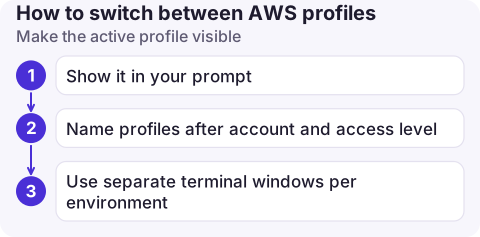
Make the active profile visible
Most wrong-account accidents happen because nobody can see which profile a terminal is using. Two cheap habits help:
- Show it in your prompt. In bash, adding
${AWS_PROFILE:-default}toPS1prints the active profile before every command. Many shell themes have an AWS segment that does the same. - Name profiles after account and access level, for example
acme-prod-roandacme-prod-admin, so a read-only profile is the obvious default and the admin one is a deliberate choice. - Use separate terminal windows per environment rather than exporting a new profile in the same shell, and close the production one when you are done.
Common mistakes
- Wrong section header. In
~/.aws/configit is[profile staging]; in~/.aws/credentialsit is[staging]. Mixing them gives "The config profile could not be found". - Region per profile. Each profile can have its own
region; switching profile can silently switch Region too. - Old-style SSO profiles with
sso_start_urlinside each profile need a separate login per profile and don't refresh tokens automatically. Moving them to ansso-sessionsection fixes both.
Questions
How do I see which AWS profile I am using?
Run aws configure list. It shows the profile name and whether credentials came from the environment, a config file or SSO. aws sts get-caller-identity confirms the account and role.
How do I log in to all my AWS SSO profiles at once?
Put them under one sso-session section and run aws sso login --sso-session with that name. Every profile referencing the session uses the same token.
Is AWS_DEFAULT_PROFILE the same as AWS_PROFILE?
Use AWS_PROFILE. It is the variable documented for the AWS CLI and understood by the AWS SDKs.

Juggling profiles is fiddly at a desk and worse on the move. CloudConsole, a phone app for AWS, is built to switch between accounts on your phone while keeping production clearly marked.
About the app → · Download on the App Store