 CloudConsole
aws configure list-profiles
aws configure list-profiles prints the name of every profile defined in your AWS config and credentials files, one per line. It does not say which one is active or whether its credentials work; use aws configure list and aws sts get-caller-identity for that.
What the command does
It reads ~/.aws/config and ~/.aws/credentials (or the files named by AWS_CONFIG_FILE and AWS_SHARED_CREDENTIALS_FILE) and lists the profile names it finds, including default if present. No network calls are made, so it works offline and never fails for expired credentials.
Syntax
aws configure list-profilesWorked examples
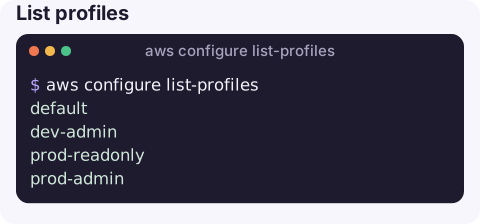
List profiles:
aws configure list-profilesdefault
dev-admin
prod-readonly
prod-adminSee which profile and credentials are active right now, and where each value comes from:
aws configure list Name Value Type Location
---- ----- ---- --------
profile prod-readonly manual --profile
access_key ****************ABCD sso
secret_key ****************wxyz sso
region eu-west-2 config-file ~/.aws/configSwitch profile for one command, or for the whole shell:
aws s3 ls --profile prod-readonly
export AWS_PROFILE=prod-readonly    # PowerShell: $Env:AWS_PROFILE = "prod-readonly"
aws sts get-caller-identity
Check every profile can authenticate, printing the identity behind each:
for p in $(aws configure list-profiles); do
  printf '%-20s ' "$p"
  aws sts get-caller-identity --profile "$p" --query Arn --output text 2>/dev/null || echo "not signed in"
done
Only SSO profiles, by checking which ones have an sso_session set:
for p in $(aws configure list-profiles); do
  [ -n "$(aws configure get sso_session --profile "$p")" ] && echo "$p"
done
Where profiles are defined
Profiles live in two plain-text INI files in your home directory, under .aws. If a profile you expect is missing from the list, check which files the CLI is reading: a set AWS_CONFIG_FILE variable, a different user account under sudo, or a container without your home directory mounted are the usual reasons.
Keeping many profiles manageable
Naming conventions pay off once you have more than a handful of profiles. A pattern such as <account>-<role> (prod-readonly, prod-admin, dev-admin) makes the risky ones obvious in your shell history and lets you filter the list, for example aws configure list-profiles | grep ^prod-. Some teams also show $AWS_PROFILE in the shell prompt so the active account is always visible.
Many SSO profiles, one login
If all your SSO profiles reference the same [sso-session] block, one aws sso login --sso-session <name> covers them all. Profiles created with the legacy format (start URL inside each profile) each need their own login, which is a good reason to convert them. Profiles across different Identity Center instances need one login per instance.
Gotchas
- Precedence surprises.
AWS_ACCESS_KEY_IDandAWS_SECRET_ACCESS_KEYin the environment override--profileandAWS_PROFILE.aws configure listshowsenvas the type when that happens. - Section names differ by file. In
configit is[profile name]; incredentialsit is[name]. A mismatch gives the config profile could not be found. - A broken file breaks the list. Syntax errors cause unable to parse config file.
- CLI version 2 introduced this subcommand; on version 1, read the files directly.
Questions
How do I switch between AWS profiles?
Pass --profile <name> on each command, or set AWS_PROFILE=<name> in your shell so every command uses it. Unset AWS_PROFILE to go back to the default profile.
How do I see which AWS profile is active?
Run aws configure list. The profile row shows the name and whether it came from --profile, AWS_PROFILE or the default.
How do I log in to all my SSO profiles at once?
Make them share one sso-session block and run aws sso login --sso-session <name>. Profiles that use separate sessions need separate logins.
Running a command against the wrong profile is a classic way to change the wrong account. CloudConsole, a phone app for AWS, is built with production guardrails that make the target account obvious.
About the app → · Download on the App Store