 CloudConsole
aws sts get-session-token
aws sts get-session-token --serial-number arn:aws:iam::123456789012:mfa/jane --token-code 123456 returns temporary credentials for your IAM user that carry MFA context. Use it when policies require aws:MultiFactorAuthPresent for CLI access; the default lifetime is 12 hours.
What the command does
get-session-token is for IAM users with long-term access keys. It swaps them for temporary credentials of the same user. On its own that adds little, but when you pass an MFA device and code, the temporary credentials are marked as MFA-authenticated, which satisfies policies that deny sensitive actions without MFA.
It cannot be called with role credentials. If you sign in through IAM Identity Center or assume roles, you do not need it.
Syntax
aws sts get-session-token \
  [--serial-number arn:aws:iam::123456789012:mfa/jane] \
  [--token-code 123456] \
  [--duration-seconds 43200]
Find your MFA device ARN with:
aws iam list-mfa-devices --query "MFADevices[].SerialNumber" --output textWorked examples
Create an mfa profile you can use for the rest of the day:
read AK SK ST <<<"$(aws sts get-session-token \
  --serial-number arn:aws:iam::123456789012:mfa/jane --token-code 123456 \
  --query 'Credentials.[AccessKeyId,SecretAccessKey,SessionToken]' --output text)"
aws configure set aws_access_key_id "$AK" --profile mfa
aws configure set aws_secret_access_key "$SK" --profile mfa
aws configure set aws_session_token "$ST" --profile mfa
aws sts get-caller-identity --profile mfa
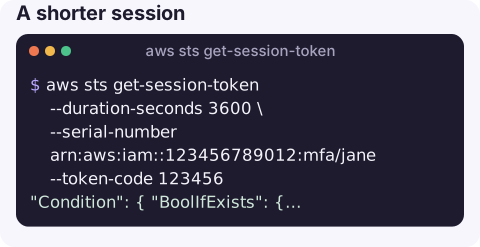
A shorter session for a sensitive task:
aws sts get-session-token --duration-seconds 3600 \
  --serial-number arn:aws:iam::123456789012:mfa/jane --token-code 123456
Policy condition this satisfies, for reference:
"Condition": { "BoolIfExists": { "aws:MultiFactorAuthPresent": "false" } }That condition on a Deny statement blocks callers who did not use MFA, including plain access keys.
Do you actually need it?
Ask first whether your setup calls for it. If people sign in through IAM Identity Center with aws sso login, the credentials are already temporary and MFA was enforced at sign-in, so this command adds nothing. If you assume roles, put mfa_serial on the role profile and the CLI asks for the code itself. That leaves IAM users with access keys whose policies demand MFA, which is the case this command was built for, and accounts migrating away from long-term keys often keep it only for a transition period.
Whichever route you take, the long-term keys behind it still deserve care: rotate them regularly, keep them out of source control, and remove keys that have not been used for months.
Duration and limits
| Item | Value |
|---|---|
| Default duration | 43,200 seconds (12 hours) |
| Range for IAM users | 900 seconds to 129,600 seconds (36 hours) |
| Root user | Limited to 1 hour; avoid using root keys at all |
| IAM API calls | Not allowed with these credentials unless MFA was included |
| STS API calls | Only AssumeRole and GetCallerIdentity |
Gotchas
- Use a fresh code from the right device. A code from a different MFA device, one that has already rolled over, or a mistyped serial number fails with an
AccessDeniederror mentioning MultiFactorAuthentication. - Clock drift on the device or your machine also causes MFA failures.
- Do not overwrite your long-term keys. Store the session credentials in a separate profile; overwriting
defaultmeans you lose the keys needed to get the next session. - Prefer roles with
mfa_serial. A role profile withmfa_serialset prompts for the code and handles refresh, which avoids scripting this by hand.
Questions
What is the difference between get-session-token and assume-role?
get-session-token gives temporary credentials for the same IAM user, usually to add MFA. assume-role gives credentials for a different role, possibly in another account.
How long do get-session-token credentials last?
12 hours by default, configurable from 15 minutes up to 36 hours for IAM users.
How do I check which identity the session token belongs to?
Run aws sts get-caller-identity with the profile or environment variables holding the new credentials.
MFA prompts and short-lived credentials are part of working safely, wherever you are. CloudConsole, a phone app for AWS, is built with production guardrails and a clear view of the identity in use.
About the app → · Download on the App Store