 CloudConsole
aws configure
aws configure prompts for an access key ID, secret access key, default Region and default output format, and saves them for the default profile (or the one named with --profile) in ~/.aws/credentials and ~/.aws/config. For people with IAM Identity Center, aws configure sso is the better choice, because it avoids long-term keys.
What the command does
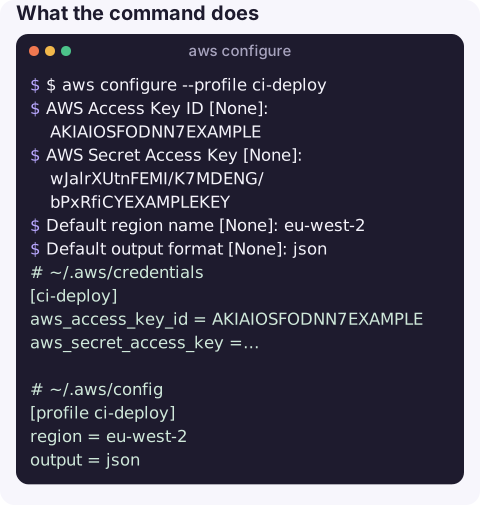
Run without a subcommand, it is an interactive wizard. Pressing Enter keeps the current value, shown in brackets:
$ aws configure --profile ci-deploy
AWS Access Key ID [None]: AKIAIOSFODNN7EXAMPLE
AWS Secret Access Key [None]: wJalrXUtnFEMI/K7MDENG/bPxRfiCYEXAMPLEKEY
Default region name [None]: eu-west-2
Default output format [None]: json
The keys go to ~/.aws/credentials, the Region and output format to ~/.aws/config.
# ~/.aws/credentials
[ci-deploy]
aws_access_key_id = AKIAIOSFODNN7EXAMPLE
aws_secret_access_key = wJalrXUtnFEMI/K7MDENG/bPxRfiCYEXAMPLEKEY

# ~/.aws/config
[profile ci-deploy]
region = eu-west-2
output = json
Subcommands
| Command | Use |
|---|---|
aws configure list | Show the active profile's values and where each came from |
aws configure get region --profile x | Read one setting |
aws configure set region eu-west-2 --profile x | Write one setting without prompts, ideal for scripts |
| aws configure list-profiles | List profile names |
| aws configure sso | Create an IAM Identity Center profile |
aws configure import --csv file://credentials.csv | Import keys from the console's CSV download |
| aws configure export-credentials | Print a profile's credentials for other tools |
Worked examples
Change only the default Region:
aws configure set region eu-west-2Set up a role profile that assumes a role using your default credentials:
aws configure set role_arn arn:aws:iam::123456789012:role/Admin --profile admin
aws configure set source_profile default --profile admin
aws configure set mfa_serial arn:aws:iam::123456789012:mfa/alex --profile admin
aws sts get-caller-identity --profile admin
Check what is in effect when something behaves unexpectedly:
aws configure list --profile adminWhere settings come from
The CLI resolves each setting in a fixed order and stops at the first source that provides it: command-line options such as --region and --profile, then environment variables, then the credentials file, then the config file, and finally container or instance metadata when running on AWS. aws configure list shows the winning source for each value in its Type and Location columns, which is the fastest way to explain why a setting seems to be ignored.
Output formats
| Value | Good for |
|---|---|
json | Default; scripts and jq |
text | Tab-separated; shell loops with --query |
table | Reading on screen |
yaml / yaml-stream | Human-readable structured output (CLI v2) |
Anything else, such as JSON with capitals or a stray space, produces Unknown output type.
Gotchas
- Long-term keys are a liability. Prefer SSO for people and roles for workloads; if you must use keys, rotate them (see rotating access keys).
- Environment variables override the files.
AWS_ACCESS_KEY_ID,AWS_PROFILEandAWS_REGIONtake precedence, which is a common reason "aws configure did nothing". - Typos in keys give InvalidClientTokenId or SignatureDoesNotMatch; trailing spaces from copy and paste are a frequent culprit.
- No credentials at all shows up as Unable to locate credentials.
- Hand edits break parsing. Keep the INI format exact; see unable to parse config file.
Questions
What should I enter for default output format in aws configure?
json is the usual choice. text, table, yaml and yaml-stream are also valid; anything else causes an Unknown output type error.
How do I configure a named profile?
Run aws configure --profile <name>, or set individual values with aws configure set <key> <value> --profile <name>. Use it with --profile <name> or AWS_PROFILE.
Why is aws configure sso not working when aws configure is?
configure sso needs AWS CLI version 2, the IAM Identity Center start URL and the Region where Identity Center is set up. A wrong SSO Region is the most common mistake.
Setting up credentials is the first step, and the one people least want to repeat on a new device. CloudConsole is built as a phone app for AWS with production guardrails.
About the app → · Download on the App Store