 CloudConsole
How to rotate IAM access keys
An IAM user can have two access keys, which is what makes zero-downtime rotation possible: create a new key, update every application or machine that uses the old one, confirm with get-access-key-last-used that the old key has stopped being used, set it to Inactive for a while, then delete it. If you can, replace the long-term keys with an IAM role or IAM Identity Center instead of rotating forever.
The safe sequence
# 0. Which keys exist, and how old are they?
aws iam list-access-keys --user-name ci-deployer \
  --query 'AccessKeyMetadata[].[AccessKeyId,Status,CreateDate]' --output table

# 1. Create the new key (the secret is shown ONCE - store it straight into your secrets manager)
aws iam create-access-key --user-name ci-deployer

# 2. Update every consumer to the new key, then confirm the old one has gone quiet
aws iam get-access-key-last-used --access-key-id AKIAOLDKEYEXAMPLE1 \
  --query 'AccessKeyLastUsed.[LastUsedDate,ServiceName,Region]'

# 3. Deactivate (reversible) and wait a few days
aws iam update-access-key --user-name ci-deployer \
  --access-key-id AKIAOLDKEYEXAMPLE1 --status Inactive

# 4. Delete (permanent)
aws iam delete-access-key --user-name ci-deployer --access-key-id AKIAOLDKEYEXAMPLE1
If something breaks after step 3, set the old key back to Active with the same command, find the consumer you missed, and try again. That safety net is why deactivation comes before deletion.
Console steps
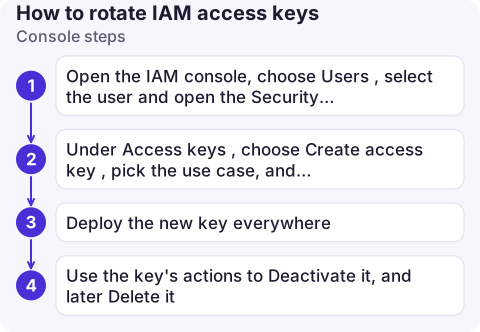
- Open the IAM console, choose Users, select the user and open the Security credentials tab.
- Under Access keys, choose Create access key, pick the use case, and download or copy the secret. It can't be retrieved later.
- Deploy the new key everywhere. The table shows each key's last used time and service; wait until the old key's stops advancing.
- Use the key's actions to Deactivate it, and later Delete it.
Finding every consumer
- CloudTrail: events record the access key ID used. Searching Event history by the user name (or a trail or Lake by
userIdentity.accessKeyId) shows the source IPs and user agents still calling with the old key. - Usual hiding places: CI/CD variables,
~/.aws/credentialson build servers and laptops, application config, environment variables in containers, third-party SaaS integrations. - Last used isn't instant. The last-used date can lag; leave a day or two between switching consumers and deactivating.
Rotate less by using fewer keys
| Where the key is used | Better option |
|---|---|
| EC2, ECS, Lambda | An instance profile, task role or execution role: credentials rotate automatically |
| Humans using the CLI | IAM Identity Center with aws sso login |
| GitHub Actions, GitLab and other CI | OIDC federation to an IAM role, no stored secret |
| On-premises servers | IAM Roles Anywhere |
Common mistakes
- "LimitExceeded: Cannot exceed quota for AccessKeysPerUser" means the user already has two keys. Delete the unused one first (after checking it really is unused).
- Deleting the old key first, before the new one is deployed: instant outage.
- Pasting the secret into chat or tickets while handing it over. Put it straight into a secrets manager.
- Rotating a leaked key slowly. If the key was exposed, deactivate it immediately and accept the breakage; see the incident response checklist.
Questions
How often should IAM access keys be rotated?
Many security baselines use 90 days. Shorter is better, and moving to roles or Identity Center removes the need entirely.
Can I rotate the root user's access keys?
The root user shouldn't have access keys at all. Delete them rather than rotating them.
What happens to running applications when I deactivate a key?
Requests signed with that key fail immediately with an invalid or inactive key error. Reactivating the key restores access.

Key rotation is planned work, but a leaked key is not. CloudConsole, a phone app for AWS, is built with production guardrails for the moments when you need to see and act on credentials quickly.
About the app → · Download on the App Store