 CloudConsole
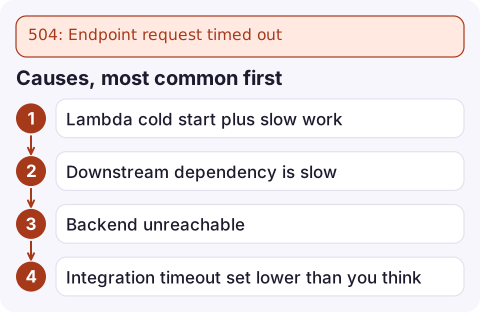
504: Endpoint request timed out
Your integration (Lambda, an HTTP backend or a VPC link target) did not respond within the integration timeout, which defaults to 29 seconds for REST APIs and 30 seconds for HTTP APIs, so API Gateway gave up and returned 504. Make the backend respond faster, return early and finish the work asynchronously, or for Regional and private REST APIs request a longer integration timeout.
What happens
HTTP/1.1 504 Gateway Timeout
x-amzn-ErrorType: InternalServerErrorException

{"message": "Endpoint request timed out"}
API Gateway waits for the integration up to its timeout, then answers the client itself. The backend is not cancelled: a Lambda function keeps running (and billing) until it finishes or hits its own timeout, and an HTTP backend keeps processing. That means a timed-out POST may still have done its work, so clients that retry can create duplicates.
Causes, most common first
- Lambda cold start plus slow work: heavy initialisation, a function in a VPC waiting on a database connection, or simply work that takes more than half a minute.
- Downstream dependency is slow: database lock contention, a third-party API, a large report query.
- Backend unreachable: an HTTP integration behind a security group that drops packets, or a VPC link whose targets are unhealthy. Requests hang until the timeout rather than failing fast.
- Integration timeout set lower than you think: someone set
timeoutInMillison the integration to a few seconds.
Find where the time goes
Compare IntegrationLatency (time spent waiting for the backend) with Latency (total). If both sit at about 29,000 ms for failing requests, the backend is the problem. Then check the integration's configured timeout:
aws apigateway get-integration --rest-api-id abc123 \
  --resource-id a1b2c3 --http-method POST \
  --query '{type:type,uri:uri,timeout:timeoutInMillis}'
For Lambda, line up the API's request time with the function's REPORT lines and look at Duration and Init Duration. An access log format that includes $context.integrationLatency and $context.integration.status makes this a one-query job; see the API Gateway 5xx Logs Insights query.
Fixes
- Fail fast in the backend. Give database and HTTP clients timeouts well below the API's, and set the Lambda timeout just under the integration timeout, so the function logs a clear error instead of being cut off silently.
- Go asynchronous for long work. Accept the request, put the job on SQS or start a Step Functions execution, return 202 with a job ID, and let the client poll or receive a callback.
- Remove cold-start delays with provisioned concurrency for latency-sensitive functions, and move connection setup out of the handler path.
- Fix reachability for HTTP and VPC link integrations: check the target group health and security groups.
- Raise the timeout only when justified. Regional and private REST APIs can request an integration timeout above 29 seconds through Service Quotas (it can trade off against account throttle limits). Edge-optimised REST APIs and HTTP APIs cannot. Once allowed, set it per integration:
aws apigateway update-integration --rest-api-id abc123 \
  --resource-id a1b2c3 --http-method POST \
  --patch-operations op=replace,path=/timeoutInMillis,value=60000
aws apigateway create-deployment --rest-api-id abc123 --stage-name prod
Confirm and prevent
After the fix, p99 IntegrationLatency should sit comfortably below the timeout, not just below it on average. Alarm on latency as well as on 5xx errors so you see the drift before requests start failing: see IntegrationLatency alarm and 5XXError alarm. If CloudFront sits in front of the API, remember its origin response timeout is separate and can produce its own 504.
Questions
What is the API Gateway timeout limit?
By default 29 seconds for REST API integrations and 30 seconds for HTTP APIs. Regional and private REST APIs can request a higher integration timeout through Service Quotas.
Does Lambda stop when API Gateway times out?
No. The function keeps running until it returns or reaches its own timeout, and you pay for that time. Set the function timeout close to the API's to avoid waste.
Why do I get 504 only on the first request?
Usually a cold start: the function's initialisation plus the first request's work exceeds the timeout. Reduce init work or use provisioned concurrency.

Timeouts tend to cluster at peak traffic, when a dependency slows down. CloudConsole, a phone app for AWS, is built to show latency and 5xx alarms with the slowest requests on your phone, so you can see which backend is dragging.
Did it start after a deploy? What changed? on the app’s alarm screen lists the deploys and configuration changes from the hour before the alarm fired.
About the app → · Download on the App Store