 CloudConsole
ALB 504 Gateway Timeout
An ALB returns 504 when it could not connect to a target within its 10-second connection timeout, or connected but got no response before the idle timeout (60 seconds by default). Slow requests are fixed in the application or by raising the idle timeout; connection failures are almost always security groups or a target that is not listening.
Two different timeouts
HTTP/1.1 504 Gateway Time-out
Server: awselb/2.0| Situation | How it looks | Usual cause |
|---|---|---|
| ALB could not open a connection within 10 seconds | 504 roughly 10 seconds after the request | Target security group or NACL drops traffic from the ALB; target down or not listening |
| Connection open, no response before the idle timeout | 504 at almost exactly the idle timeout (60 seconds by default) | Slow request: long query, report generation, a stuck dependency |
Timing the failure with curl tells you which case you have:
curl -s -o /dev/null -w '%{http_code} %{time_total}s\n' https://app.example.com/reports/annualDiagnose
Check the configured idle timeout:
aws elbv2 describe-load-balancer-attributes \
  --load-balancer-arn arn:aws:elasticloadbalancing:eu-west-2:123456789012:loadbalancer/app/my-alb/50dc6c495c0c9188 \
  --query "Attributes[?Key=='idle_timeout.timeout_seconds'].Value" --output text
Look at TargetResponseTime in CloudWatch at p99 and maximum; if it sits at the idle timeout, requests are being cut off. In the access logs a timed-out request usually has elb_status_code 504, target_status_code - and a target_processing_time of -1, and the target:port field tells you which target was slow.
For the 10-second case, check the target's security group allows the ALB's security group on the target port:
aws ec2 describe-security-groups --group-ids sg-0123456789abcdef0 \
  --query 'SecurityGroups[].IpPermissions[].{port:FromPort,from:UserIdGroupPairs[].GroupId,cidr:IpRanges[].CidrIp}'
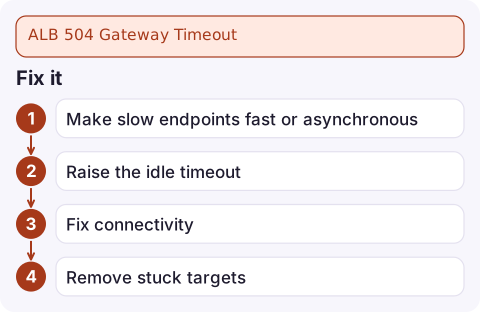
Fix it
- Make slow endpoints fast or asynchronous. Long exports and reports should be queued and fetched later, not held open on a request.
- Raise the idle timeout only for genuinely long requests, and keep the target's own keep-alive timeout longer than it to avoid 502s:
aws elbv2 modify-load-balancer-attributes \ --load-balancer-arn arn:aws:elasticloadbalancing:eu-west-2:123456789012:loadbalancer/app/my-alb/50dc6c495c0c9188 \ --attributes Key=idle_timeout.timeout_seconds,Value=120 - Fix connectivity: allow the ALB security group on the target port, check NACLs on the target subnets, and confirm the app listens on the registered port and on all interfaces, not just localhost.
- Remove stuck targets: one instance with exhausted threads or a hung database pool can account for most 504s; access logs grouped by target reveal it.
Watch the layers in front
Every hop has its own timeout. CloudFront's origin response timeout, API Gateway's 29-second integration limit and client libraries can all give up before the ALB does, producing a 504 that never shows in ALB metrics. If CloudFront sits in front, its 504 page mentions CloudFront; see API Gateway 504 for the API Gateway case. Alarm on TargetResponseTime so you see latency creeping up before requests start to time out.
Questions
What is the default ALB idle timeout?
60 seconds. You can set it between 1 and 4,000 seconds with the idle_timeout.timeout_seconds attribute.
Why do I get ALB 504 after exactly 10 seconds?
That is the ALB failing to establish a connection to the target. Check security groups, NACLs, and that the application is listening on the registered port.
Does raising the ALB idle timeout fix 504s?
Only when requests are legitimately long. If a dependency is hung, a longer timeout just makes users wait longer for the same failure.

504s often start at peak load when one dependency slows down. CloudConsole, a phone app for AWS, is built to show latency alarms and the targets behind them on your phone, so you can see whether it is one target or all of them.
Did it start after a deploy? What changed? on the app’s alarm screen lists the deploys and configuration changes from the hour before the alarm fired.
About the app → · Download on the App Store