 CloudConsole
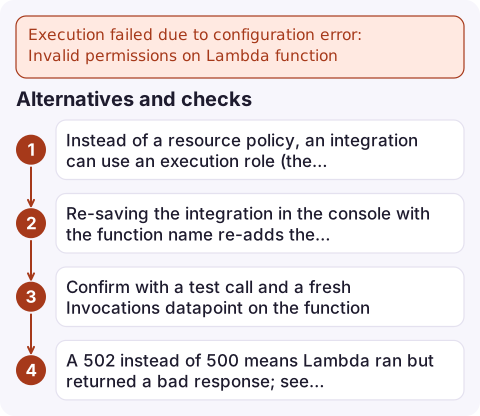
Execution failed due to configuration error: Invalid permissions on Lambda function
API Gateway tried to invoke your Lambda function and Lambda refused, because the function's resource-based policy doesn't allow apigateway.amazonaws.com to invoke it for this API, stage, method and path (or for this alias or version). Clients see a 500 Internal server error. Add the permission with aws lambda add-permission and a source ARN that matches the API, then retry. APIs built in the console usually add it for you; IaC, imports and stage variables often don't.
Where you see it
The client gets {"message": "Internal server error"} with status 500. The real reason is only in the REST API's execution logs (enable them on the stage) or in the console's Test output:
Sending request to https://lambda.eu-west-2.amazonaws.com/2015-03-31/functions/arn:aws:lambda:eu-west-2:123456789012:function:orders/invocations
Execution failed due to configuration error: Invalid permissions on Lambda function
Method completed with status: 500
The Lambda function has no invocation, no log and no error metric, because it was never called.
Fix it
aws lambda add-permission \
  --function-name orders \
  --statement-id apigw-orders-api \
  --action lambda:InvokeFunction \
  --principal apigateway.amazonaws.com \
  --source-arn 'arn:aws:execute-api:eu-west-2:123456789012:a1b2c3d4e5/*/*/orders/*'
The source ARN format is arn:aws:execute-api:REGION:ACCOUNT:API_ID/STAGE/METHOD/RESOURCE_PATH. Wildcards keep it working across stages and methods; tighten it if one function should only serve one route. Check what's there with:
aws lambda get-policy --function-name orders --query Policy --output textWhy the permission is missing or wrong
| Situation | What to change |
|---|---|
Integration points at an alias or version (orders:live), or uses a stage variable like orders:${stageVariables.alias} | Permission is per qualifier: add it with --qualifier live, once for each alias the stage variable can resolve to |
| API created by CloudFormation, CDK, SAM or Terraform | Add an AWS::Lambda::Permission / aws_lambda_permission; the console adds it automatically, templates don't (SAM's Events does) |
| API was recreated or imported | The API ID changed, so the old source ARN no longer matches |
| Source ARN too narrow | For example /prod/GET/orders while the route is /orders/{id} |
| Lambda authorizer | The authorizer function needs its own permission, with source ARN .../authorizers/AUTHORIZER_ID |
Alternatives and checks
- Instead of a resource policy, an integration can use an execution role (the integration's Credentials) that API Gateway assumes and that has
lambda:InvokeFunction. If a role is set, the role's permissions are what count. - Re-saving the integration in the console with the function name re-adds the permission; that's the quickest fix during an incident, but put it in code afterwards or the next deploy removes it.
- Confirm with a test call and a fresh
Invocationsdatapoint on the function. - A 502 instead of 500 means Lambda ran but returned a bad response; see malformed Lambda proxy response.
Questions
How do I fix Invalid permissions on Lambda function in API Gateway?
Add a resource-based permission with aws lambda add-permission, principal apigateway.amazonaws.com and a source ARN matching your API ID, stage, method and path.
Why does my API work in the Lambda console but return 500 from API Gateway?
API Gateway isn't allowed to invoke the function (or the alias it targets). Check the execution logs for Invalid permissions on Lambda function.
Do I need a separate permission for each Lambda alias?
Yes. Resource-based permissions apply per qualifier, so an integration using an alias or a stage variable needs a permission for each alias.

This error turns a whole API into 500s right after a deploy. CloudConsole, a phone app for AWS, is being built to show API Gateway alarms and logs on your phone, so you can see that requests never reached Lambda.
Did it start after a deploy? What changed? on the app’s alarm screen lists the deploys and configuration changes from the hour before the alarm fired.
About the app → · Download on the App Store