 CloudConsole
Network error communicating with endpoint
API Gateway tried to open a connection to your HTTP or VPC link integration and could not: the backend refused or reset the connection, could not be reached, or the NLB behind the VPC link had no healthy target on that port. Check the execution log for the URL it tried, then the backend's reachability and target health.
Where the message comes from
It appears in the execution log (and in the console's Test output) for HTTP and private (VPC link) integrations, while the client typically sees a generic 5xx:
Sending request to http://my-nlb-0123456789.elb.eu-west-2.amazonaws.com:8080/orders
Execution failed due to configuration error: Network error communicating with endpoint
The "Sending request to" line is the most useful part: it shows the exact host, port and path API Gateway used after variable substitution. Many cases are explained by that line alone, such as a stage variable that resolved to the wrong host or a port your load balancer does not listen on.
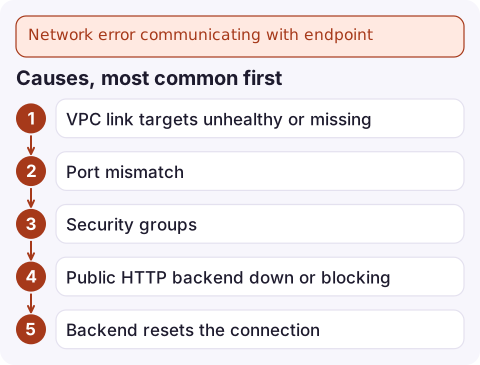
Causes, most common first
- VPC link targets unhealthy or missing. The NLB accepted nothing because its target group has no healthy targets, or the targets are in AZs the NLB is not enabled in.
- Port mismatch. The integration URI uses a port with no NLB listener, or the listener forwards to a port the application is not using.
- Security groups. Targets do not allow traffic from the NLB (or from the VPC CIDR for NLBs without security groups); the backend's own firewall rejects it.
- Public HTTP backend down or blocking the API Gateway IP ranges, or DNS for the backend hostname not resolving.
- Backend resets the connection: the app crashes mid-request, or a proxy in front of it closes the socket.
TLS problems usually show a different line, General SSLEngine problem, which points at the backend certificate (expired, self-signed, or not matching the hostname in the URI).
Diagnose
Get the integration's target and connection details:
aws apigateway get-integration --rest-api-id abc123 \
  --resource-id a1b2c3 --http-method GET \
  --query '{uri:uri,conn:connectionType,link:connectionId,tls:tlsConfig}'
Check the VPC link is available and which NLB it targets:
aws apigateway get-vpc-links \
  --query 'items[].{id:id,status:status,message:statusMessage,targets:targetArns}'
Check the NLB's targets:
aws elbv2 describe-target-health \
  --target-group-arn arn:aws:elasticloadbalancing:eu-west-2:123456789012:targetgroup/orders/0123456789abcdef \
  --query 'TargetHealthDescriptions[].{target:Target.Id,port:Target.Port,state:TargetHealth.State,reason:TargetHealth.Reason}'
Finally, from an instance in the same VPC, call the URL shown in the execution log with curl. If that fails too, the problem is entirely on the backend side.
Fix it
- Make targets healthy: fix the health check path and port, and register targets in every AZ the NLB uses (or enable cross-zone load balancing).
- Align ports: integration URI port = NLB listener port; listener forwards to the port the app listens on.
- Open security groups from the NLB to the targets on the target port.
- Correct stage variables if the URI is built from them, then redeploy.
- TLS to private backends: use a certificate whose name matches the URI host. For REST API integrations,
tlsConfig.insecureSkipVerificationexists for edge cases, but treat it as a temporary workaround, not a fix.
Prevent it
Alarm on the NLB's healthy host count and on the API's 5XXError metric so a dead backend is noticed before customers report it, and keep execution logging at ERROR level on production stages so the "Sending request to" context is there when you need it.
Questions
What does Network error communicating with endpoint mean in API Gateway?
API Gateway could not establish or keep a connection to the backend URL in your integration. The backend is unreachable, refusing connections or has no healthy targets.
How do I debug an API Gateway VPC link integration?
Check the VPC link status, the NLB target health and listener ports, and call the integration URL with curl from inside the VPC. The execution log shows the exact URL API Gateway used.
Is this error caused by my Lambda function?
No. Lambda integrations fail with different messages. This one is specific to HTTP and VPC link integrations that open network connections to a backend.

When a backend behind a VPC link dies, the API returns errors for every request until someone notices. CloudConsole, a phone app for AWS, is built to show API and load balancer alarms together on your phone, so the link between them is obvious.
Did it start after a deploy? What changed? on the app’s alarm screen lists the deploys and configuration changes from the hour before the alarm fired.
About the app → · Download on the App Store