 CloudConsole
Stack is in UPDATE_IN_PROGRESS state and can not be updated
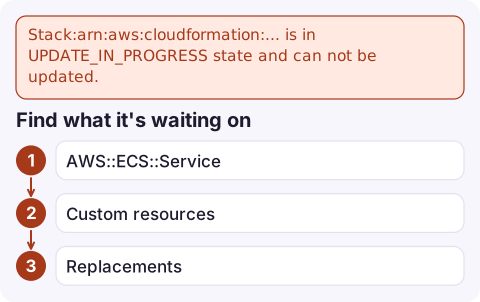
CloudFormation runs one operation per stack at a time, and another create, update, rollback or cleanup is still running. Wait for it to finish, or cancel an in-progress update with aws cloudformation cancel-update-stack. If it seems stuck, look at the stack events for the resource still IN_PROGRESS: usually an ECS service that never stabilises, a custom resource that never responds, or a resource replacement that is slow to delete.
Variants of the message
An error occurred (ValidationError) when calling the UpdateStack operation:
Stack:arn:aws:cloudformation:eu-west-2:123456789012:stack/orders/1a2b3c4d... is in UPDATE_IN_PROGRESS state and can not be updated.| State in the message | What's running | What you can do |
|---|---|---|
CREATE_IN_PROGRESS | First creation | Wait, or delete the stack |
UPDATE_IN_PROGRESS | An update | Wait, or cancel-update-stack |
UPDATE_COMPLETE_CLEANUP_IN_PROGRESS | Deleting replaced resources after a successful update | Wait; can't be cancelled |
UPDATE_ROLLBACK_IN_PROGRESS or ..._CLEANUP_IN_PROGRESS | Rolling back a failed update | Wait; if it fails, see UPDATE_ROLLBACK_FAILED |
REVIEW_IN_PROGRESS | A change set was created for a new stack | Execute or delete the change set |
Find what it's waiting on
aws cloudformation describe-stack-events --stack-name orders --max-items 20 \
  --query 'StackEvents[].[Timestamp,LogicalResourceId,ResourceType,ResourceStatus,ResourceStatusReason]' \
  --output table

aws cloudformation describe-stack-resources --stack-name orders \
  --query "StackResources[?ends_with(ResourceStatus, 'IN_PROGRESS')].[LogicalResourceId,ResourceType,PhysicalResourceId]"
Then look at that resource in its own service. Common long waits:
AWS::ECS::Service: CloudFormation waits for the service to reach a steady state. If tasks keep failing, it waits a long time. Check the service events; enabling the deployment circuit breaker makes this fail fast instead.- Custom resources: the Lambda never sent a response to the pre-signed URL (it crashed, timed out or has no network path). CloudFormation waits for the custom resource timeout, which is one hour unless
ServiceTimeoutis set. - Replacements of CloudFront distributions, RDS instances or resources with big dependencies take a long time legitimately.
Cancel or wait
# Roll back the in-progress update (only valid in UPDATE_IN_PROGRESS)
aws cloudformation cancel-update-stack --stack-name orders

# Wait for the result in scripts
aws cloudformation wait stack-rollback-complete --stack-name orders
Cancelling triggers a normal rollback, which may itself wait on the same stuck resource. For an ECS service, fixing the cause (for example deploying a working image outside the stack, or setting desired count to 0 temporarily) lets both the update and the rollback finish. For a custom resource, you can send a FAILED response to its pre-signed URL from the logs to unblock it. See cancel a CloudFormation stack update.
Prevent collisions
- Serialise deployments per stack in your pipeline, rather than letting two branches deploy at once.
- Use
aws cloudformation wait stack-update-complete(ordeploy, which waits) before the next step. - Turn on the ECS deployment circuit breaker with rollback so failing services don't hold stacks for hours.
Questions
How do I fix a CloudFormation stack stuck in UPDATE_IN_PROGRESS?
Find the resource still in progress in the stack events, fix what it's waiting on (often an ECS service or custom resource), or run aws cloudformation cancel-update-stack to roll back.
Can I cancel a stack that is cleaning up after an update?
No. In the cleanup state the update has already succeeded and CloudFormation is deleting replaced resources; wait for it to finish.
Why is my ECS service stuck in UPDATE_IN_PROGRESS in CloudFormation?
CloudFormation waits for the service to stabilise. If new tasks keep failing, it keeps waiting; check the service events and stopped task reasons.

A stack stuck in progress usually means a release is half out. CloudConsole, a phone app for AWS, is being built to show alarms, logs and resources on your phone, so you can see what the deployment is waiting on.
Did it start after a deploy? What changed? on the app’s alarm screen lists the deploys and configuration changes from the hour before the alarm fired.
About the app → · Download on the App Store