 CloudConsole
ECS deployment failed: Deployment Circuit Breaker was triggered
The circuit breaker stopped your ECS rolling deployment because too many new tasks failed to start or failed their health checks. By default the threshold is half the service's desired count, at least 3 and at most 200. The breaker is only the messenger: the real cause is in the stopped tasks' stoppedReason (image pull, secrets, crash, health check). If rollback is on, ECS has already gone back to the last completed deployment.
Where you see it
- Service events:
(service web) (deployment ecs-svc/1234567890) deployment failed: tasks failed to start. - describe-services: the deployment's
rolloutStateisFAILEDwithrolloutStateReasonECS deployment circuit breaker: tasks failed to start. - CloudFormation: the
AWS::ECS::Serviceresource fails withError occurred during operation 'ECS Deployment Circuit Breaker was triggered'and the stack rolls back.
aws ecs describe-services --cluster prod --services web \
  --query 'services[0].deployments[].{id:id,status:status,rollout:rolloutState,reason:rolloutStateReason,taskDef:taskDefinition}'
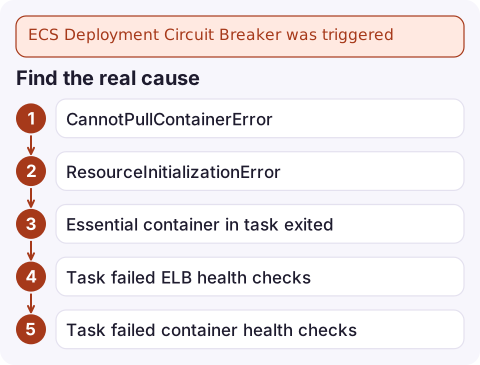
Find the real cause
Look at the tasks the failed deployment started:
TASKS=$(aws ecs list-tasks --cluster prod --service-name web --desired-status STOPPED \
  --query 'taskArns[:5]' --output text)
aws ecs describe-tasks --cluster prod --tasks $TASKS \
--query 'tasks[].{reason:stoppedReason,code:stopCode,containers:containers[].[name,exitCode,reason]}'| stoppedReason | Go to |
|---|---|
CannotPullContainerError | image pull failures |
ResourceInitializationError | secrets, logs or ENI setup |
Essential container in task exited | the app crashed; read its logs |
Task failed ELB health checks | target group health |
Task failed container health checks | container health check |
How the threshold works
The breaker checks two stages: whether new tasks reach RUNNING, then whether running tasks pass ELB, Cloud Map and container health checks. By default the threshold is BOUNDED_PERCENT with value 50: half the desired count, rounded up, clamped between 3 and 200. A service with 2 tasks therefore needs 3 failures; a service with 40 needs 20. By default the count resets whenever a task becomes healthy (resetOnHealthyTask), so only consecutive failures count. Both the threshold type and the reset behaviour are now configurable in the deployment configuration.
Fix and redeploy
- Fix the cause above, register a new task definition revision, then deploy it with
aws ecs update-service --cluster prod --service web --task-definition web:43. - If the breaker had rollback off, the service is left with a failed deployment and no new tasks; deploy a known-good revision to recover. See roll back an ECS deployment.
- If tasks are slow to become healthy rather than broken, raise
healthCheckGracePeriodSecondson the service or the container health check'sstartPeriod, instead of loosening the breaker. - With no earlier
COMPLETEDdeployment (a brand-new service), there's nothing to roll back to and the deployment simply stalls.
Questions
What does ECS deployment circuit breaker was triggered mean?
Enough new tasks failed to start or failed health checks during a rolling deployment that ECS marked the deployment FAILED, and rolled back if rollback is enabled.
How many failures trigger the ECS circuit breaker?
By default half the desired task count, rounded up, with a minimum of 3 and a maximum of 200. The threshold type and value are configurable.
How do I see why tasks failed to start?
List the service's STOPPED tasks and run aws ecs describe-tasks; stoppedReason and each container's reason give the cause.

A tripped circuit breaker usually means a release went out and came straight back. CloudConsole, a phone app for AWS, is being built to show ECS service events, stopped tasks and alarms on your phone, so you can see what failed before you're back at a laptop.
Did it start after a deploy? What changed? on the app’s alarm screen lists the deploys and configuration changes from the hour before the alarm fired.
About the app → · Download on the App Store