 CloudConsole
UPDATE_ROLLBACK_FAILED
An update failed, CloudFormation tried to roll back to the previous state, and the rollback itself failed for at least one resource, usually because something was changed or deleted outside CloudFormation or the stack's role lacked a permission. Fix that resource and run continue-update-rollback; if it cannot be fixed, continue the rollback while skipping that resource.
What happened
The sequence is always the same: UPDATE_IN_PROGRESS → some resource fails → UPDATE_ROLLBACK_IN_PROGRESS → a resource cannot be returned to its old configuration → UPDATE_ROLLBACK_FAILED. In this state the stack cannot be updated until the rollback is completed. Your resources are in a mixed state: some at the new configuration, some at the old one, one or more in between.
Find the resource that blocked the rollback, not the one that started it:
aws cloudformation describe-stack-events --stack-name orders-prod \
  --query "StackEvents[?ResourceStatus=='UPDATE_FAILED'].[Timestamp,LogicalResourceId,ResourceStatusReason]" \
  --output table
The most recent UPDATE_FAILED events (during the rollback) are the ones to fix.
Typical reasons a rollback fails
| Reason in the event | What is going on |
|---|---|
| Resource not found / does not exist | Someone deleted it manually (a security group, a Lambda version, a parameter); CloudFormation cannot restore what it cannot see |
| Access denied for the stack's service role | The role was changed during the update, or never had permission to restore the old configuration |
| ECS service did not stabilise | The previous task definition no longer starts (image deleted, secret removed) |
| Limit exceeded | Rolling back needs to create a resource and a quota is full |
| Custom resource did not respond | A Lambda-backed custom resource crashed or never sent its response; CloudFormation waits until the timeout |
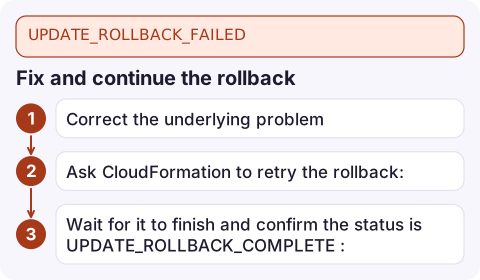
Fix and continue the rollback
- Correct the underlying problem: recreate the deleted resource with the same name, restore the role's permissions, push back the missing image, or fix the custom resource function.
- Ask CloudFormation to retry the rollback:
aws cloudformation continue-update-rollback --stack-name orders-prod - Wait for it to finish and confirm the status is
UPDATE_ROLLBACK_COMPLETE:aws cloudformation wait stack-rollback-complete --stack-name orders-prod aws cloudformation describe-stacks --stack-name orders-prod \ --query 'Stacks[].StackStatus' --output text
If the stack's service role is itself the problem, pass a working one with --role-arn.
When you cannot fix the resource: skip it
You can tell CloudFormation to stop trying to roll back specific resources. It marks them as rolled back and finishes:
aws cloudformation continue-update-rollback --stack-name orders-prod \
  --resources-to-skip OrdersService OrdersTaskSecurityGroup
For resources in nested stacks, use NestedStackName.LogicalId. Be careful: skipped resources are now out of step with what CloudFormation believes. The real resource keeps whatever state it was left in, and a later update may fail or behave unexpectedly. After recovering, run drift detection and fix any differences by hand or with a follow-up update. Only skip resources you have checked.
Avoid it next time
- Do not change stack-managed resources outside CloudFormation; detect it with drift detection (see detect-stack-drift).
- Never remove permissions from the stack's service role in the same update that relies on them.
- Keep old container images and Lambda artefacts long enough to roll back to.
- Make custom resources always send a response, including in error paths.
- Preview risky updates with change sets before executing them.
Questions
How do I fix UPDATE_ROLLBACK_FAILED in CloudFormation?
Find the resource whose rollback failed in the stack events, fix the cause, then run aws cloudformation continue-update-rollback. If it cannot be fixed, continue the rollback with --resources-to-skip.
Is it safe to skip resources when continuing a rollback?
It finishes the rollback, but the skipped resources may not match the template afterwards. Check them and run drift detection before the next update.
Can I update a stack in UPDATE_ROLLBACK_FAILED?
No. You must first get it to UPDATE_ROLLBACK_COMPLETE with continue-update-rollback.

A stack stuck in rollback failure blocks every following deploy, so you want to know the moment it happens. CloudConsole, a phone app for AWS, is built to show deployment failures and the alarms that follow on your phone, so you can judge the impact before you are back at a desk.
Did it start after a deploy? What changed? on the app’s alarm screen lists the deploys and configuration changes from the hour before the alarm fired.
About the app → · Download on the App Store