 CloudConsole
toomanyrequests: You have reached your pull rate limit
Docker Hub limits how many images can be pulled per IP address (anonymous) or per account, and AWS builds and clusters often share outbound IPs through NAT gateways and CodeBuild's shared fleet, so they hit it quickly. The durable fix is to stop pulling from Docker Hub at runtime: use an ECR pull through cache rule for Docker Hub, pull official images from the ECR Public Gallery mirror, or copy base images into your own ECR repository. Authenticating to Docker Hub raises the limit as a quicker fix.
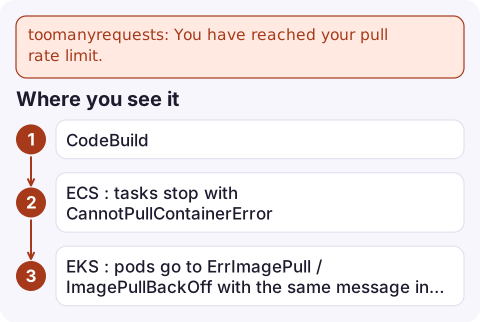
Where you see it
Step 1/12 : FROM node:20-alpine
toomanyrequests: You have reached your pull rate limit. You may increase the limit by authenticating and upgrading- CodeBuild: the
docker buildin your buildspec fails onFROM. - ECS: tasks stop with
CannotPullContainerError: ... toomanyrequests; see CannotPullContainerError. - EKS: pods go to
ErrImagePull/ImagePullBackOffwith the same message inkubectl describe pod.
Docker sets and changes the actual limits; check Docker's current documentation rather than relying on a number.
Fix 1: ECR pull through cache (recommended)
Store your Docker Hub credentials in a Secrets Manager secret whose name starts with ecr-pullthroughcache/, then create a rule:
aws ecr create-pull-through-cache-rule \
  --ecr-repository-prefix docker-hub \
  --upstream-registry-url registry-1.docker.io \
  --credential-arn arn:aws:secretsmanager:eu-west-2:123456789012:secret:ecr-pullthroughcache/docker-hub-AbCdEf
Then change image references from node:20-alpine to 123456789012.dkr.ecr.eu-west-2.amazonaws.com/docker-hub/library/node:20-alpine. The first pull fetches from Docker Hub and caches in ECR; later pulls come from ECR. Official images need the library/ path. The role pulling needs ECR permissions, and the first pull of a new repository also needs permission to create it (the cache creates repositories on demand).
Fix 2: ECR Public Gallery or your own copy
- Docker official images are mirrored on ECR Public under
public.ecr.aws/docker/library/, for exampleFROM public.ecr.aws/docker/library/node:20-alpine. Pulls from AWS have generous limits, and authenticated ECR Public pulls get more. - Copy base images into a private ECR repository on a schedule (pull, tag, push) and reference that in your Dockerfiles. You also get control over when base images change.
Fix 3: authenticate to Docker Hub
# buildspec.yml (pre_build), with the token in Secrets Manager
- echo "$DOCKERHUB_TOKEN" | docker login --username "$DOCKERHUB_USER" --password-stdin
In CodeBuild, map the secret with env: secrets-manager: rather than plain environment variables. For ECS, set repositoryCredentials on the container definition with a Secrets Manager secret (the execution role needs secretsmanager:GetSecretValue). This raises the limit to your account's tier but keeps the dependency on Docker Hub availability.
Avoid just retrying: builds that fail on a shared NAT IP will keep failing while every other workload behind it pulls too.
Questions
Why does CodeBuild hit the Docker Hub pull rate limit?
Anonymous Docker Hub limits are per IP address, and CodeBuild builds share outbound IPs, so other customers' pulls count against the same limit. Use ECR or authenticate.
Does ECR pull through cache support Docker Hub?
Yes. It requires Docker Hub credentials stored in a Secrets Manager secret whose name starts with ecr-pullthroughcache/.
Where can I pull Docker official images without Docker Hub limits on AWS?
The ECR Public Gallery mirrors Docker official images under public.ecr.aws/docker/library/.

Rate-limited pulls often hit many builds or tasks at once, which looks like a wider outage. CloudConsole, a phone app for AWS, is being built to show ECS service events, logs and alarms on your phone, so you can see the common cause quickly.
Did it start after a deploy? What changed? on the app’s alarm screen lists the deploys and configuration changes from the hour before the alarm fired.
About the app → · Download on the App Store