 CloudConsole
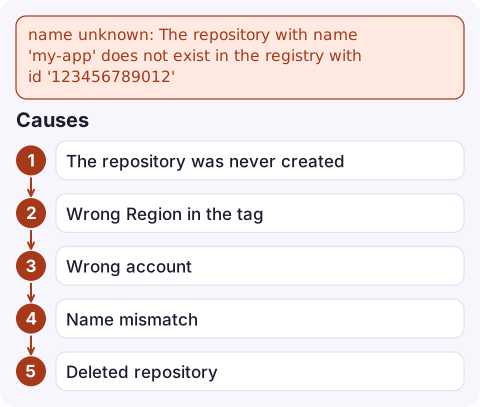
name unknown: The repository with name does not exist in the registry with id
Docker reached the right ECR registry and authenticated, but there's no repository with that exact name in that account and Region. ECR only creates repositories on push if you've set up a repository creation template for create-on-push that matches the name. Otherwise create it with aws ecr create-repository, or correct the image tag: the account ID, Region and repository name (including any namespace like team/app) must all match.
What it looks like
$ docker push 123456789012.dkr.ecr.eu-west-2.amazonaws.com/orders-api:1.4.2
The push refers to repository [123456789012.dkr.ecr.eu-west-2.amazonaws.com/orders-api]
name unknown: The repository with name 'orders-api' does not exist in the registry with id '123456789012'
The same RepositoryNotFoundException comes back from the ECR API (describe-images, batch-get-image), and on ECS as a CannotPullContainerError ending in not found. The message tells you which account (registry with id) was searched; the Region is in the hostname.
Causes
- The repository was never created. First push from a new service, a new environment or a new account, with no create-on-push template covering that name.
- Wrong Region in the tag: the repository exists in eu-west-1 and you pushed to eu-west-2. Repositories are Regional.
- Wrong account: the tag uses the dev account ID while your credentials are for prod, or the reverse.
- Name mismatch: names are lower case and include the full path, so
payments/orders-apiandorders-apiare different repositories. - Deleted repository: someone or a stack teardown removed it. Deleting a repository deletes all its images.
Fix it
# What exists in this account and Region?
aws ecr describe-repositories --region eu-west-2 \
  --query 'repositories[].repositoryUri' --output table

# Create it (immutable tags and scan on push are good defaults)
aws ecr create-repository --repository-name orders-api --region eu-west-2 \
  --image-tag-mutability IMMUTABLE \
  --image-scanning-configuration scanOnPush=true

# Then log in and push again
aws ecr get-login-password --region eu-west-2 | docker login --username AWS \
  --password-stdin 123456789012.dkr.ecr.eu-west-2.amazonaws.com
docker push 123456789012.dkr.ecr.eu-west-2.amazonaws.com/orders-api:1.4.2
Check which account your credentials belong to with aws sts get-caller-identity, and compare it with the account in the tag.
Prevent it
- Create repositories in infrastructure code (CloudFormation
AWS::ECR::Repository, Terraformaws_ecr_repository) alongside the service, so a new environment can't deploy without one. - If teams push many new repositories, set up a repository creation template applied to
CREATE_ON_PUSHfor a prefix, so ECR creates matching repositories with your encryption, tag mutability and lifecycle settings:aws ecr create-repository-creation-template --prefix payments --applied-for CREATE_ON_PUSH --image-tag-mutability IMMUTABLE. Pushes to names that match no template still fail. - Build the image URI from the account ID and Region your pipeline is actually using, not from a hard-coded string.
- Protect repositories from accidental deletion: in CloudFormation use
DeletionPolicy: Retain; without--force,delete-repositoryrefuses to delete a repository that still has images. - For cross-account pulls, the repository must exist in the owning account and its repository policy must allow the pulling account.
Questions
Does Amazon ECR create a repository automatically on push?
Only if a repository creation template applied to CREATE_ON_PUSH matches the repository name. Without one, create the repository first with aws ecr create-repository or in infrastructure code.
Why does ECR say the repository does not exist when I can see it in the console?
The tag is pointing at a different Region or account than the one shown in the console, or the name differs (case or path). Compare the full repository URI.
Can an ECR repository name contain a slash?
Yes. Names such as team/orders-api are valid, and the full path is part of the name.

A missing repository usually stops a release pipeline cold. CloudConsole, a phone app for AWS, is being built to show resources, logs and alarms on your phone, which helps you confirm what exists in which account while you're away from your desk.
Did it start after a deploy? What changed? on the app’s alarm screen lists the deploys and configuration changes from the hour before the alarm fired.
About the app → · Download on the App Store